7
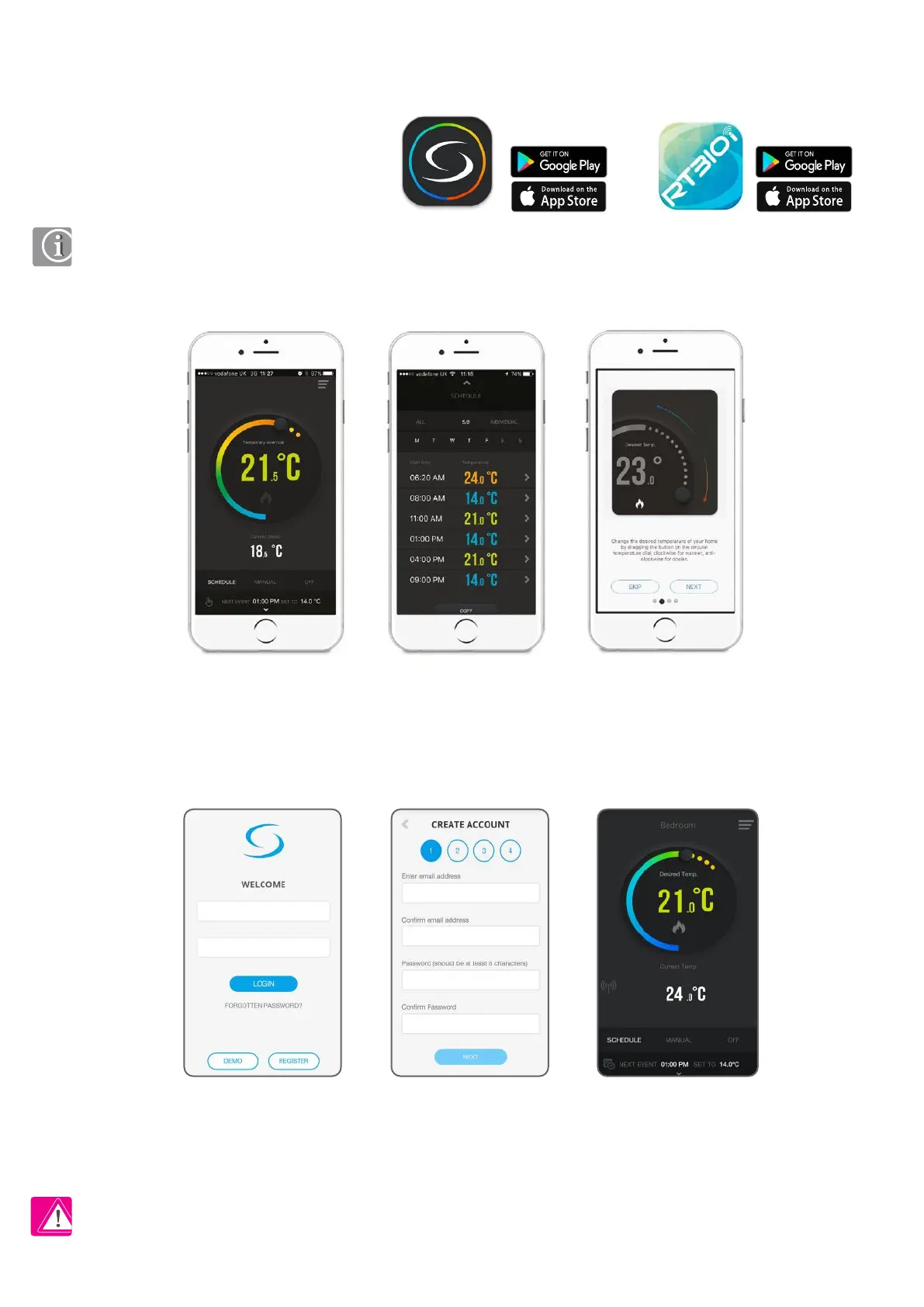
Tap register to create
a new account
Enter email and password,
tap Next
Thermostat interface in
schedule mode
3. About iT500 PLUS and RT310i application
Download one of the app, create an account and register your device. Follow the on screen instructions to complete all the steps.
Features available only on the App:
• HOLIDAY mode
• Antifrost temperature changing
• Frost protection temperature change
• Simplied schedule setup
Easy to use interface. With walk through tutorials
on how to use the App.
Simple to modify heating
schedules. Choose from ALL,
5/2 or INDIVIDUAL days.
You can add a few thermostats to one account.
iT500 Plus
iT500 Plus
RT310i
RT310i
PLEASE NOTE! Full information on how to operate thermostats from the application level can be found in the full manuals for each product
available at www.salus-controls.eu


 To Next Page