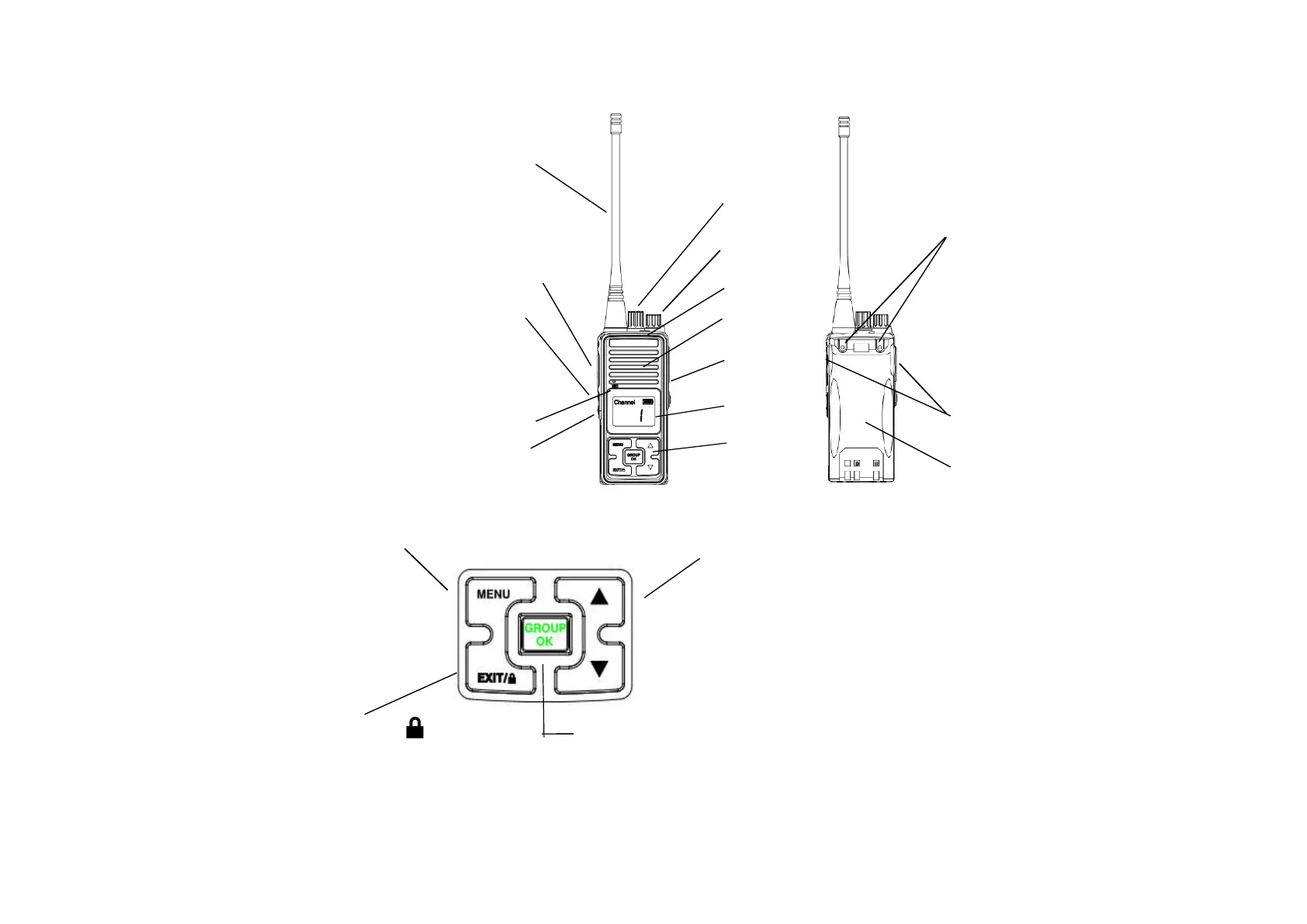
Get Familiar with the transceiver
(1) PTT Transmitting
(2) MONI (monitor) button 4
(3) Scan/call button
(4) Antenna 6
(5) Channel selection knob 15
(6) Power/volume switch 5
(7) Speaker 1
(8) Microphone 9
(9) Status indicator 2 7
(10) Battery release button
(11) Earphone cap 11
(12) LCD Display
(13) Keys 12 10
(14) Battery 8
(15) Belt screw 3 13
14
,
enter into the menu selecting mode
Press the GROUP/OK key to speak to all channel ,
open the key or Press the EXIT key to exit setting.
▲
▼
Keep press 3 seconds the key to lock/
press the OK
key to confirm the function


 To Next Page