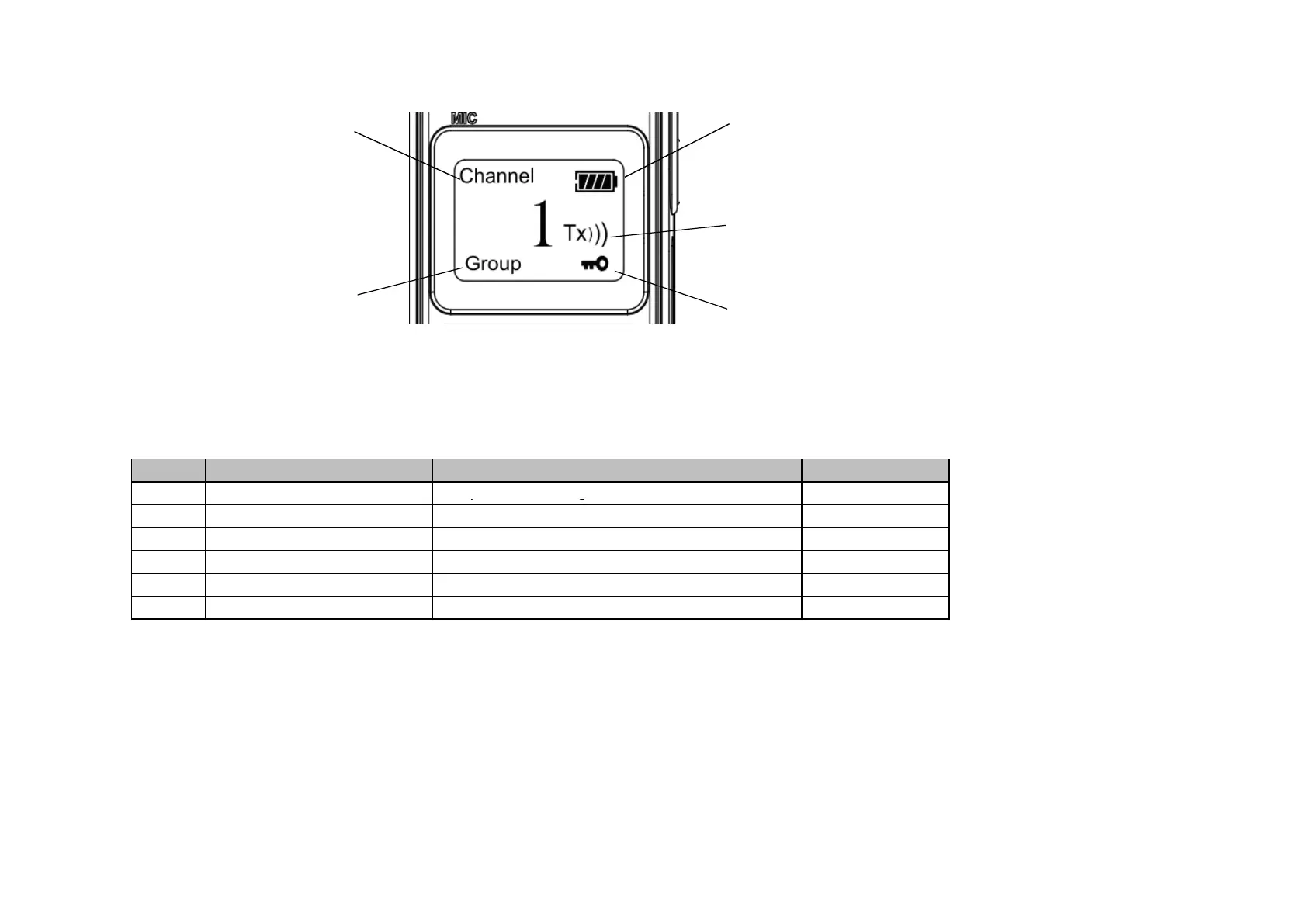
Channel Number Battery Capacity
Status
Group Number Key tone Status
Operation Guide
Item
1
b.Meun Selecting List
Setting contentDisplay
GRP
Description
0-19Group channel setting
2
3
4
5
6
VOX
SQL
OFF 1-9
ON/OFF
Voice Operation
Squelch Level Selection
BEP
CMP
SCA
After pressing MENU into function menu and GRP will be shown on display, press OK key then you can select 0-19
through by ▲or ▼, then press OK key again the new GRP channel is fix. press the EXIT key to give up setting
1、GRP (Group Channel) Setting
Keypad Tone
Voice Compression
Scrambler Function
ON/OFF
ON/OFF
ON/OFF


 To Next Page