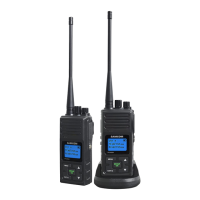
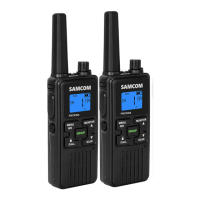
FPCN10A WITH APP Operation manual
b. Selecting List
Item Display Description Setting content
1 GRP Group channel
setting
1-20
2 APP Mapping software
tool in Mobile
ON/OFF
3 VOX Voice Operation OFF 1-9
4 SQL
Squelch Level
Selection
ON/OFF
5 BEP
Keypad Tone
ON/OFF
6 CMP
Voice
Compression
ON/OFF
7 SCA
Scrambler
Function
ON/OFF
c. Selecting Function
1、GRP (Group Channel) Setting
After pressing MENU into function menu and GRP will be shown on display, press OK key then
you can select 0-19 through by ▲or ▼, then press OK key again the new GRP channel is fix.
press the EXIT key to give up setting
2、VOX Setting
After pressing MENU into function menu and choice VOX, press OK key then you can
select 1-9 and off through by ▲or ▼, then press OK key again, press the EXIT key to give up
setting
3、SQL ( Squelch Level Selection ) Setting
After pressing MENU into function menu and choice SQL, press OK key then you can select
1-9 through by ▲or ▼, then press OK key again, press the EXIT key to give up setting
4、BEP ( Keypad Tone ) Setting
After pressing MENU into function menu and choice BEP, press OK key then you can select
on/off through by ▲or ▼, then press OK key again press the EXIT key to give up setting
5、CMP ( Voice Compression Function ) Setting
After pressing MENU into function menu and choice CMP, press OK key then you can select
on/off through by ▲or ▼, then press OK key again press the EXIT key to give up setting
6. SCA ( Scrambler Function ) Setting
After pressing MENU into function menu and choice SCA, press OK key then you can select
on/off through by ▲or ▼, then press OK key again press the EXIT key to give up setting


 To Next Page