36
5
ConstruCtion, layout & Controls
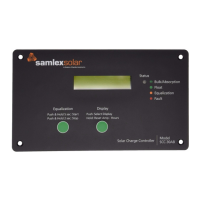
The details of information provided in the LCD screens are given below:
Screen 1
• Shows the solar array current / charging current in Amperes (Amp), battery voltage in V
(BatV) and the power delivered by the solar array / fed to the batteries in Watts (Watts). The
value of Watts = the charging current in Amperes (Amp) x Battery Voltage in V (BatV).
Screen 2
• It is a resettable counter that displays the Ampere Hours (Amp-Hours) of energy (in Ah)
delivered by the solar panel into the batteries with effect from the time the solar panel has
been connected or with effect from a desired starting / reference point after the counter
is set to 0. The counter can be set to zero with the help of the Push Button marked “Reset
Amp-Hours” (Push and hold the Push Button till the counter resets to 0). For example, due
to its 75% to 85 % efciency, a lead acid battery requires up to around 130% of Amp-Hour
energy as compared to its rated Amp-Hour capacity to recharge fully. Hence, during start of
recharging of say a fully discharged 100 AH battery, the Amp-Hours counter can be set to 0.
As 130 Amp-Hour of energy will be required to re-charge a fully discharged 100 AH battery,
a healthy battery is likely to be fully recharged when the Amp-Hour counter approaches 130
Amp-Hours.
Screen 3
• Counts the total running Ampere Hours (Amp-Hours) of energy (in Ah) delivered by the
solar panel into the batteries. This will only reset if the battery connection is removed.
Screen 4
• Shows the charging Mode in progress: Bulk or Absorption or Equalization or Float.
Screen 5
• Shows the Bulk (Absorption) and Float voltages that have been set for the desired battery
type / charging algorithm corresponding to one of the 8 options that can be selected with
the help of DIP Switches 2, 3, 4 (See Chapter 6, Table 6.1).
Screen 6
• Displays the Equalization Voltage (EQU, in Volts), Equalization Time (EQU-T, in Hours) and
Equalization Cycle (CYCLE, in days). These parameters are automatically set once a particular
battery type / charging algorithm corresponding to one of the 8 options has been selected
using DIP Switches 2,3,4 (See Chapter 6, Table 6.1).
Screen 7
• Displays the heat sink temperature (Heatsink) in °C (the metal plate of the front panel acts as
the heat sink). It also displays the temperature of the battery in °C when the optional Battery
Temperature Sensor (BTS) Model No. DC-BTS-A-C is used.
NOTE: The battery temperature can not be displayed below 0° C. If the battery
temperature falls below 0° C, the display will read “- - - ° C”.


 To Next Page
 Loading...