Need help?
Do you have a question about the Sammix DW10 and is the answer not in the manual?
Instructions on how to hook the frame stand on the back for placement or wall mounting.
Steps to connect the power cable and adapter to power on the frame.
Overview of initial setup configurations like Wi-Fi and device information.
Guide to selecting and connecting to a Wi-Fi network for the frame.
Instructions to download and install the OurPhoto App from app stores.
Steps for logging into an existing account or creating a new one in the OurPhoto App.
Guide for the frame owner to bind their frame to the OurPhoto App.
Instructions on entering the frame's ID and assigning a device name.
Guidance on creating a unique email account for the frame.
Steps for friends to download and log into the OurPhoto App to share content.
Procedure for the frame owner to accept binding requests via User Management.
Instructions on binding email accounts to the frame for photo sharing.
Process for uploading photos and videos using the OurPhoto App.
Method to upload photos by sending them as email attachments.
Instructions for transferring media files using an SD card.
Steps to delete files from the Photo or Video library.
How to delete photos or videos while they are being displayed.
Option to delete all photos stored in the internal storage.
Access Frame ID and app download details.
Manage user accounts, accept requests, and view bound users.
Connect the frame to available Wi-Fi networks.
Configure full screen display, slideshow modes, and intervals.
Set slideshow time, description display, background music, and transition effects.
Option to delete all photos from internal storage.
Reset the frame to factory default settings.
Adjust sound volume, screen brightness, and configure display features.
Set the frame's date, time, and system language.
Configure automatic power on/off times and perform factory data resets.
Find general information and system update notifications.
Answers to common questions about power, Wi-Fi, and frame functionality.
Locate the frame's unique 6-digit identification number.
Troubleshoot frame binding issues and how to unbind accounts.
Guidance on sharing photos/videos and transferring files from computers.
Information on media storage, deletion, and export options.
Customize slideshow speed, interval, and transition effects.
Information on playing photos and videos separately.
Methods for uploading many photos/videos via SD card or USB.
How to display only one photo or set it as a favorite.
Understanding how photos are sequenced based on reception time.
Details for contacting SAMMIX customer support via email and website.
Compliance information regarding FCC rules and interference.
This document is a user manual for the SAMMIX DW10 Digital Photo Frame, version 2.0. It provides comprehensive instructions for setting up, using, and maintaining the device, along with troubleshooting tips and contact information.
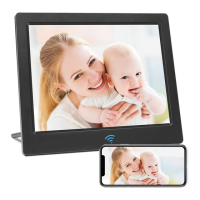
The SAMMIX DW10 is a digital photo frame designed to display photos and videos. It can connect to a Wi-Fi network to receive new content and user requests, and it supports binding with the OurPhoto App for easy content sharing from smartphones or tablets. The frame can also display content from an SD card or via email. It features a motion sensor lens, a power on/off button, a lock button, and a removable bracket for versatile placement.
 General
| Brand | Sammix |
|---|---|
| Model | DW10 |
| Category | Digital Photo Frame |
| Language | English |

 To Next Page