5.3
Calibration via app
Before connecting to the device via the SAMON GLACIÄR app, first make sure that the BLUETOOTH connection and
GEOLOCATION are enabled on the smartphone used.
Make sure that the Bluetooth mode on the GLACIÄR MIDI has been activated using the magnetic latch as described in
the previous chapters.
Refer to the Functions chapter of the SAMON GLACIÄR app manual for details of all the app’s features.
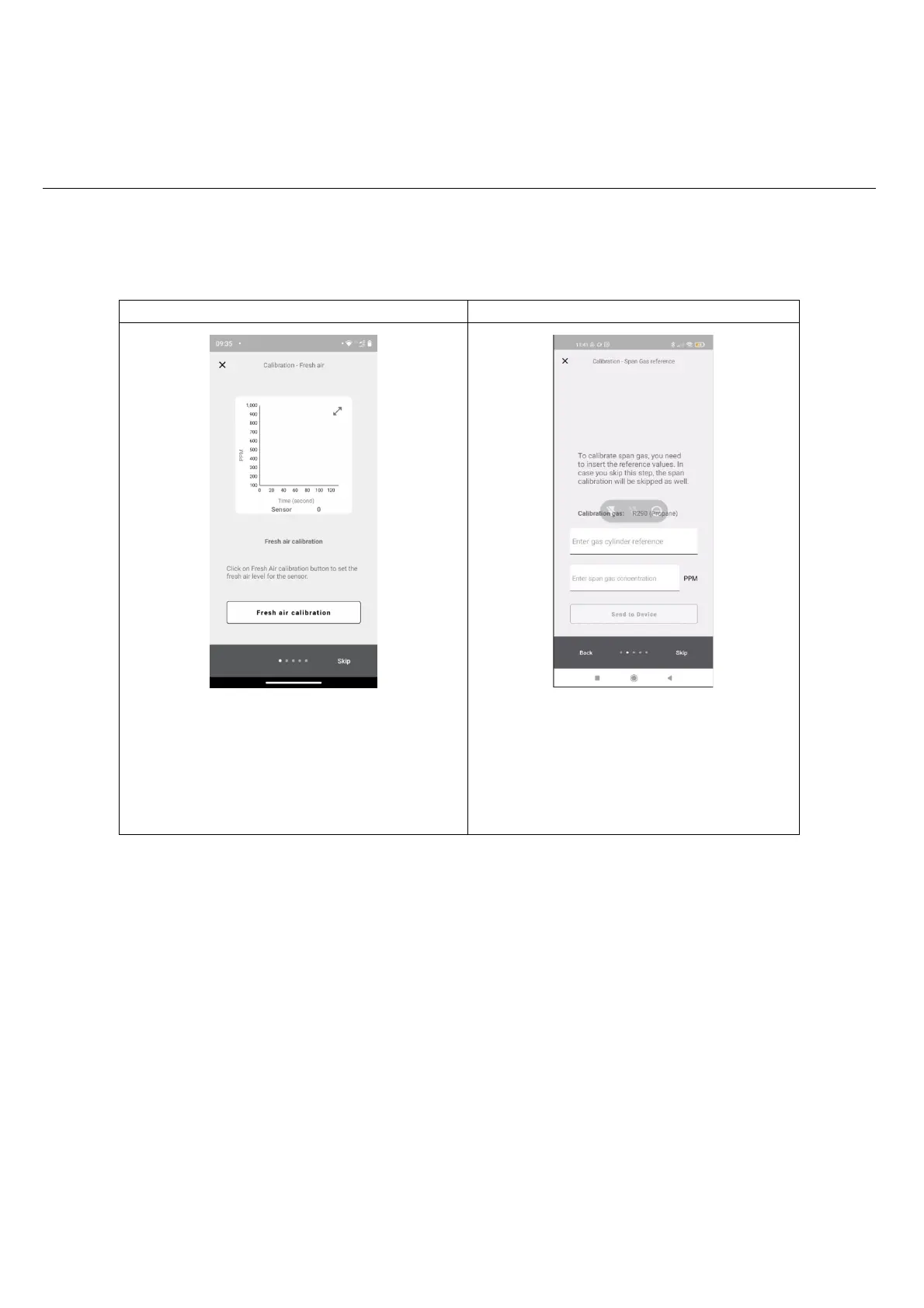
Start calibration on the navigation bar.
Make sure the sensor is ready and free of gas or other
sources of pollution Click Fresh air calibration at the bottom
right, then select Next
To perform the calibration, the specific gas indicated as
the “calibration GAS” needs to be used. Enter the gas
cylinder reference (serial number of the reference gas or
other information to be shown on the certificate).
Enter the concentration of the gas used for calibration.
Click send to device to set the gas concentration used for
calibration.



 To Next Page