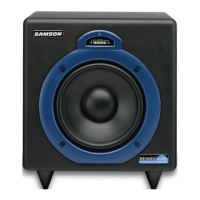
MediaOne 10S 10” Active Studio Subwoofer
THIS DEVICE COMPLIES WITH PART 15 OF THE FCC RULES. OPERATION IS
SUBJECT TO THE FOLLOWING TWO CONDITIONS: (1) THIS DEVICE MUST
NOT CAUSE HARMFUL INTERFERENCE, AND (2) THIS DEVICE MUST ACCEPT
ANY INTERFERENCE RECEIVED, INCLUDING INTERFERENCE THAT MAY
CAUSE UNDESIRED OPERATION. SUITABLE FOR HOME OR OFFICE USE.
From Audio Source
Connection the Media One - Line Level Input
If you have active studio monitors, adding the MediaOne 10S is easy using the LINE LEVEL
inputs and outputs. Below is a typical system set-up using the MediaOne 10S with a mixer and
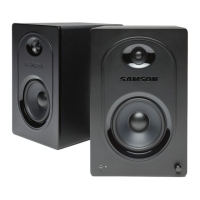
a pair of Samson MediaOne BT active studio monitors.
• Connect your audio source to the left and right RCA Line Inputs of the MediaOne 10S.
• Connect the left and right RCA outputs to the inputs of your active speakers.
• Note: Do not use the line Speaker Level terminal outputs in this configuration.



 To Next Page