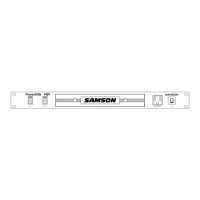
Guided Tour -
PowerBrite Pro7 Rear Panel
1: Lamp switch - Used to turn on or off a connected Littlite®-
compatible lamp (see #2 below).
2: Lamp connector - If required, you can connect a Littlite®-
compatible lamp to this 12 VDC female XLR jack.
3: Switched AC outlets (horizontal mount) - Connect external
equipment to these standard 3-pin AC outlets, which are turned on and
off from the front panel Outlets switch (see #2 on the previous page).
4: Switched AC outlets (vertical mount) - Similar to the AC outlets
described in #3 above, these are mounted vertically so as to
accommodate external transformer AC power adapters.
5: Fluorescent starter - This is a standard 4 watt, 110 volt condenser
type fluorescent starter, used for starting the fluorescent light in the
slide-out drawer (see #3 on the previous page). To remove the starter,
twist it counterclockwise a half-turn and pull it straight out. To insert a
new starter, line up its pins with the slot and twist it a half-turn in the
other direction. Be certain the replacement starter is rated at 4 watts or
greater.
8


 To Next Page