2-2 Installing the Product
2-2 Installing the Stand
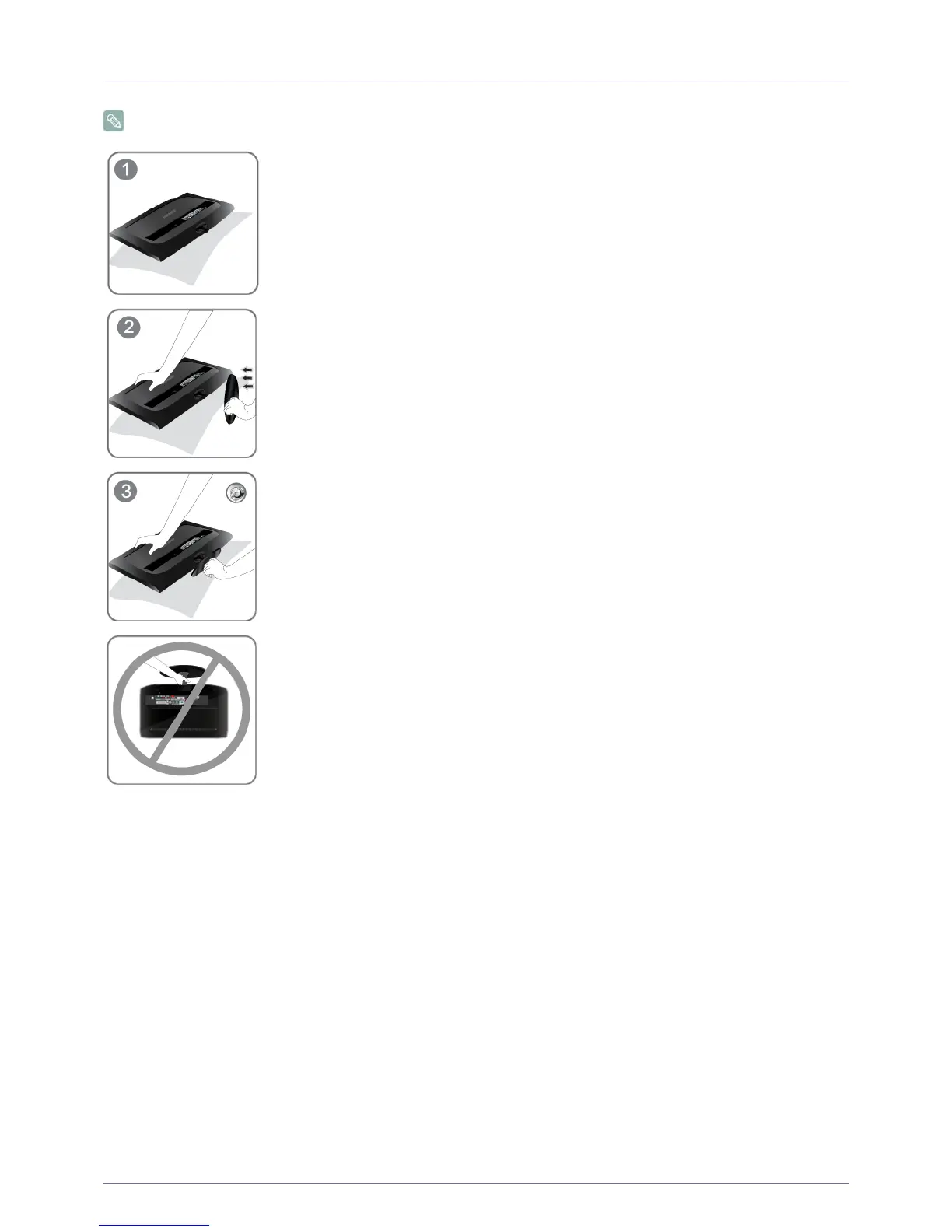
Before assembling the product, place the product down on a flat and stable surface so that the screen is facing downwards.
Place a soft cloth over the table to protect the product and place the product onto the
cloth face down.
Insert the Stand Connector into the Stand in the direction shown by the
figure.
Turn the connecting screw at the bottom of the stand fully so that it is completely fixed.
- Caution
Do not lift the product holding only the stand










 To Next Page