45
Chapter 2.
Using the computer
Multi Card Slot
(Optional)
2
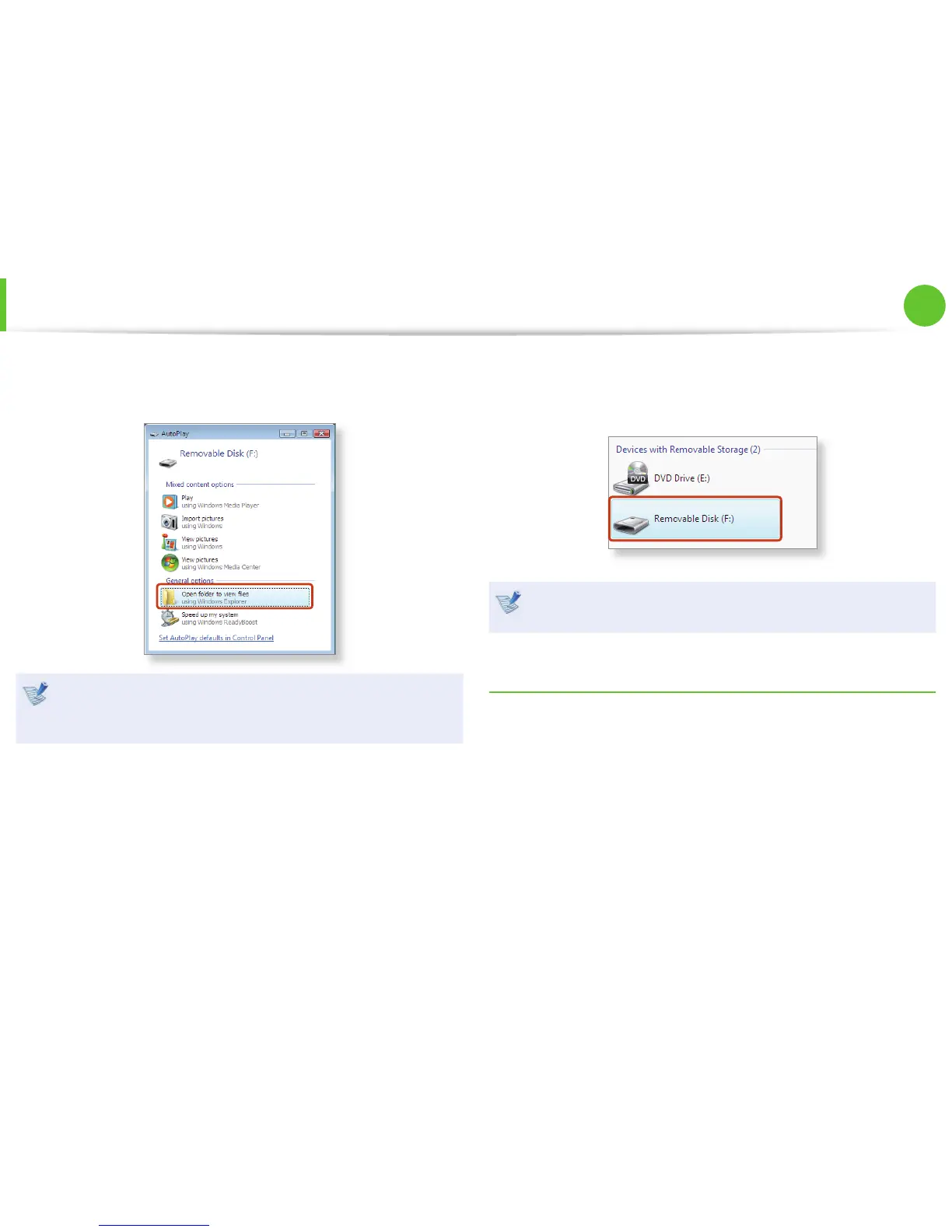
The card drive appears. Click Open folder and view les.
If the window does not appear, click Start > Computer.
If a window asking to scan and change appears, click
Continue Without Scanning. This will proceed to Step 2
above.
3
You can save, move and delete data by double-clicking the
corresponding drive.
You can only use the card after formatting it.
The device name of the card drive may di er depending on
your computer model.
Using a Mini SD
Since the above cards are too small, you cannot insert the cards
into the slot directly.
Insert the card into the dedicated adapter (available from most
electronic retailers) and then insert the adapter into the multi card
slot.






 To Next Page