60
Chapter 2.
Using the computer
Wired Network
A wired network is a network environment used for a company
network or broadband internet connection at home.
Since these descriptions are written on the basis of the •
latest operating system, Windows 7, some of the content
and the gures of the descriptions may di er depending
on the operating system. Since the procedures for other
Windows operating systems are similar, use the computer
referring to these descriptions.
The gures used for the description are of a representative •
model. Therefore the gures may di er from the real ones.
Connecting to a Wired LAN through Windows
1
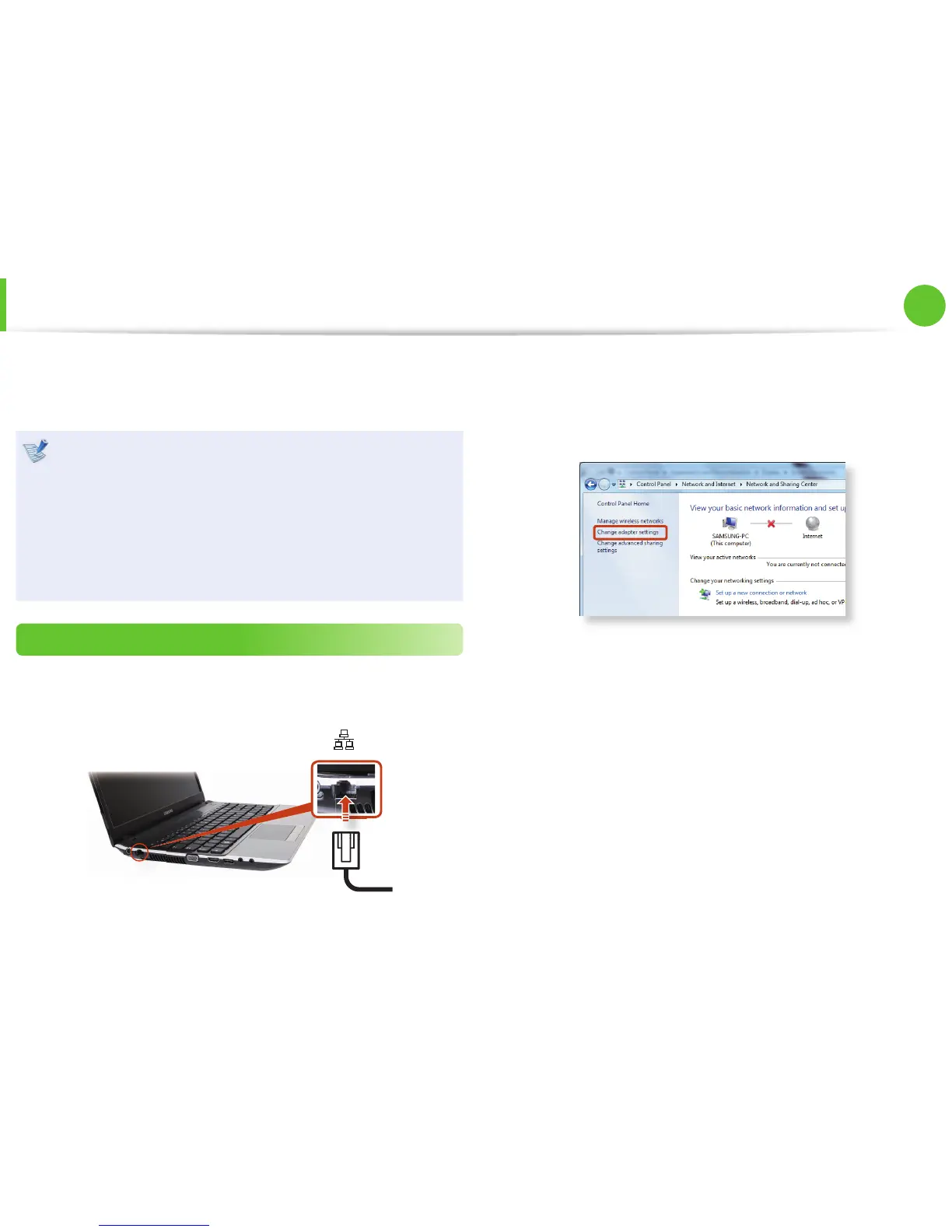
Connect a LAN cable to the computer’s LAN port.
2
►
For Windows 7
Click Start > Control Panel > Network and Internet >
Network and Sharing Center and click on Change adapter
settings in the left menu pane.
►
For Windows XP
Click Start > Control Panel > Network and Internet
Connections > Network Connection.






 To Next Page