52
Chapter 2.
Using the computer
Connecting an External Display Device
►
For AMD graphics cards
This function is not provided in the PowerXpress
speci cations.
1
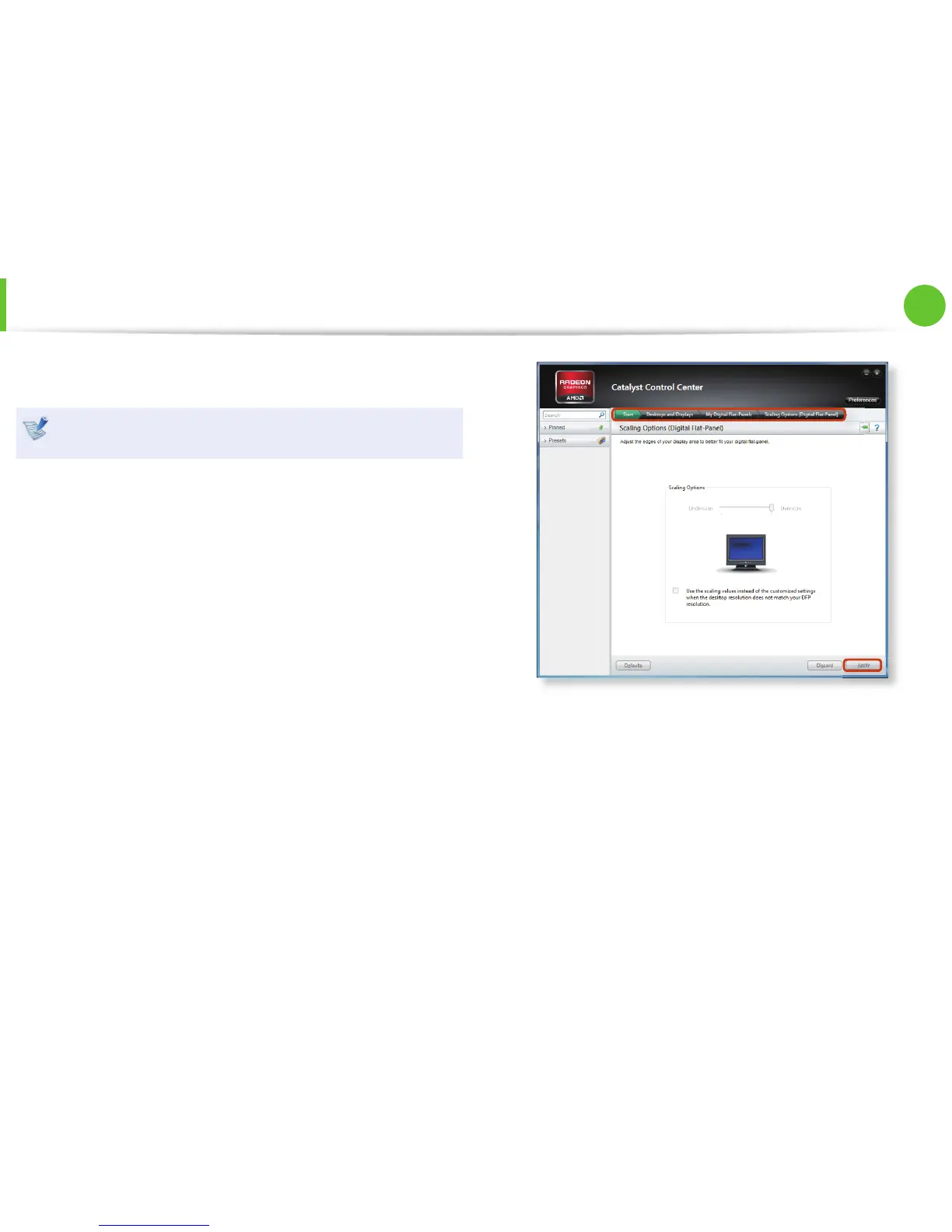
Right-click on the Desktop and select Graphics Properties >
Desktops and Displays > My Digital Flat-Panels > Scaling
Options (Digital Flat-Panel).
2
Adjust the size to the edges of the TV screen using the resize
bar and click Apply.






 To Next Page