EasyManua.ls Logo

Samsung 6400 - Eco Sensor and Screen Brightness; Preventing burn-in

Samsung 6400
58 pages
Print Icon
To Next Page IconTo Next Page
To Previous Page IconTo Previous Page
Loading...
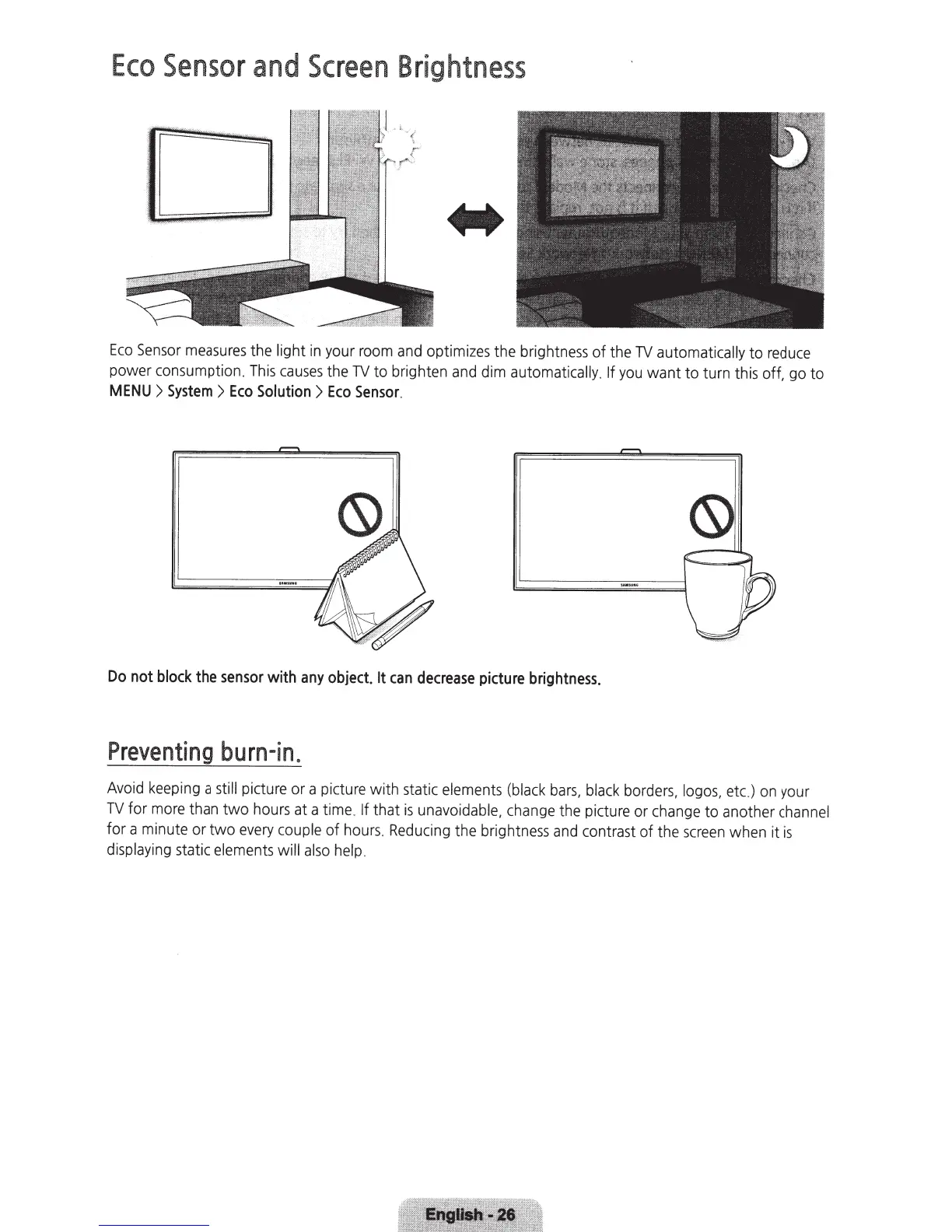
Eco
Sensor
and
Screen
Brightness
Eco
Sensor
measures
the
light in your
room
and
optimizes the brightness
of
the
TV
automatically
to
reduce
power consumption.
This
causes
the
TV
to brighten
and
dim automati
cally
.
If
you
want to turn this off. go to
MENU>
System>
Eco
Solution>
Eco
Sensor
.
Do
not
block
the
sensor
with
any
object.
It
can
decrease
picture
brightness.
Preventing
burn-
i
n.
Avoid
k
eep
i
ng
a
still
pi
cture or a
pi
cture with static
e
lem
ents
(bl
a
ck
bars,
black
borders,
logos,
etc.)
on
your
TV
for
more
than two hours at a ti
me
.
If that
is
unavoidabl
e,
chan
ge
th
e picture or c
hange
to
an
other
ch
an
n
el
for a minute or two
every
couple
of
hours
.
Reducing
the bri
ghtness
and
contrast of the
screen
when it
is
display
i
ng
static
elements
will
also
help
.