EasyManua.ls Logo

Samsung 6400 - 1 Unpack; Taking the TV Out of the Box; Included in the Box

Samsung 6400
58 pages
Print Icon
To Next Page IconTo Next Page
To Previous Page IconTo Previous Page
Loading...
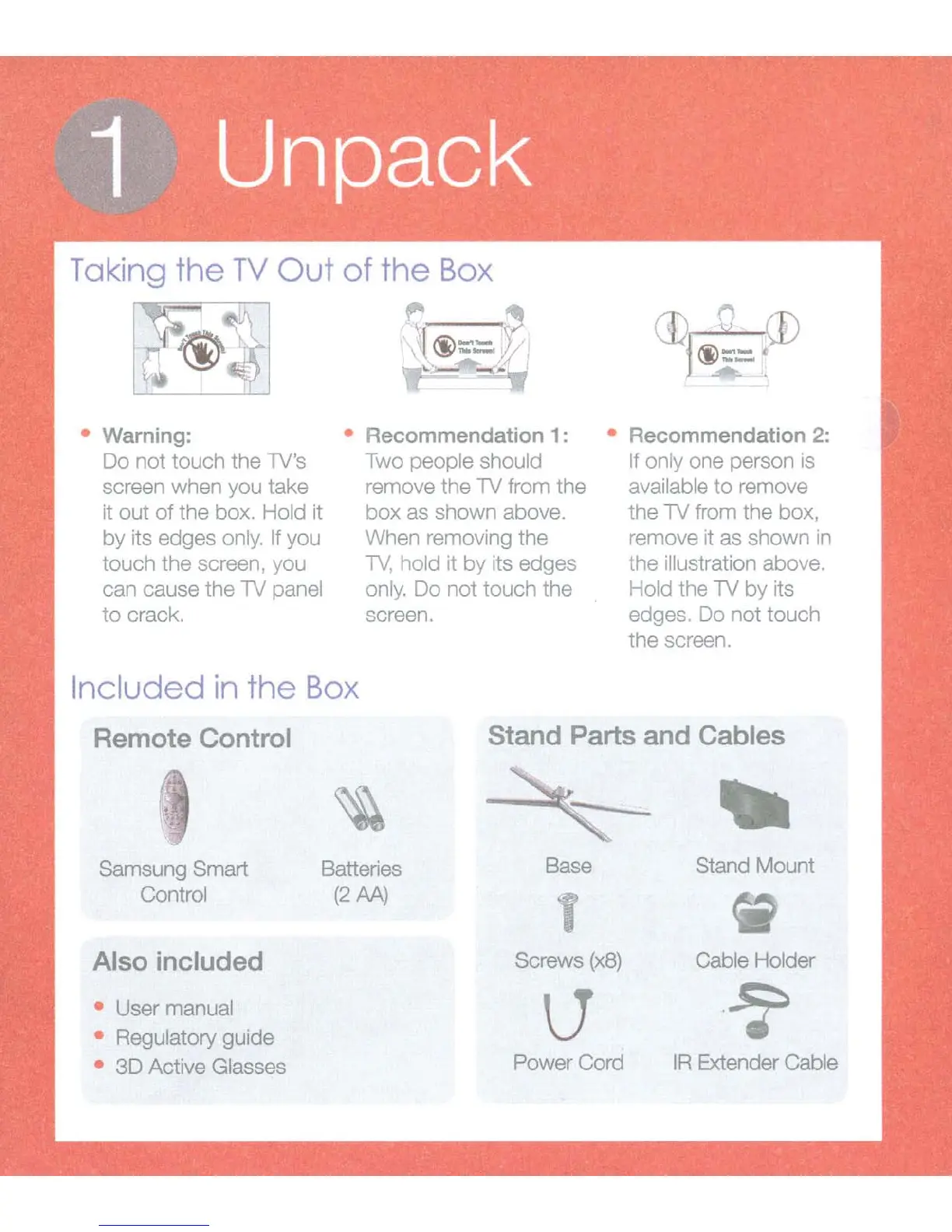
Warning: Recommendation 1 : Recommendation 2:
Do not touch the TV's
screen when you take
it out
of
the box. Hold it
by
its edges only. If you
touch the screen, you
can cause the TV panel
to
crack.
Included
in
the
Box
Two people should
remove the TV from the
box
as shown above.
When removing the
TV,
hold it by its edges
only.
Do
not
touch the
screen.
If only one person is
available
to
remove
the TV from the box,
remove it as shown
1n
the illustration above.
Hold the TV
by
its
edges. Do not touch
the screen.
Remote Control
Stand Parts and Cables
Samsung Smart
Control
Also included
User manual
Regulatory guide
3D Active Glasses
Batteries
(2M)
-
Base Stand Mount
Screws
(x8)
Cable Holder
Power Cord
IR
Extender Cable

Related product manuals