
 Need help?
Do you have a question about the Samsung 732N and is the answer not in the manual?
Essential safety guidelines for using and handling the monitor.
Important precautions for technicians performing service on the unit.
Procedures to prevent damage to sensitive electronic components from static discharge.
Safety measures to follow during the physical installation of the monitor.
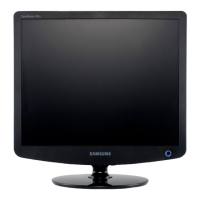
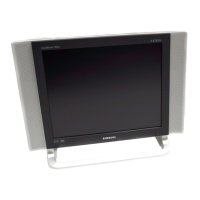
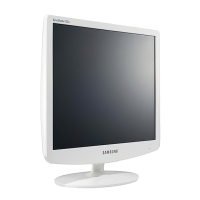
Describes the aesthetic design and visual characteristics of the monitor.
Technical specifications for the LS17PEA model, including panel and signal details.
Technical specifications for the LS19PEB model, including panel and signal details.
Compares the specifications of different monitor models for easy reference.
Lists optional items and their specifications included with the monitor.
Lists the necessary tools and equipment for monitor calibration and adjustment.
Procedure for automatically adjusting the monitor's color settings for optimal display.
Process for inputting Display Data Channel Extended Display Identification Data.
Steps for adjusting the On-Screen Display after replacing the monitor panel.
Steps for adjusting the On-Screen Display after replacing the monitor lamps.
Details on the specific functions available in the monitor's service mode.
Instructions on how to perform the Display Data Channel (DDC) procedure.
Guide on executing the Microcontroller Unit (MCU) code for specific functions.
Diagnostic steps and solutions for issues where the monitor does not power on.
Troubleshooting guide for cases where no analog video signal is displayed.
Troubleshooting guide for cases where no digital video signal is displayed.
Visual breakdown of monitor components for service and identification.
Comprehensive list of electrical components, their codes, and specifications for repair.
Diagram illustrating the power distribution and voltage regulation within the monitor.
Identifies key components and connections on the main board for specific models.
Identifies key components and connections on the main board for the LS19PEB model.
Block diagram of the Input Power (SMPS) section, showing its functional blocks.
Block diagram of the Inverter section, detailing its functional blocks for backlight control.
Illustrates the electrical connections between internal components for specific models.
Illustrates the electrical connections between internal components for the LS19PEB model.
Detailed circuit schematics for the main board and other sections of the monitor.
Detailed circuit schematics specific to the LS19PEB model's main board.
Explains the function of buttons and indicators on the front panel of the monitor.
Identifies and describes the ports and connectors located on the rear of the monitor.
Step-by-step guide on how to connect the monitor to a computer.
Step-by-step instructions for safely disassembling the monitor for repair or component replacement.
Instructions for correctly reassembling the monitor after servicing.
Instructions for installing and removing the monitor stand.
Layout diagram showing component placement on the main PCB for specific models.
Layout diagram showing component placement on the main PCB for the LS19PEB model.
Overview of the monitor's main functional blocks and their interconnections.
Detailed troubleshooting flowcharts and procedures for common issues.
Detailed schematic diagram of the power supply (IP Board) circuitry.
Detailed schematic diagram of the inverter circuitry for the backlight.
Glossary of technical terms and acronyms used in the manual.
Details of pin configurations for various connectors, including D-Sub and DVI.
Standard timing parameters for different video signal resolutions and refresh rates.
List of pre-configured display timing modes supported by the monitor.
Information about the LCD panel part numbers, vendors, and specifications.





 To Next Page
 General