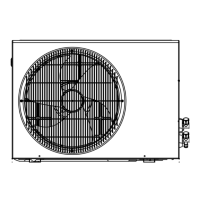
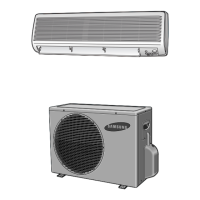
This document serves as the User's Manual for Samsung Split-type Room Air Conditioners, covering both cooling and heating functionalities across various models including AQ09F*, AQ12F*, AQ18F*, AQ24F*, AQ09J*, AQ12J*, AQ18J*, AQ24J*, AQ09W*, AQ12W*, AQ18W*, and AQ24W* Series. The manual provides comprehensive instructions for safe operation, feature utilization, and maintenance of the air conditioning units.
Function Description
The Samsung Split-type Room Air Conditioner is designed to provide comfortable indoor environments through its cooling and heating capabilities. It offers several operating modes to suit different user needs and atmospheric conditions:
- Automatic Operating Mode (Auto Mode): This mode intelligently selects between cooling and heating operations based on the indoor temperature and the user-set temperature. The air conditioner adjusts the indoor temperature to an optimum condition, switching modes as needed to maintain comfort. Users can fine-tune the temperature within a range of 16°C to 30°C.
- Cooling Mode: Specifically for cooling rooms, this mode allows users to set a desired cooling temperature (16°C to 30°C) and adjust the fan speed. The unit will cool the room if the indoor temperature is higher than the set temperature, stopping cooling once the set temperature is reached while the fan continues to operate.
- Heating Mode: Designed for warming rooms, this mode enables users to set a desired heating temperature (16°C to 30°C) and control the fan speed. The unit will heat the room if the indoor temperature is lower than the desired temperature. The fan operates slowly initially to warm the air sufficiently before reaching the set speed.
- Removing Excess Humidity (Dry Mode): This function helps reduce high humidity or dampness in the room without significantly lowering the room temperature. The air conditioner automatically adjusts the quantity of air to remove excess humidity, with the fan running in auto mode. Temperature settings are available between 16°C and 30°C.
- Airing Your Room (Fan Mode): When the room air feels stale, this mode circulates air using only the fan, without cooling or heating. Users can select from various fan speeds (Automatic, Low, Medium, High, Maximum) to refresh the room. The temperature is set automatically in this mode.
- Changing the Room Temperature Quickly (Turbo Function): This feature allows for rapid cooling or heating of the room. The Turbo function operates for 30 minutes at maximum settings before automatically reverting to the previously selected mode and temperature. It is available in Auto, Cool, and Heat modes.
Important Technical Specifications
While specific power ratings and dimensions are not detailed in this excerpt, the manual highlights several operational parameters and safety features:
- Temperature and Humidity Ranges:
- Heating: Outdoor Temperature: 0°C to 24°C approx.; Indoor Temperature: 27°C or less.
- Cooling: Outdoor Temperature: 19°C to 43°C approx.; Indoor Temperature: 16°C to 32°C approx.; Indoor Humidity: 80% or less.
- Drying: Outdoor Temperature: 19°C to 43°C approx.; Indoor Temperature: 16°C to 32°C approx.
- Note: Heating capacity may drop to 70-80% if outdoor temperature is as low as 0°C. Cooling operation may not reach full capacity if indoor temperature exceeds 32°C.
- Safety Precautions: The device carries a risk of electric shock, emphasizing the need to disconnect all remote power supplies before servicing, installation, or cleaning. This must be performed by qualified personnel.
- Protection Mechanism: The air conditioner is equipped with a protection mechanism that delays startup by three minutes if the unit is plugged in or stopped immediately before being turned on, preventing damage.
- Remote Control Batteries: Requires two AAA, LR03 1.5V batteries. Old or different kinds of batteries should not be mixed. Batteries may discharge completely after 12 months.
- Max Current: Measured according to IEC standard for safety and ISO standard for energy efficiency.
Usage Features
- Remote Control: The primary interface for operating the air conditioner, featuring buttons for mode selection (Auto, Cool, Dry, Fan, Heat), temperature adjustment, Turbo mode, fan speed adjustment, swing function, On Timer, Off Timer, and Good Morning mode. The display shows the operating mode, temperature setting, timer settings, and battery discharge indicator.
- On Timer: Allows scheduling the air conditioner to switch on automatically after a set period, ranging from 0.5 to 24 hours.
- Off Timer: Allows scheduling the air conditioner to switch off automatically after a set period, ranging from 0.5 to 24 hours.
- Good Morning Mode: A specialized mode for comfortable sleep, automatically adjusting temperature and fan speed. For cool models, fan speed and air flow direction cannot be adjusted. For heat models, fan speed and air flow direction can be adjusted. The Off Timer automatically switches off the unit after 8 hours by default, or can be set between 0.5 to 12 hours.
- Air Flow Direction Adjustment:
- Vertically: The outer air flow blade can be adjusted vertically using the remote control to optimize air distribution. An automatic up-and-down swing function is also available.
- Horizontally: Inner air flow blades can be manually adjusted sideways to direct air flow horizontally.
- Operating Without Remote Control: In case the remote control is lost or broken, the unit can be switched on/off directly using the ON/OFF switch on the indoor unit. It will start in the most suitable mode for the room temperature (Heat if below 24°C, Cool if 24°C or above).
Maintenance Features
- Air Filter Cleaning: Regular cleaning of the air filter is crucial for optimal performance. The manual instructs users to open the upper front grille, pull out the air filters, and remove dust with a vacuum cleaner or brush.
- Deodorizing and Bio Filter Cleaning (Option): For models equipped with deodorizing and Bio filters, these should be cleaned every 3 months to remove minute dust particles and odors. The process involves opening the front grille, pulling out the filters, washing them with clean water, drying them in the shade, and reinserting them.
- Front Grille Cleaning: The front grille can be cleaned with a damp cloth and mild detergent, avoiding benzene, solvents, or other chemicals.
- Drying Inside the Unit: If the air conditioner has not been used for a long period, it is recommended to run the fan for three to four hours to thoroughly dry the inside of the unit.
Troubleshooting: The manual includes a section on common problems and their solutions, such as the unit not operating, remote control issues, insufficient cooling/heating, fan speed not changing, and air flow direction issues, guiding users to perform simple checks before contacting service.

 Need help?
 General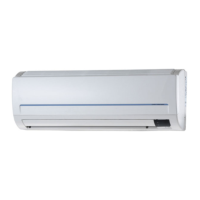



 To Next Page