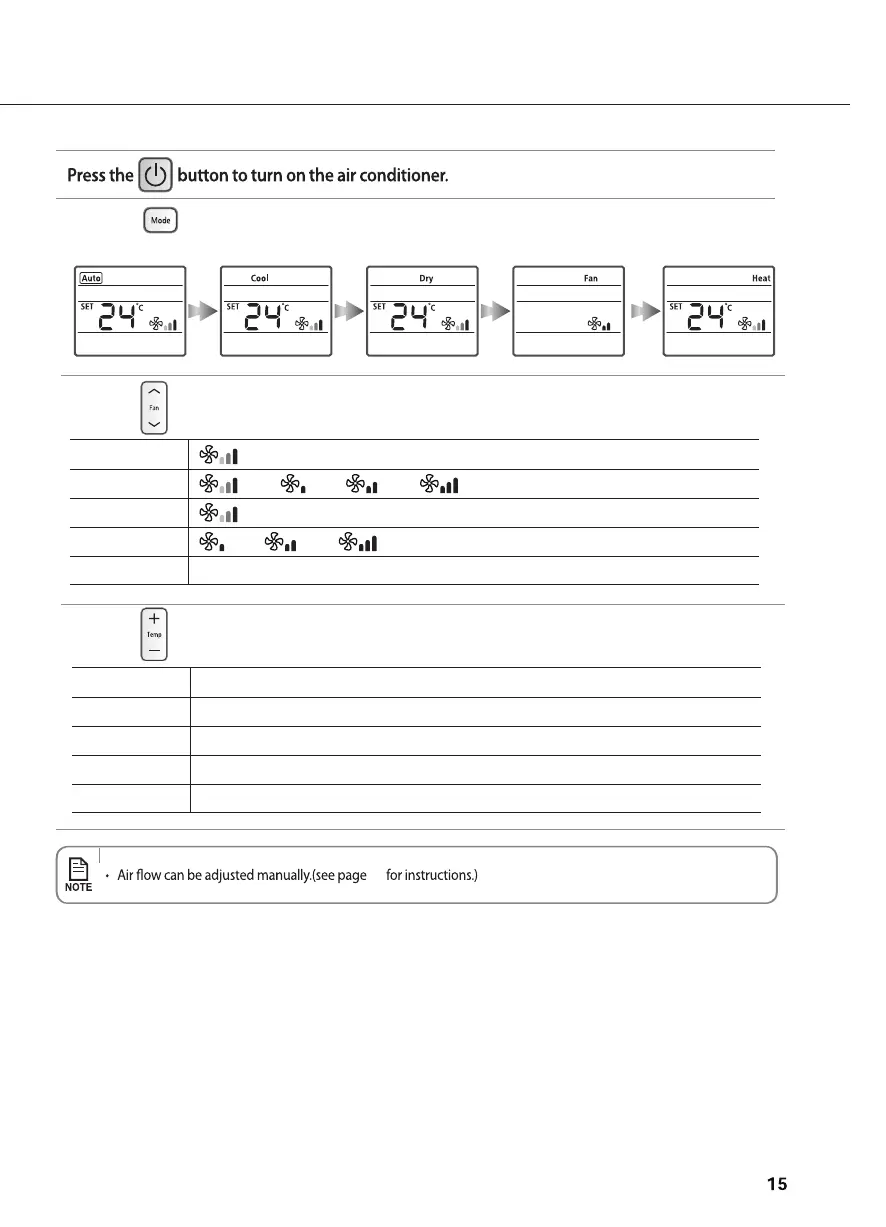
Press the button to set the operating mode.
• Each time you press the Mode button, the mode will change in order of Auto, Cool, Dry
Press the
button to set the desired fan speed.
Press the
button to adjust the temperature.
Auto (Auto)
Cool
(Auto), (Low), (Med), (High)
Dry
(Auto)
Fan
(Low), (Med), (High)
Heat
Auto You can adjust the desired temperature by 1°C within the range of 16°C~30°C.
Cool You can adjust the desired temperature by 1°C within the range of 16°C~30°C.
Dry You can adjust the desired temperature by 1°C within the range of 18°C~30°C.
Fan Temperature adjustment is not possible.
Heat
, Fan and Heat.
Heat Mode doesn't have any function.
16
Heat Mode doesn't have any function.



 To Next Page