Need help?
Do you have a question about the Samsung ATIV Smart PC Pro XE500T1C and is the answer not in the manual?
Information before beginning to use the computer.
Important safety instructions for using the computer.
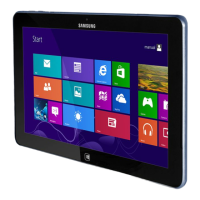
Description of the computer's front, right, left, top, and bottom views.
Instructions for powering the computer on and off.
Introduction to the Windows 8 operating system and its features.
Overview of the Start screen and Desktop modes in Windows 8.
Explains how to activate and use the Charms menu for quick access.
Guide on launching, exiting, and managing applications in Windows 8.
Detailed guide on touch screen operations and S Pen usage.
How to connect monitors, TVs, or projectors via VGA or HDMI.
Instructions for connecting to wireless networks and APs.
Using the Support Center for troubleshooting and diagnosing problems.
Information on battery usage, charging, and management.
Steps to enter and configure the BIOS setup.
Procedure for restoring the computer to its default factory status.
Frequently asked questions and their solutions for common issues.
Comprehensive safety instructions and guidelines for system setup and use.
Statements related to wireless guidance, FCC, IC, and European Union compliance.
Technical details and specifications of the computer hardware.
Definitions of technical terms used in the user guide.
 General
| Pen Included | Yes |
|---|---|
| Pen Pressure Levels | 1024 |
| Display Size | 11.6 inches |
| Display Resolution | 1920 x 1080 pixels |
| RAM | 4GB |
| Graphics | Intel HD Graphics 4000 |
| Battery Life | Up to 8 hours |
| Wireless Connectivity | Wi-Fi 802.11 a/b/g/n, Bluetooth 4.0 |
| Processor | Intel Core i5-3317U |
| Storage | 128GB SSD |
| Operating System | Windows 8 |
| Ports | 1 x USB 3.0, microHDMI, microSD card slot, Headphone/microphone combo jack |
| Camera | Front: 2MP, Rear: 5MP |


 To Next Page