EasyManua.ls Logo

Samsung AW06EDB Series - User Manual

Samsung AW06EDB Series
22 pages
Print Icon
To Next Page IconTo Next Page
Loading...
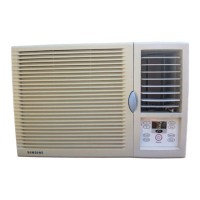
Air Conditioner
user manual
imagine the possibilities
Thank you for purchasing this Samsung product.
To receive more complete service, please
register your product at
www.samsung.com/global/register
AW06EDB Series

Questions and Answers

  • I
    Ian AndrewsJul 28, 2025
    Why is cool/warm air not coming out of my Samsung AW06EDB Air Conditioner?
    • B
      Brenda Houston DDSJul 29, 2025
      If your Samsung Air Conditioner isn't blowing cool or warm air, first, ensure the set temperature on the remote control is appropriately lower or higher than the current room temperature. Adjust it using the Temp button. Also, a blocked air filter can restrict airflow, so clean it every two weeks. Finally, if you've just turned on the unit, allow 3 minutes for it to start.
  • J
    Jennifer BoothAug 1, 2025
    Why is my Samsung AW06EDB Air Conditioner remote control not working?
    • I
      ithompsonAug 2, 2025
      If your Samsung Air Conditioner remote control isn't working, start by checking if the batteries are depleted and replace them if necessary. Ensure the batteries are correctly installed. Also, make sure there are no obstructions blocking the remote control sensor.
  • S
    Shawn StaffordAug 6, 2025
    What to do if my Samsung AW06EDB Air Conditioner is dripping water from the blades?
    • A
      andrew19Aug 6, 2025
      If you notice water dripping from the air flow blades of your Samsung Air Conditioner, it may be due to cooling for an extended period with the blades pointed downwards. Condensation can occur because of the temperature difference. Try pushing the vertical air flow blades upward and continue running the appliance.
  • B
    Brittany MckayAug 11, 2025
    What to do if my Samsung Air Conditioner does not work?
    • H
      hogancatherineAug 11, 2025
      If your Samsung Air Conditioner is not working, ensure the power plug is correctly inserted into the wall socket. Also, check if the circuit breaker is switched on, and verify there isn't a power failure. Lastly, inspect your fuse to confirm it hasn't blown.
  • C
    Craig EatonAug 15, 2025
    Why won't the temperature change on my Samsung AW06EDB Air Conditioner?
    • S
      smithjasonAug 15, 2025
      If the temperature on your Samsung Air Conditioner isn't changing, verify that it is not operating in Fan mode.
  • W
    Wesley VasquezAug 19, 2025
    Why doesn't my Samsung AW06EDB start immediately?
    • J
      Jessica MillerAug 19, 2025
      Your Samsung Air Conditioner doesn't start immediately after being turned on because of a protective mechanism that prevents overloading. The air conditioner will start in 3 minutes.
  • R
    Ryan McmillanAug 23, 2025
    Why does my Samsung Air Conditioner make a bubbling sound?
    • M
      Monica HillAug 23, 2025
      A bubbling sound from your Samsung Air Conditioner is normal. It occurs when the refrigerant circulates through the compressor.

Summary

Safety Information

Understanding Safety Symbols

Explains the meaning of warning and caution symbols used in the manual.

Setting Up Your Air Conditioner

Checking Parts and Control Panel

Guides users to unpack and verify the air conditioner's components and control panel.

Control Panel Overview

Details the function of each button on the air conditioner's control panel.

Remote Control Operation

Explains the functions of the remote control buttons for operating the air conditioner.

Operating Your Air Conditioner

Selecting Operation Mode

Guides on choosing between Cooling, Dry, and Fan modes for optimal air conditioning.

Advanced Functions

Cleaning and Maintaining Your Air Conditioner

Appendix

Troubleshooting Common Issues

Provides solutions for common problems encountered with the air conditioner's operation.

Samsung AW06EDB Series Specifications

General IconGeneral
BrandSamsung
ModelAW06EDB Series
CategoryAir Conditioner
LanguageEnglish

Related product manuals