
 Need help?
Do you have a question about the Samsung BE82N and is the answer not in the manual?
Understand the purpose and content of the User Manual and the embedded e-Manual.
Learn how to use Search, A-Z Index, and Recently Viewed Topics for navigation.
Understand the functions of buttons like Try Now and Link within e-Manual topic pages.
Explains symbols for electric shock, voltage, and important literature related to the product.
Precautions regarding ventilation, heat sources, water exposure, and battery disposal.
Covers risks of overloaded outlets, damaged cords, and protection against surges.
Proper handling of power cords, plugs, and avoiding wet conditions.
Instructions on avoiding metallic objects, unplugging when unused, and cleaning.
Keep flames away from the product and be aware of warm surfaces.
Promptly install software updates to enhance TV security and protection.
Secure your wireless router with strong passwords and encryption for network safety.
Avoid suspicious websites/programs; use only authorized applications.
Lists all items included in the TV package, such as remote, batteries, manuals, and cables.
Warning about screen damage from pressure and how to grip the TV safely.
Instructions and safety warnings for mounting the TV on a wall.
Guidance on installing wall mount adapters before attaching the TV.
Details VESA screw hole dimensions, screw size, and quantity for wall mounting.
Ensure adequate airflow by maintaining distance from walls and objects to prevent overheating.
Covers installation while TV is off, using correct screws, and requiring two people.
Precautions to prevent the TV from falling, especially regarding children.
Steps to fasten brackets to the wall and TV, connecting them with a string.
Explains the function of each button on the Samsung Smart Remote.
Describes using the directional pad, select button, and color buttons for navigation.
How to adjust volume and change channels using the remote.
Instructions for automatically pairing or manually pairing the Samsung Smart Remote to the TV.
Guidance on how to open the cover and insert batteries correctly into the remote.
Follow on-screen instructions to configure basic TV settings for your environment.
How to use the TV Controller button for power and accessing the Control menu.
Check power cord connection, wall outlet, and try the TV's power button directly.
Verify cable connections, input source, and run TV self-diagnosis.
Run Auto Program to search for channels if signals are received from an antenna or cable.
Check batteries, pairing, and try direct line-of-sight operation.
Program the cable/satellite remote to control the TV volume and power.
Change Usage Mode from Retail to Home Mode in System Manager.
Check network status, password, distance, and reduce interference.
Eco Sensor optimizes brightness for power saving; disable Ambient Light Detection if needed.
Clean screen gently with a soft cloth; avoid water, liquids, and harsh chemicals.
Details on model name, resolution, screen size, sound output, dimensions, and weight.
Information on operating temperature, humidity, and storage conditions.
Unplug the power cord when not using the TV for extended periods to save power.
Provides port panel details and rear view with dimensional measurements in inches.
Information on Dolby Audio, QuickSet, HEVC Advance, and HDMI licensing.
Compliance statement for Class B digital devices and measures to correct interference.
User's authority to operate and conditions for Part 15 compliance.
Equipment compliance with FCC radiation exposure limits.
Statement of compliance for Class B digital apparatus with Canadian ICES-003.
Device compliance with Industry Canada license-exempt RSS standards.
Equipment compliance with IC RSS-102 radiation exposure limits.
Contact details and websites for Samsung customer care centers worldwide.
Contact phone number, web site, and address for Samsung Canada.
Contact phone number, web site, and address for Samsung USA.
 General
| Touchscreen | - |
|---|---|
| Response time | - ms |
| Display diagonal | 82 \ |
| Display brightness | 300 cd/m² |
| Display technology | LED |
| Sustainability certificates | ENERGY STAR |
| USB port | Yes |
| USB ports quantity | 2 |
| HDMI ports quantity | 4 |
| Ethernet LAN (RJ-45) ports | 1 |
| Purpose | Corporate |
| Digital signal format system | ATSC |
| RMS rated power | 10 W |
| Audio system | with Subwoofer |
| Product color | Black |
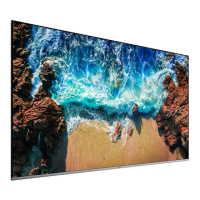
| Product design | Digital signage flat panel |
| Placement supported | Indoor |
| Panel mounting interface | 600 x 400 mm |
| AC input voltage | 100 - 240 V |
| AC input frequency | 50 - 60 Hz |
| Power consumption (standby) | - W |
| Operating temperature (T-T) | 0 - 40 °C |
| Operating relative humidity (H-H) | 10 - 80 % |
 Weight and Dimensions
| Depth | 60.9 mm |
|---|---|
| Width | 1830 mm |
| Height | 1054 mm |
| Weight | 44.5 g |




 To Next Page