27
using basic functions
After transferring music files to your phone or
memory card,
1. In Menu mode, select Music player.
2. Select a music category → a music file.
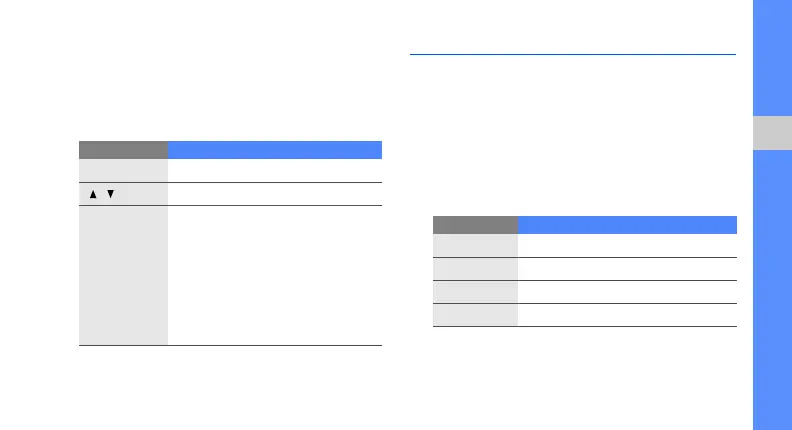
3. Control playback using the following keys:
Browse the web
Learn to access and bookmark your favourite web
pages.
Browse web pages
1. In Menu mode, select BigPond → BigPond
Home to launch your service provider’s
homepage.
2. Navigate web pages using the following keys:
Key Function
OK
Pause or resume playback
/
Adjust the volume up or down
Navigation
• Left: Restart playback; Skip
backward (press within 3
seconds); Scan backward in a
file (press and hold)
• Right: Skip forward; Scan
forward in a file (press and hold)
• Up: Open the playlist
• Down: Stop playback
Key Function
Navigation
Scroll up or down on a web page
OK
Select an item
<
Back
>
Return to the previous page
<
Options
>
Access a list of browser options



 To Next Page