Features by models
Some features and optional goods may not be available depending on
model or country.
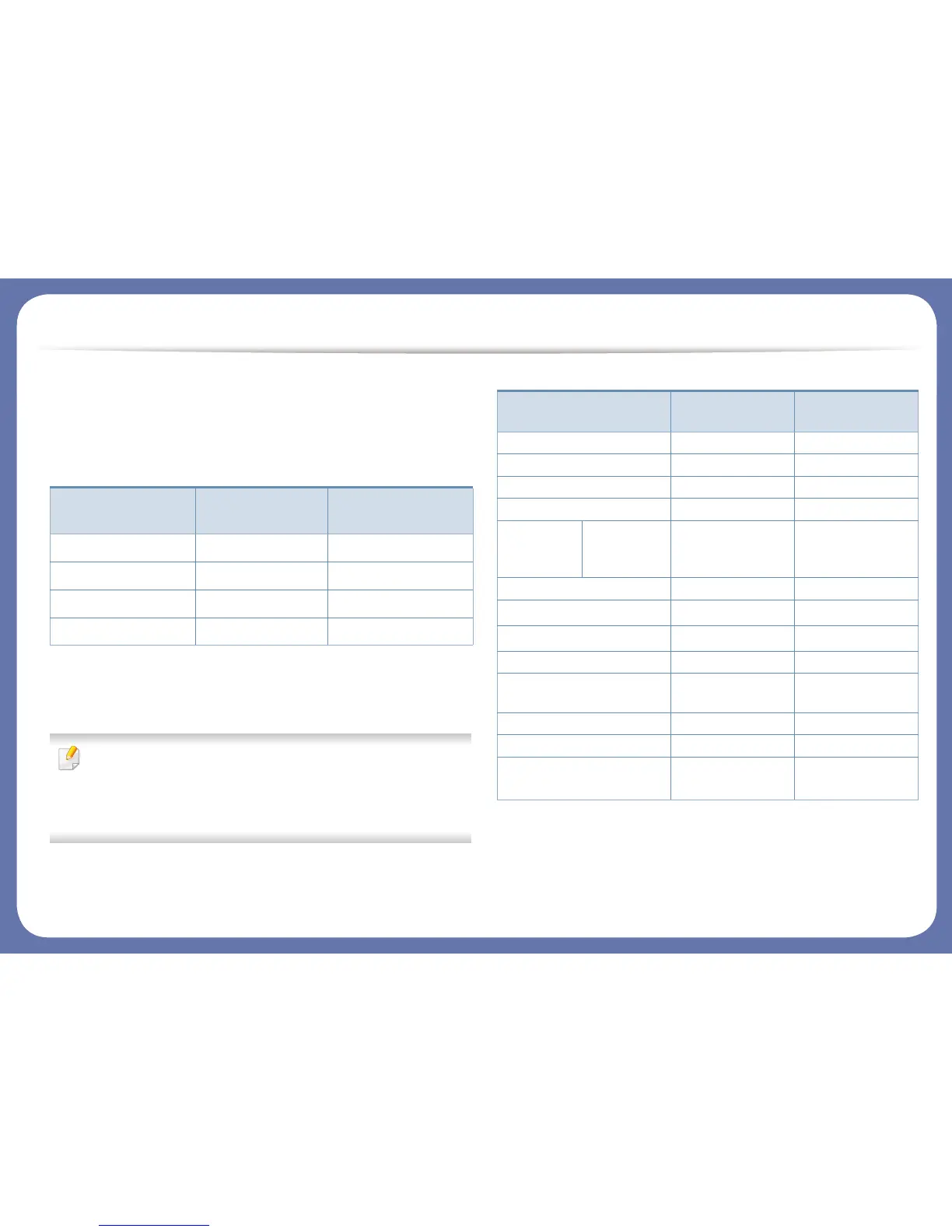
Operating System
(●: Included, Blank: Not available)
Software
You can install the printer driver and software when you insert the
software CD into your CD-ROM drive.
For windows, select the printer driver and software in the Select
Software to Install window.
(●: Included, Blank: Not available)
Operating System
CLP-41xN Series
CLP-41xNW Series
CLP-68xND Series
CLP-68xDW Series
Windows ● ●
Mac ● ●
Linux ● ●
Unix ● ●
Software
CLP-41xN Series
CLP-41xNW Series
CLP-68xND Series
CLP-68xDW Series
SPL printer driver ● ●
PCL printer driver ● ●
PS printer driver ● ●
XPS printer driver ● ●
Samsung
Easy Printer
Manager
Device
Settings
● ●
Samsung Printer Status ● ●
Direct Printing Utility
a
a. Download the software from the Samsung website and install it: (http://
www.samsung.com > find your product > Support or Downloads). Before installing,
check whether your computer’s OS support the software.
● ●
Samsung AnyWeb Print
a
● ●
SyncThru™ Web Service ● ●
SyncThru Admin Web
Service
● ●
Easy Eco Driver ● ●
Easy Capture Manager ● ●
Samsung Easy Color
Manager
a
● ●





 To Next Page