English - 41
OPERATING
REMOVING THE REFRIGERATOR
ACCESSORIES
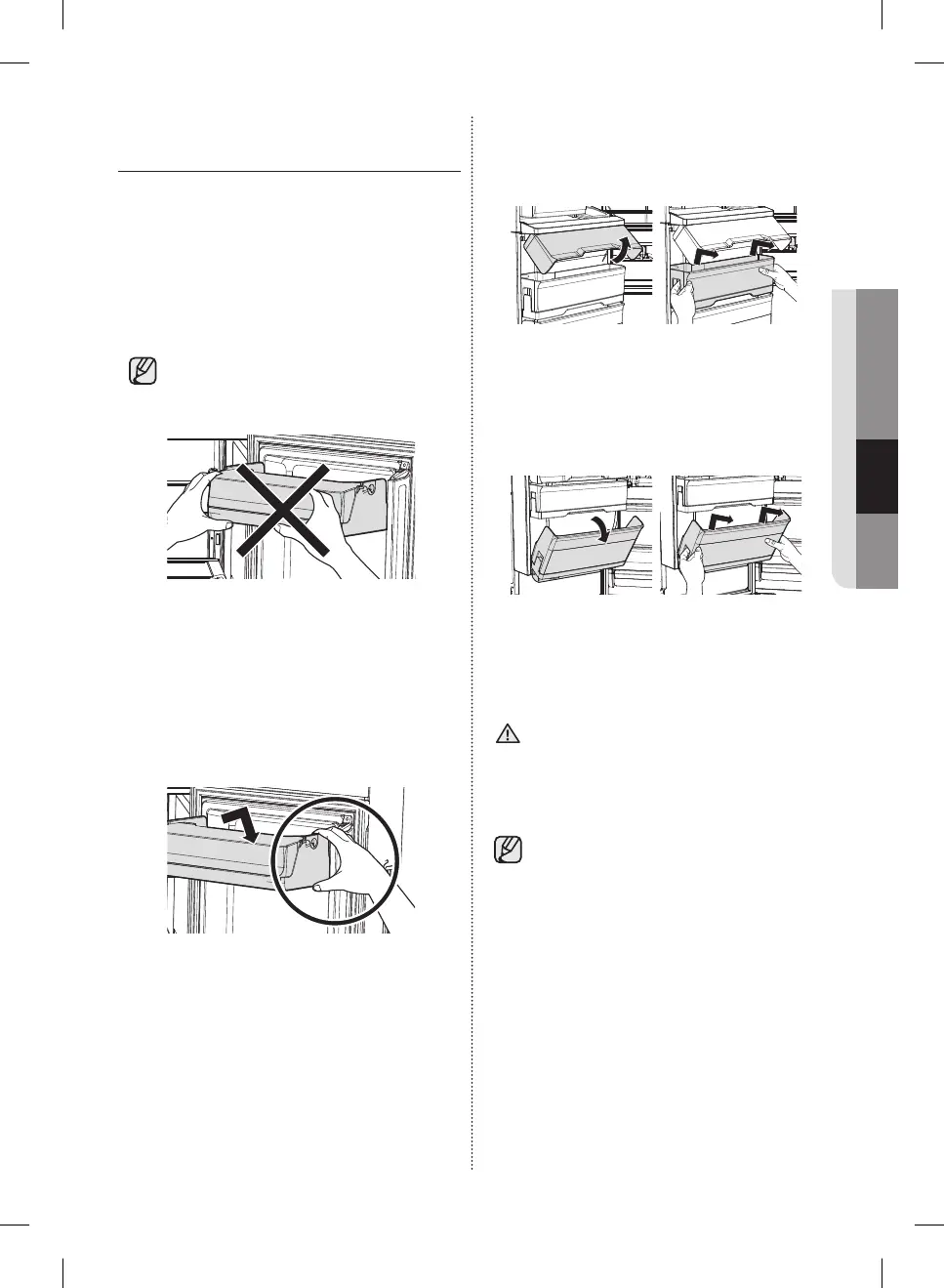
1. Door Bins Compartment
• To remove - Simply lift the bin up and pull
straight out.
• To relocate - Slide it in above the desired
location and push down until it stops.
Alternatively, for the top bin of the refrigerator,
insert the bin so that it is aligned with the
marked line inside the door.
• There is a marked line for the top bin
only.
• Do not hold the front side of the door bin when
inserting it.
The door bin may not fi t the door.
• To replace, insert the door bin fully to the
marked line of the door.
Otherwise, it may not be attached to the door
properly.
• Hold the rear side of the door bin with both
hands, and press down and insert it fully to the
marked line inside the door.
Removing bins with covers
• For bins with covers, open the Door Bin Cover,
and then pull the bin out using both hands.
Removing the Chef Basket
• Tip the Chef Basket top towards you, and then
pull the Basket out using both hands.
Removing bins
• Simply lift the bin up and pull straight out.
• Injuries can occur if the door bins are not
fi rmly attached to the doors.
Do not allow children to play with the
bins. Sharp corners of the bins may
cause injury.
• Do not adjust a bin full of food.
Remove the food fi rst.
• To remove dust, wash the bins in water.
CAUTION
DA68-03013E-03.indb 41DA68-03013E-03.indb 41 2015. 8. 26. 10:382015. 8. 26. 10:38



 To Next Page