English - 42
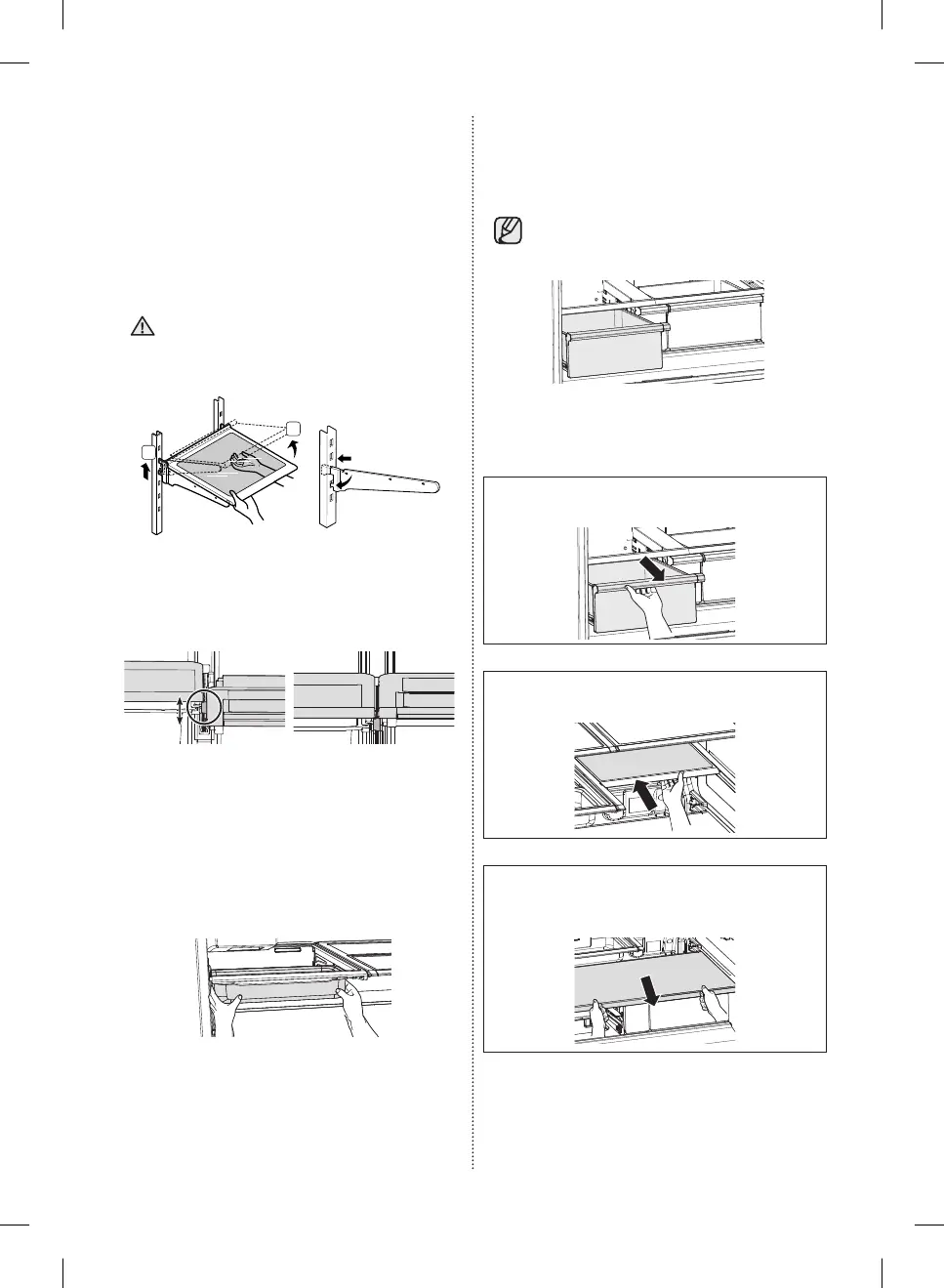
2. Tempered Glass shelves
• To remove - Tilt up the front of the shelf in the
direction shown (1) and lift it up vertically (2).
Pull the shelf out.
• To relocate - Tilt the front of the shelf up and
guide the shelf hooks into the slots at a desired
height.
Then, lower the front of the shelf so that the
hooks can drop into the slots.
• The Tempered Glass shelves are heavy.
Use special care when removing them.
2
1
• When re-installing the glass shelves, make sure
that all the hooks on both sides of the shelf are
fi rmly engaged in the slots of the support.
3. Chef Pan
• To insert or remove the chef pan from the shelf,
hold both sides of the pan with both hands.
Pull out to remove. Push in to re-insert.
• Use only for stainless steel detergent when
wash it.
CAUTION
4. Vegetable & Fruit Drawers (EZ Fresh Zone)
• Holding the drawer with one hand, lift it up a
little bit while pulling it forward, and then pull it
out of the refrigerator.
• Remove the door bins before removing
the drawer to prevent damage to the
door bins.
5. Removing the vegetable storage shelf
1. Slide out the left vegetable drawer.
2. Slide in the right foldable shelf.
3. While supporting the vegetable storage shelf
with one hand, lift it up with the other hand.
DA68-03013E-03.indb 42DA68-03013E-03.indb 42 2015. 8. 26. 10:382015. 8. 26. 10:38



 To Next Page