Apps and features
75
221110_wonseop.lee 221110_wo
221110_wonseop.lee 221110_wonseop.lee 221110
221110_wonseop.lee 221110_wo
Capturing an area from a video
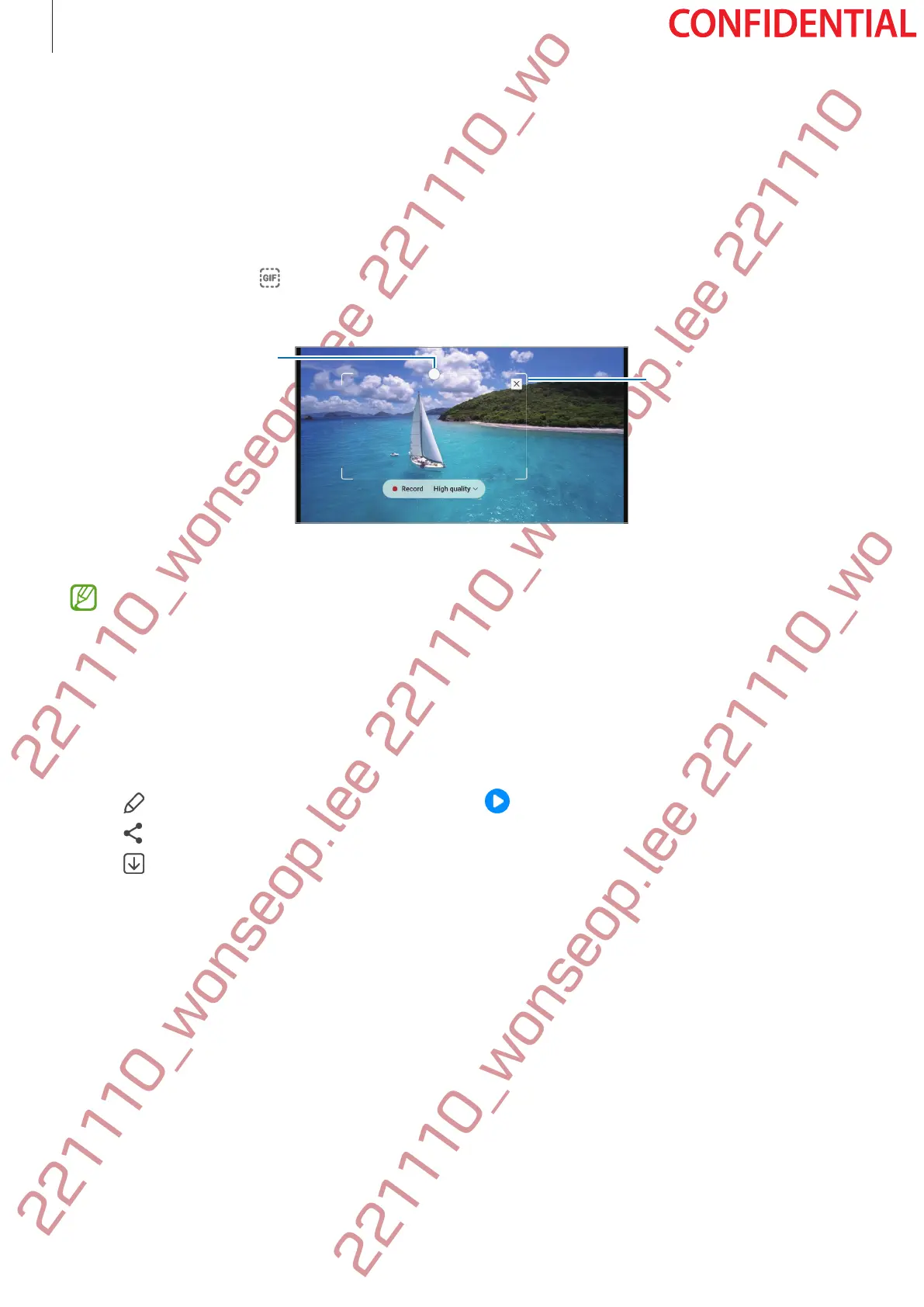
While playing a video, select an area and capture it as a GIF animation.
1 When there is content you want to capture during video playback, open the Air command
panel and tap
Smart select
.
2 On the toolbar, tap .
3 Adjust the position and size of the capturing area.
Drag a corner of the
frame to resize.
4 Tap
Record
to start capturing.
•
Before capturing a video, make sure that the video is playing.
•
The maximum duration you can capture an area of the video for will be displayed on
the screen.
•
When capturing an area from a video, its sound will not be recorded.
5 Tap
Stop
to stop capturing.
6 Select an option to use with the selected area.
•
: Write or draw on the selected area. Tap to view the result before saving the file.
•
: Share the selected area with others.
•
: Save the selected area in
Gallery
.




 To Next Page