Apps and features
76
221110_wonseop.lee 221110_wo
221110_wonseop.lee 221110_wonseop.lee 221110
221110_wonseop.lee 221110_wo
Screen write
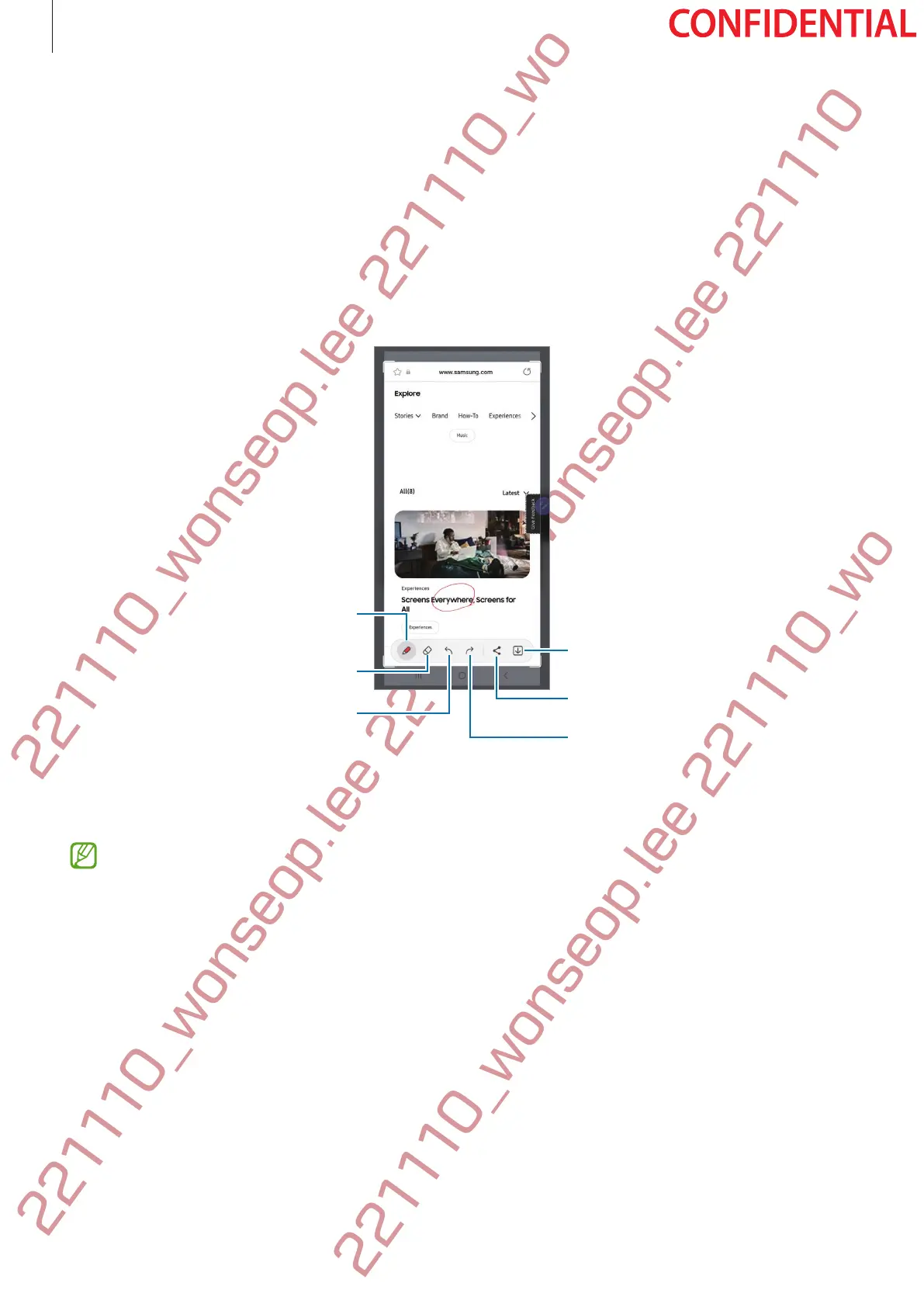
Capture screenshots to write or draw on them or crop an area from the captured image.
1 When there is content you want to capture, open the Air command panel and tap
Screen
write
.
The current screen is automatically captured and the editing toolbar appears.
2 Write a memo on the screenshot.
Eraser
Undo
Pen settings
Share
Save
3 Share or save the screenshot.
You can view the captured screenshots in
Gallery
.
It is not possible to capture a screenshot while using some apps.




 To Next Page