EasyManua.ls Logo

Samsung DV339 series - User Manual

Samsung DV339 series
8 pages
Print Icon
To Next Page IconTo Next Page
Loading...
Description Trigger Action Taken
Dryer Thermistor Short
Sensed
The Thermistor resistance is
very l ow.
Check for: Clogged lint screen,
Restricted vent system, Thermistor
resistance.
Dryer Thermistor Open
Sensed
The Thermistor resistance is
very hi gh.
Check for: Clogged lint screen,
Restricted vent system, Thermistor
resistance.
dO
dE
Door Open
Running the dryer with door
open
Check for: Loose or open wire
terminals in Door Sense circuit.
FE
Power source frequency
Error
Invalid power source Frequency Check for: Non Utility power supply
dF Door Circuit Failure
Invalid state for more than 256
milliseconds
Check for: Loose or open wire
terminals in Door Sense circuit.
hE or HE Heater Error
Invalid heating Temp in running
the dryer
Check for: Restricted vent system,
Thermistor resistance.
bE Button Error PCB key closed for 75 sec. Check Display PCB for stuck button
od Over Dry
Invaled Dry Time Excessive Dry
Time
Inspect seensor bars
EEprom Fail
Invalid state of Eeprom
communication
Replace Main PCB
Samsung 'Dryer' Diagnostic Code Quick Guide
Display
Fast Track Troubleshooting
Publication # tsDV407 Revision Date 06/27/2011
Models:DV338*** DV339***
DV407*** DV409***
DV410*** DV419***
DV438*** DV448***
IMPORTANT SAFETY NOTICE“For Technicians Only” This service data sheet is
intended for use by persons having electrical, electronic, and mechanical experience
and knowledge at a level generally considered acceptable in the appliance repair trade.
Any attempt to repair a major appliance may result in personal injury and property
damage. The manufacturer or seller cannot be responsible, nor assume any liability for
injury or damage of any kind arising from the use of this data sheet.
NOTICE: All Dryers Parts Change
6/2010: Motor Pulley, page 5;
Blower Housing, page 4
SUPPORT INFORMATION
Training — Plus One
http://my.plus1solutions.net/clientPortals/samsung/
Help — GSPN http://service.samsungportal.com/
Samsung Product Support TV
http://support-us.samsung.com/spstv/howto.jsp
Customer information videos and chat programs
Programs for Fridges, Laundry, Ranges & D/W


Other manuals for Samsung DV339 series

Question and Answer IconNeed help?

Do you have a question about the Samsung DV339 series and is the answer not in the manual?

Overview

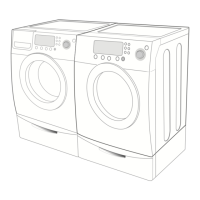
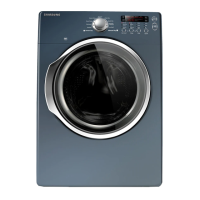
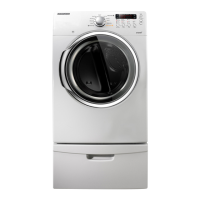
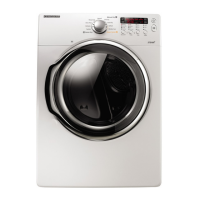
This document provides fast track troubleshooting information for Samsung DV338***, DV339***, DV407***, DV409***, DV410***, DV419***, DV438***, and DV448*** dryer models. It includes a diagnostic code quick guide, wiring diagrams for both gas and electric dryers, PCB layouts, and details on specific components and testing procedures.

Function Description

The Samsung dryers covered by this manual are designed to dry clothes efficiently. They feature various operational modes and diagnostic capabilities to assist in troubleshooting and maintenance. The core function involves heating air and tumbling clothes to remove moisture. Specific models may include steam functions for wrinkle care and sanitization.

Important Technical Specifications

  • Electrical Requirements:
    • Electrical Dryers: 240 VAC, 60 Hz, 30 Amps, 3-wire or 4-wire installations.
    • Gas Dryers: 120 VAC, 60 Hz, 15 Amps, 3-wire installations.
  • Ventilation: All dryers must be vented to the outside. Only rigid or flexible metal duct should be used for venting. The maximum allowable duct length varies based on the number of 90° elbows and duct type (rigid or metallic flexible). For example, with no elbows, a rigid duct can be up to 24.4 m (80 ft.) long, while a metallic flexible duct is limited to 12.4 m (41 ft.).
  • Key Components and Part Numbers:
    • Thermistor (W0035): DC32-00007A
    • Ass'y Duct (Gas) (A0369): DC47-00015A
    • Ass'y Duct Heater (Electric) (U0163): F0005 = DC47-00018A
    • Motor Pulley: New design DC81-00220A, with an outside diameter of 27 mm (changed from 22 mm).
    • Blower Housing: New versions may require separating the harness wrap and maintaining shielding on low voltage wires.
  • Gas Valve Coil Resistances:
    • Booster Coil (#1 and #3): 550 Ω
    • Holding Coil (#1 and #2): 1350 Ω
    • Both coils in series (#2 and #3): 1900 Ω
    • Secondary Coil (#4 and #5): 1300 Ω

Usage Features

  • Wrinkle Prevent Option: Provides approximately 90 minutes (20 continuous and 70 intermittent) of tumbling in unheated air at the end of a cycle to reduce wrinkles. This feature is activated/deactivated by pressing the Wrinkle Prevent button, indicated by an illuminating light. Chasing lights appear on the display when active.
  • Steam Cycle (if applicable): To test the steam cycle, select the Wrinkle Care cycle for 4 minutes and check for both heat and moisture. If both are present, the dryer is working properly. The cycle involves stages of heating and spraying, with specific temperature targets (e.g., 58°C during heating, 50°C during spraying).
  • Door Switch: The door switch has COM (White), NO (Yellow), and NC terminals.
  • Safety Notice: Users are warned not to dry clothes with traces of flammable substances (e.g., vegetable oil, cooking oil, machine oil, flammable chemicals, thinner, wax, or cleaning cloths), as these can cause fabric to catch fire.

Maintenance Features

  • Diagnostic Code Quick Guide: This guide helps identify common issues based on displayed error codes:
    • 85 (Thermistor Short Sensed): Thermistor resistance is very low. Action: Check for clogged lint screen, restricted vent system, thermistor resistance.
    • dO (Thermistor Open Sensed): Thermistor resistance is very high. Action: Check for clogged lint screen, restricted vent system, thermistor resistance.
    • dE (Door Open): Door is open. Action: Check for loose or open wire terminals in the Door Sense circuit.
    • FE (Power Source Frequency Error): Invalid power source frequency. Action: Check for non-utility power supply.
    • dF (Door Open Sensing Problem): Door circuit failure (invalid state for more than 256 milliseconds). Action: Check for loose or open wire terminals in the Door Sense circuit.
    • hE or HE (Overheated): Invalid heating temperature in the dryer. Action: Check for restricted vent system, thermistor resistance.
    • bE (Button Error): A button is either stuck or being pressed continuously (PCB key closed for 75 seconds). Action: Check Display PCB for stuck button.
    • od (Over Dry): Invalid dry time, excessive dry time. Action: Inspect sensor bars.
    • E8 (EEprom Fail): Invalid state of EEprom communication. Action: Replace Main PCB.
  • Special Test Mode:
    • To enter: While in Power Off, press the "Dryness Level" + "Power" keys simultaneously. The display will show "t2".
    • This mode performs a sequence: Start/Pause Motor(CW) Relay On → Heater Relay On → Heater Relay Off → Motor(CW) Relay Off (Circulation).
    • Caution: Do not use this mode for too long, as it can over-burden the Main PCB.
  • Cycle Count Test Mode:
    • To enter: Press "Signal" + "Wrinkle Prevent" keys for 3 seconds during Power On state. Then press "Signal" key for 3 seconds (until beep).
  • Software Version Test Mode:
    • To enter: Press "Signal" + "Wrinkle Prevent" keys for 3 seconds during Power On state. Then press "Temp" key for 3 seconds (until beep).
  • Sensor Bar Touch Data Mode:
    • To enter: Press "Time" + "Temp" + "Power".
    • Open the door and touch the sensor bars; it will toggle between 0 and 1.
  • Temperature Test Diagnostic Mode:
    • To enter: Press "Signal" + "Wrinkle Prevent" keys for 3 seconds during Power On state. Then press "Time" + "Wrinkle Prevent" keys. The 7-segment display will show the temperature in Celsius.
    • Compare vent temp to drum temp to assess airflow.
  • Troubleshooting Procedures:
    • Main PCB Power Output Testing: With the motor running in heating mode, read AC voltage across RY6 and RY1. Any voltage reading indicates a defective Main PCB. Refer to page 4 for Main PCB layout.
    • Motor Circuit Testing: With power off, read resistance between RY1 Brown and CN7 Blue. A good motor circuit should have about 1.9 Ω. To test thermostats and switches, use an ohm meter on the lowest scale; replace any component with resistance. Refer to page 4 for Main PCB layout.
    • Electric Heater Circuit Testing: Disconnect the Blue wire from RY6, turn power on, and start the dryer. Read voltage between RY6 Blue wire and CN6 Green wire. A reading of 120VAC indicates a proper operating heater circuit; 0VAC indicates an open circuit. Test thermostats with an ohm meter on the lowest scale; replace any component with resistance. Refer to page 4 for Main PCB layout.
  • Idler Pulley Redesign: The idler pulley has been redesigned (DC81-00220A) with a larger outside diameter (27mm vs. 22mm) to prevent the belt from sliding off when the drum is manually rotated counter-clockwise. Ensure the idler pulley and motor pulley are in a straight line.
  • Laundry Touch Up Paints: A list of touch-up paint part numbers is provided for various colors (Blue Onyx, Imperial Silver, Neat White, Stratus Gray, Tango Red).
  • Safety Information: The manual includes an "Important Safety Notice" for technicians, emphasizing the need for electrical, electronic, and mechanical experience for repairs to avoid personal injury or property damage. The manufacturer is not responsible for liabilities arising from the use of the data sheet.

Samsung DV339 series Specifications

General IconGeneral
BrandSamsung
ModelDV339 series
CategoryDryer
LanguageEnglish

Related product manuals