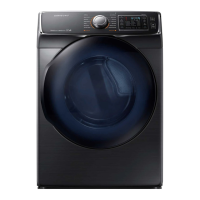
What does code tC5 mean on my Samsung DV45K6200E?
- Jjean84Sep 22, 2025
The tC5 code on your Samsung Dryer indicates that the Thermistor2 resistance is very low or high. Check for a clogged lint screen and ensure the vent system is not restricted.
What does code tC5 mean on my Samsung DV45K6200E?
The tC5 code on your Samsung Dryer indicates that the Thermistor2 resistance is very low or high. Check for a clogged lint screen and ensure the vent system is not restricted.
What to do if my Samsung Dryer does not heat?
If your Samsung Dryer isn't heating, first check your home's circuit breakers or fuses. Some cycles don't require heat, so double-check your selected cycle. If you have a gas dryer, ensure the gas supply is turned on. Clean the lint filter and exhaust duct. The dryer might also be in the cool-down phase of the cycle.
Why is my Samsung DV45K6200E not running?
Your Samsung Dryer might not be running due to several reasons. First, ensure that the door is fully latched. Check that the power cord is properly plugged into a working electrical outlet and inspect your home's circuit breakers or fuses. If the door was opened mid-cycle, press START/PAUSE again. Also, a clogged lint filter can prevent the dryer from starting, so make sure it's clean.
What to do if my Samsung DV45K6200E does not dry clothes properly?
If your Samsung Dryer isn't drying clothes effectively, several factors could be the cause. Begin by ensuring the exhaust hood outside your home can open and close without obstruction. Inspect the exhaust system for lint buildup, and ideally, have the ducting professionally cleaned annually. Use a 4” rigid metal exhaust duct for optimal airflow. Avoid overloading the dryer; aim for a 1:1 ratio between wash and dryer loads. Separate heavy and lightweight items for drying. Large, bulky items may need repositioning during the cycle. Confirm that your washing machine is properly draining and extracting sufficient water from the load before transferring clothes to the dryer. If the load is too small, add a few towels to help with tumbling. Clean the lint filter.
What does code dF mean on my Samsung DV45K6200E?
The dF code on your Samsung Dryer indicates an incorrect door switch.
How to troubleshoot a Samsung Dryer that does not run?
If your Samsung Dryer isn't running, ensure the door is fully latched shut. Also, verify that the power cord is properly plugged into a working electrical outlet. Check the home's circuit breakers or fuses. If the door was opened mid-cycle, press the START/PAUSE button again. Finally, make sure that the lint filter is clean.
What to do if the Samsung Smart Home app is installed but not connected to my dryer?
To connect the Samsung Smart Home app to your dryer, ensure you are logged into your Samsung account. Verify that your router is functioning correctly and that the Smart Home Adapter is properly inserted. If the Smart Control (Smart Monitor) indicator on the dryer’s display is off, use the Samsung Smart Home app to connect and register the dryer with your home network access point (AP).
What to do if I could not log into the Samsung Smart Home app?
To log into the Samsung Smart Home app, you must use your Samsung account. If you don't have one, create one by following the on-screen instructions within the app.
What to do if Samsung DV45K6200E does not dry clothes properly?
If your Samsung Dryer isn't drying clothes, check that the exhaust hood outside your home can open and close without any problems. Inspect the exhaust system for any lint buildup and clean the lint filter. It's also recommended to inspect and clean the ducting annually and use a 4” rigid metal exhaust duct. Avoid overloading the dryer, ensuring that one wash load equals one dryer load. Separate heavy and lightweight items, and reposition large, bulky items for even drying. Ensure your washer is draining properly. If the load is too small, add a few towels; if it's too large, remove some items.
What does the DC code mean on my Samsung DV45K6200E?
The DC code on your Samsung Dryer indicates that the dryer is operating with the door open. Ensure the door is properly closed and that no laundry is caught in the door.
Defines warning, caution, and note symbols used throughout the manual for safety.
Addresses Proposition 65 warnings for gas appliances regarding cancer and reproductive harm.
Details risks of fire from improper installation or flexible venting materials.
Lists essential precautions to reduce risks of fire, electric shock, and injury during appliance use.
Advises against drying items with flammable substances and foam rubber due to ignition risks.
Provides immediate steps to take if a gas leak is suspected, including evacuation and contacting authorities.
Lists mandatory requirements like grounded electrical outlets, power cords, gas lines, and exhaust systems.
Specifies requirements for installing the dryer in alcoves or closets, including ventilation and clearances.
Outlines recommended ducting types, lengths, and elbow limits for optimal dryer performance.
Specifies where and how the dryer must be exhausted, and the type of exhaust duct material to use.
Covers gas supply requirements, codes, conversion, shut-off valves, and safety checks for gas dryers.
Explains electrical connection requirements, grounding procedures, and potential shock hazards.
Provides specific electrical connection guidelines for U.S. and Canadian gas and electric models.
Provides a sequential guide for installing the exhaust system and connecting the gas line.
Details the steps for connecting the electrical wiring using a 3-wire system.
Details the steps for connecting the electrical wiring using a 4-wire system.
Explains how to connect the dryer to a cold water tap using the provided water hoses.
Guides on how to level the dryer using adjustable feet for proper operation and vibration reduction.
Covers powering on the dryer (gas models) and performing a final installation checklist.
Details the process of installing the Smart Home Adapter for Wi-Fi connectivity.
Continues the instructions for physically installing the Smart Home Adapter into the dryer.
Describes how to run the vent blockage test and interpret its results to ensure proper airflow.
Provides guidelines for exhaust ducting installation and regular cleaning for performance and safety.
Illustrates and explains the control panel for electric dryer models.
Defines warning, caution, and note symbols used throughout the manual for safety.
Addresses Proposition 65 warnings for gas appliances regarding cancer and reproductive harm.
Details risks of fire from improper installation or flexible venting materials.
Lists essential precautions to reduce risks of fire, electric shock, and injury during appliance use.
Advises against drying items with flammable substances and foam rubber due to ignition risks.
Provides immediate steps to take if a gas leak is suspected, including evacuation and contacting authorities.
Lists mandatory requirements like grounded electrical outlets, power cords, gas lines, and exhaust systems.
Specifies requirements for installing the dryer in alcoves or closets, including ventilation and clearances.
Outlines recommended ducting types, lengths, and elbow limits for optimal dryer performance.
Specifies where and how the dryer must be exhausted, and the type of exhaust duct material to use.
Covers gas supply requirements, codes, conversion, shut-off valves, and safety checks for gas dryers.
Explains electrical connection requirements, grounding procedures, and potential shock hazards.
Provides specific electrical connection guidelines for U.S. and Canadian gas and electric models.
Provides a sequential guide for installing the exhaust system and connecting the gas line.
Details the steps for connecting the electrical wiring using a 3-wire system.
Details the steps for connecting the electrical wiring using a 4-wire system.
Explains how to connect the dryer to a cold water tap using the provided water hoses.
Guides on how to level the dryer using adjustable feet for proper operation and vibration reduction.
Covers powering on the dryer (gas models) and performing a final installation checklist.
Details the process of installing the Smart Home Adapter for Wi-Fi connectivity.
Continues the instructions for physically installing the Smart Home Adapter into the dryer.
Describes how to run the vent blockage test and interpret its results to ensure proper airflow.
Provides guidelines for exhaust ducting installation and regular cleaning for performance and safety.
Illustrates and explains the control panel for electric dryer models.