English
Operations
English36
System functions
Using System Functions
AI Patten
Tap O to set alert
Off
03 01
02
*
02
* Tap and hold 3 seconds.
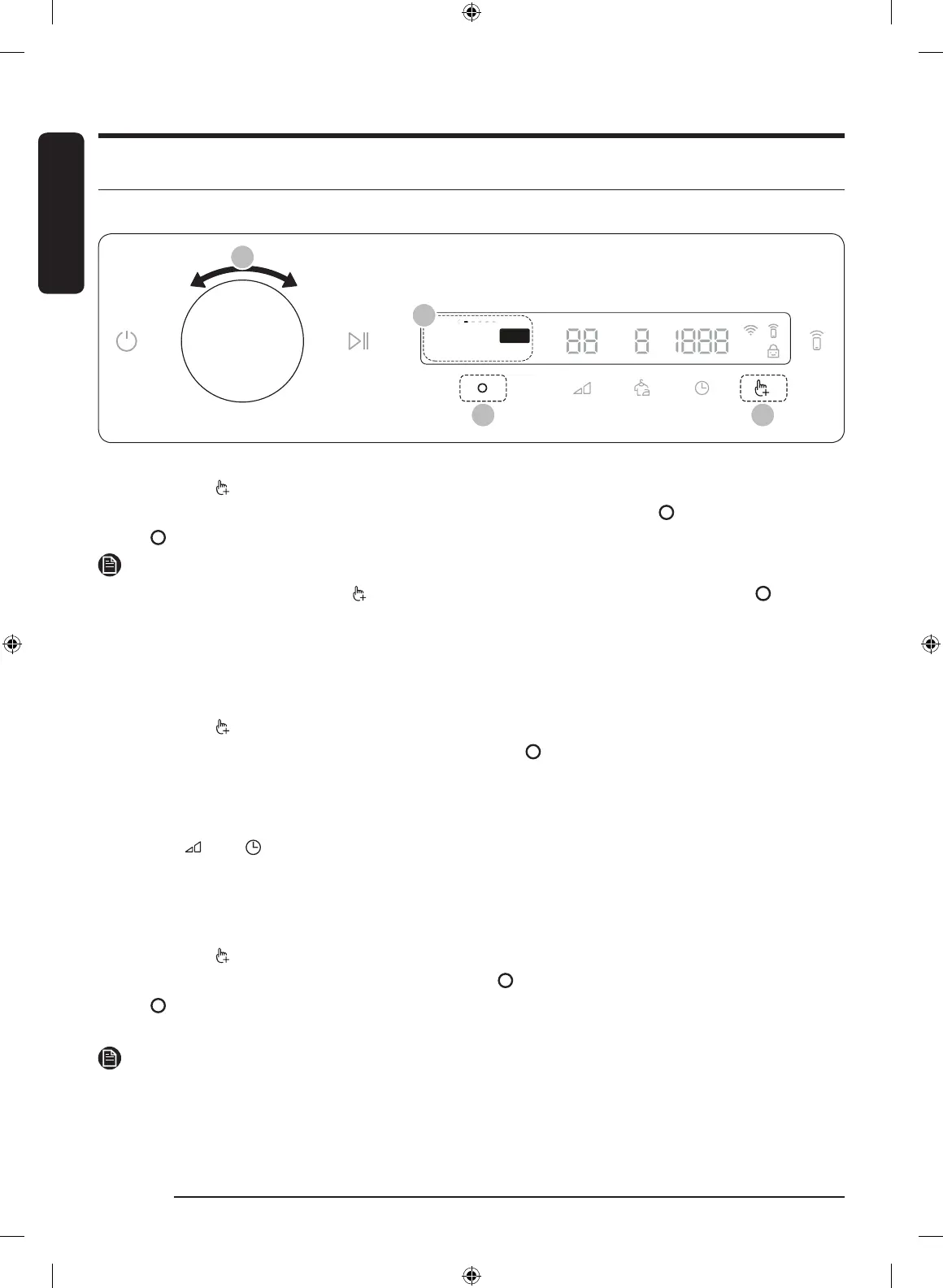
1. Tap and hold for 3 seconds.
2. Turn the Navigation dial and select the desired system function, and then tap .
3. Tap to change the selected function’s settings or start the function.
NOTE
• To return to the main screen, tap again or turn the Navigation dial to select Back and tap .
• If you do not manipulate the control panel for 7 seconds after entering the System Functions menu, the
display returns to the main screen.
AI Pattern
This function saves your frequently used cycles and settings.
1. Tap and hold for 3 seconds.
2. Turn the Navigation dial to select AI Pattern, and then tap .
3. Tap to select On or Off.
- The default setting is On. Set it to Off if you do not want to use this function.
- When you turn the function on, the dryer remembers frequently used cycles and their settings (Dry
Level , Time ) and save them in frequently used order.
- When you turn off the function, all the saved data resets.
Alarm
You can enable/disable alarm sounds.
1. Tap and hold for 3 seconds.
2. Turn the Navigation dial to select Alarm, and then tap .
3. Tap to select On or Off.
- The default setting is On.
NOTE
The setting remains unchanged even if you restart the dryer.
Untitled-2 36 8/11/2020 3:36:03 PM



 To Next Page