EasyManua.ls Logo

Samsung DVD-SH893 - User Manual

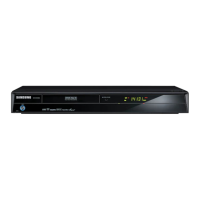
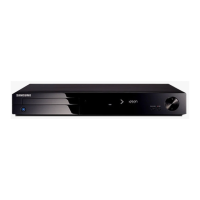
Samsung DVD-SH893
117 pages
Print Icon
To Next Page IconTo Next Page
Loading...
imagine the possibilities
Thanks you for purchasing this Samsung product.
To receive more complete service, please register
your product at
www.samsung.com/register
DVD
user manual
DVD-SH893
DVD-SH895
DVD-SH897

Table of Contents

Questions and Answers

  • C
    Carla BlackSep 3, 2025
    Why doesn't timer recording work properly on my Samsung DVD Recorder?
    • B
      Brett McconnellSep 4, 2025
      If the timer recording on your Samsung DVD Recorder does not work properly, re-check the recording time and the end time settings again. Note that recording will be cancelled if the power is interrupted due to a power failure or another similar reason while recording.
  • J
    John SmithSep 18, 2025
    What to do, if I have other problems with my Samsung DVD Recorder?
    • R
      Ronnie BallSep 18, 2025
      Read the table of contents and then find and read the section describing your problem, follow the instructions given. Plug your HDD & DVD Recorder off and on. If the problem still persists, contact a nearby Samsung service centre.
  • J
    Jessica GraySep 16, 2025
    What to do if I forgot the parental supervision password on my Samsung DVD Recorder?
    • V
      Victor DavisSep 16, 2025
      Press and hold the Play/Pause (?II) buttons on the front panel for more than 10 seconds with no disc in the unit. All settings including the password will revert to the factory settings. Do not use this unless absolutely necessary.
  • J
    Justin TurnerSep 14, 2025
    Can I change subtitles and audio signals on a recorded disc with my Samsung DVD Recorder?
    • R
      Roberto HughesSep 14, 2025
      A recorded disc is played with only the subtitle and the audio signal which were selected during recording.
  • P
    piercesarahSep 12, 2025
    Why can't I change the aspect ratio on my Samsung DVD Recorder?
    • R
      Regina MooreSep 12, 2025
      The aspect ratio is fixed for DVD discs.
  • H
    hardycynthiaSep 12, 2025
    Why can't I copy to or from USB on my Samsung DVD Recorder?
    • J
      Jennifer RuizSep 12, 2025
      If you cannot copy into USB or vice-versa on your Samsung DVD Recorder, check the USB connection by disconnecting and reconnecting it. You may need to refer to "Compatible USB devices at host port".
  • B
    brenda39Sep 9, 2025
    What causes a Samsung DVD Recorder to display no image or bad quality images when the disc revolves?
    • B
      Brian BoydSep 9, 2025
      If the disc revolves in your Samsung DVD Recorder, but no image or bad quality images are displayed, be sure that the Video Setting is properly set.
  • J
    justin54Sep 7, 2025
    Why can't I copy a title or file to another mode on my Samsung DVD Recorder?
    • F
      flowersdanielSep 7, 2025
      If you cannot copy a title or file to another mode on your Samsung DVD Recorder, it may be due to DVD discs encoded with copy protection. Check if copying is supported. Check if copying is supported referring to "V-Mode Compatibility".
  • M
    marcuswelchSep 5, 2025
    What to do if REC button on Samsung DVD Recorder has no response?
    • D
      Daniel RogersSep 5, 2025
      If you pressed the REC button on your Samsung DVD Recorder and there is no response, check the available disc type. If a program is copy protected, it cannot be recorded.
  • M
    Michael WheelerAug 20, 2025
    Why is there no HDMI output from my Samsung DVD Recorder?
    • R
      Richard EdwardsAug 21, 2025
      If your Samsung DVD Recorder is not producing an HDMI output, first, make sure that the video output is HDMI enabled. Then, verify the connection between your TV and the HDMI jack on the DVD Recorder. Lastly, confirm that your TV supports HDMI.

Summary

Warnings and Precautions

General Safety Instructions

Essential safety guidelines for operating the unit to prevent hazards.

Handling and Disc Cautions

Specific precautions for using the HDD & DVD Recorder and handling discs.

Connecting and Setting Up

Connecting the Recorder to TV

Guide for connecting the HDD & DVD Recorder to a television.

Recording and Editing

Recording Methods and Modes

Supported discs, recording modes (XP, SP, LP, EP, FR), and compatibility.

Recording Operations

Immediate recording, camcorder input, copy protection, and time shift.

Troubleshooting and Support

Common Problems and Solutions

Diagnosing and resolving issues encountered with the device.

Samsung DVD-SH893 Specifications

General IconGeneral
Audio formats supportedMP3
Video formats supportedMPEG2, MPEG4
Progressive scan outputYes
Dimensions (WxDxH)430 x 55 x 300 mm
Number of TV tuners1
Device typeDVD recorder
Product colorBlack
HDD capacity160 GB
SCART ports quantity2
USB 2.0 ports quantityUSB 2.0 ports have a data transmission speed of 480 Mbps, and are backwards compatible with USB 1.1 ports. You can connect all kinds of peripheral devices to them.
Power consumption (standby)2.5 W
Power consumption (typical)30 W
Package weight5200 g

Related product manuals