What to do if Samsung DVE50A8800 Dryer displays HC error?
- DDaniel CardenasSep 4, 2025
If your Samsung dryer shows an HC error code, start by cleaning the lint filter. If the code remains after cleaning, contact a Samsung service center.
What to do if Samsung DVE50A8800 Dryer displays HC error?
If your Samsung dryer shows an HC error code, start by cleaning the lint filter. If the code remains after cleaning, contact a Samsung service center.
What does 3C error mean on a Samsung DVE50A8800 Dryer?
If your Samsung dryer displays a 3C error, unplug the power plug and contact a Samsung service center.
Why sprayed water is not visible during Steam cycles on Samsung DVE50A8800?
The sprayed water during the steam cycles of your Samsung dryer is difficult to see when the door is closed.
Why water drips from the nozzle when the Steam cycles starts on Samsung Dryer?
The water dripping from the nozzle during the steam cycle of your Samsung dryer is due to steam condensation and should stop shortly after the cycle begins.
What to do if Samsung DVE50A8800 Dryer says the door is open?
If your Samsung dryer indicates that the door is open, ensure the door is properly closed and that no laundry is caught in the door.
What does tC5 error mean on a Samsung Dryer and how to fix it?
If your Samsung dryer displays a tC5 error code, check for a clogged lint screen and ensure the vent system is not restricted. If the error continues, contact a Samsung service center.
Why are items still wrinkled after Wrinkle Prevent (Wrinkle Away, Wrinkle Release) cycle on Samsung DVE50A8800 Dryer?
To improve wrinkle prevention with your Samsung dryer's Wrinkle Prevent, Wrinkle Away, or Wrinkle Release cycle, use small loads of 1 to 4 items. Load fewer items, ensuring they are of similar type. Remove the items immediately after the cycle is complete.
Why is there a smell coming from my Samsung DVE50A8800?
If you notice an odor from your Samsung dryer, it could be due to household smells like paint or cleaning agents circulating in the air. Ventilate the area before using the dryer. If drying in an enclosed space, open a window to prevent the ambient temperature from rising. Avoid drying wet items that have been left in the washer or dryer for an extended period.
What to do if Samsung DVE50A8800 displays FC error?
If your Samsung dryer is displaying an FC error, try restarting the cycle. If the error message persists, contact a Samsung service center.
Why Samsung Dryer does not start?
If your Samsung dryer isn't starting, there could be several reasons. First, ensure the dryer is properly plugged in and the door is completely closed. Check your home's fuse or circuit breaker. If you paused a cycle by opening the door, tap and hold the start button again. Also, a clogged filter can prevent the dryer from starting, so clean it. Finally, make sure the Child Lock feature is deactivated.
Key information and guidance on safe operation and potential hazards of the dryer.
Critical steps and guidelines to prevent fire, electric shock, and injury during dryer use.
Specific warnings for gas leaks, hazardous materials, and general caution points.
Statements regarding compliance with FCC rules and Industry Canada regulations.
Details on open source software included in the product and how to obtain source code.
Covers key requirements, location, dimensions, and clearance for dryer installation.
Details requirements for exhaust ducting, vent types, length, and proper venting.
Specifies requirements for gas lines, electrical service, and grounding for safe connection.
Lists components included in the package and tools needed for installation.
Detailed instructions for connecting exhaust, gas, electrical wiring, and water hoses.
Includes vent blockage test, exhaust ducting, door reversal, and leveling the dryer.
Guide to completing the initial setup process, including language and tutorial.
Instructions for sorting laundry, loading the dryer, and cleaning the lint filter.
Explanation of the control panel, functions, and how to select and run drying cycles.
Details on My Cycles, Child Lock, System Functions, and connecting to SmartThings app.
Guide to cleaning the control panel, drum, exterior, and exhaust system.
Addresses common issues like dryer not starting, not warming up, or items not drying.
Explains information codes displayed on the panel and recommended actions.
Provides guidance on garment care labels and technical specifications of the dryer.
Details the warranty terms and conditions for U.S. and Canadian purchasers.
| Dryer Type | Electric |
|---|---|
| Capacity | 7.5 cu. ft. |
| Steam Drying | Yes |
| Energy Star Certified | Yes |
| Weight | 160 lbs |
| Ventless | No |
| SmartThings | Yes |
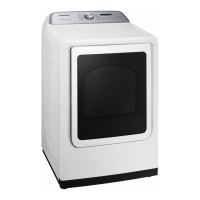
| Color | White |
| Dryer Technology | Heat Pump |
| Moisture Sensor | Yes |
| Wrinkle Care Option | Yes |
| Wi-Fi Enabled | Yes |
| Delay Start | Yes |
| Child Lock | Yes |
| Width | 27 inches |