EasyManua.ls Logo

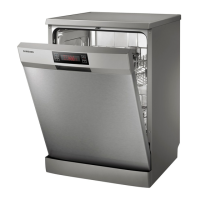
Samsung DW-SG97 Series - User Manual

Samsung DW-SG97 Series
182 pages
Go to English
Print Icon
To Next Page IconTo Next Page
Loading...
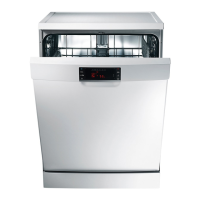
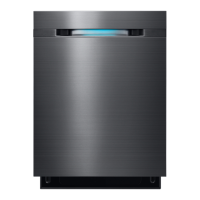
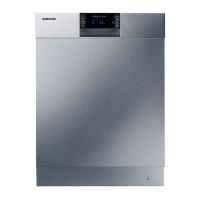
DW-SG97, DW-UG97 serien
DW-UG92 serien
DW-SG72, DW-UG72 serien
DW-UG62 serien
DW-SG52 serien
Opvaskemaskine
brugervejledning
Denne vejledning er trykt på 100% genbrugspapir.
forestil dig mulighederne
Tak, fordi du købte dette Samsung-produkt.
For at få en mere komplet service kan du
registrere dit produkt på
www.samsung.com/register
DD68-00135C-03_DA.indd 1DD68-00135C-03_DA.indd 1 2013-06-26  2:57:572013-06-26  2:57:57

Questions and Answers

  • H
    hamptonsherylAug 16, 2025
    How to fix a Samsung Dishwasher that will not start?
    • M
      Monica HowardAug 16, 2025
      If your Samsung Dishwasher won't start, make sure the door is fully closed and latched, and then press the Start/Reset button. Also, ensure you've selected a programme, the power cord is properly connected, and the water supply valve is open. If the control panel is locked, deactivate the Child Lock function.
  • M
    Matthew ClarkAug 19, 2025
    Why is my Samsung DW-SG97 Dishwasher not drying dishes well?
    • P
      Peter DanielsAug 19, 2025
      If your Samsung Dishwasher isn't drying dishes well, check the rinse aid dispenser and add rinse aid, also check the rinse aid setting. If you're using multi tabs, ensure you've selected the Multi Tap function or use rinse aid. After finishing the cycle, empty the lower rack first and then the upper, this will avoid water dripping from the upper rack onto the dishes in the lower rack.
  • J
    Jay PhamAug 22, 2025
    Why is my Samsung DW-SG97 so noisy?
    • D
      derek14Aug 22, 2025
      If your Samsung Dishwasher is too noisy, it might be due to a few reasons. The dishwasher beeps when the dispenser cover is opened and during the initial stage of draining the pump operation - this is normal. Ensure the dishwasher is level. If you hear a 'chopping' sound, rearrange the dishes.
  • L
    Leonard ButlerAug 25, 2025
    Why does my Samsung DW-SG97 have food particles remaining on the dishes?
    • J
      johnsonjacobAug 26, 2025
      If your Samsung Dishwasher has food particles remaining on the dishes after a cycle, it could be due to several reasons. First, ensure you're selecting the appropriate programme for the soil level of your dishes. Clean the filter and make sure it's correctly fastened. Use enough automatic dishwasher detergent. The water supply pressure must be between 0.05 MPa and 0.8 MPa. Clean the spray arms. Rearrange the dishes so they have good water access and do not interfere with spray arm and dispenser operation. Check salt refill indicator and refill dishwasher salt.
  • L
    Linda GuerreroAug 27, 2025
    Why does my Samsung DW-SG97 leave a white coating on dishes?
    • T
      Tyler HerringAug 27, 2025
      If your Samsung Dishwasher leaves a white coating on cutlery or crockery after cleaning, it could be due to hard water. Check the salt fill indicator and ensure the softener setting is correct for your area's water hardness. Also, check that the salt reservoir cap is correctly fitted.
  • K
    Kevin ZhangAug 30, 2025
    Why does my Samsung Dishwasher leave a yellow film on dishes?
    • R
      Robert HoweAug 30, 2025
      If your Samsung Dishwasher leaves a yellow or brown film on cups or dishes, it can be from coffee and tea soils. Use programme with higher temperature.
  • H
    hessshellySep 2, 2025
    What to do if my Samsung DW-SG97 has water remaining after the programme has finished?
    • C
      Charles HoganSep 2, 2025
      If your Samsung Dishwasher has water remaining after the programme has finished, the drain hose might be folded or clogged. Straighten and unclog the hose.
  • T
    Thomas AdamsSep 5, 2025
    How to get rid of bad odour in Samsung DW-SG97?
    • A
      Ashley BrooksSep 5, 2025
      If your Samsung Dishwasher has a bad odour, it might be due to water left over from the last cycle. To resolve this, add detergent without loading dishes and run the Auto programme to clean the dishwasher.
  • V
    Vanessa GarciaSep 7, 2025
    Why does my Samsung Dishwasher not have any indicators lit?
    • E
      estradamatthewSep 7, 2025
      If your Samsung Dishwasher does not have any indicators lit, the power cord is not connected. Connect the power cord.
  • S
    shieldsdakotaSep 10, 2025
    Why does my Samsung DW-SG97 not have smoothly rotating arms?
    • D
      David ReyesSep 10, 2025
      If the arms in your Samsung Dishwasher do not rotate smoothly, they are likely clogged with food particles. Clean the arms.

Summary

Questions or Comments?

Features of Your New Samsung Dishwasher

A Sleek Digital Touch Panel

Highlights the control panel with digital touch sensors for ease of use.

3-Tier Filtration System

Details the advanced filtration system that removes all food particles for spotless dishes.

Condensing Drying Technology

Explains drying using residual heat from the final rinse cycle to save energy.

SDP Drying Technology

Describes drying using Super Desiccant Polymer for energy efficiency and steam prevention.

Safety Instructions

Important Safety Symbols and Precautions

Defines and explains the meaning of safety symbols and essential precautions.

Important Safety Precautions

Provides essential safety guidelines for operating the dishwasher safely.

Instruction About the WEEE Mark

Details the correct disposal method for the product and its electronic accessories.

Instructions for Protecting Your Children

Emphasizes child safety and warnings regarding misuse of the appliance.

Instructions for Installing Your Dishwasher

Guides on proper installation procedures, including power supply and grounding.

Setting Up Your Dishwasher

Checking the Parts and Control Panel

Lists all parts included with the dishwasher and guides on checking them.

Meeting the Installation Requirements

Details essential requirements for power supply, grounding, and water connection.

Water Supply

Specifies requirements for connecting the dishwasher to the water supply.

Using Aqua-Stop

Explains the function and use of the Aqua-Stop leakage protection system.

Drain

Provides instructions for connecting the drain hose correctly.

Flooring

Advises on the type of flooring suitable for dishwasher installation.

Ambient Temperature

Warns against installing the dishwasher in freezing temperatures.

Test Run

Recommends running a test cycle after installation to ensure proper operation.

Before Using the Product for the First Time

Using the Water Softening System

Explains the importance of soft water and how to configure the water hardness level.

Using the Sound On;Off Function

Details how to activate or deactivate audible signals on the dishwasher.

Using Dishwasher Salt

Guides on filling the salt reservoir for optimal water softening.

Checking the Salt Refill Indicator

Explains the salt refill indicator and when to refill.

Using Rinse Aid

Provides instructions for filling the rinse aid reservoir for better drying.

Loading Your Dishwasher

Dishwashing Guidelines

Offers tips for loading dishes to achieve the best results and save energy.

Items Not Suitable for the Dishwasher

Lists types of items that should not be washed in the dishwasher.

Using the Baskets

Explains how to properly use and handle the dishwasher baskets.

Using the Upper Basket

Details how to load and adjust the upper basket for different items.

Using the Lower Basket

Explains how to load the lower basket with larger and heavier items.

Using the Hinged Spikes

Describes how to use foldable spikes in the lower basket for large items.

Using the Cutlery Tray

Guides on arranging cutlery in the tray for optimal cleaning.

Using the Cutlery Basket

Explains how to load cutlery into the basket for specific models.

Operating Your Dishwasher

Basic Instructions

Provides a step-by-step guide to operating the dishwasher.

Using the Programme Selection Buttons

Details how to select the appropriate wash programme for different loads.

Interrupting a Programme

Explains how to temporarily halt and resume a wash cycle.

Using the Delay Start Function

Guides on setting a delayed start time for wash programmes.

Using the Digital Display

Describes the information shown on the digital display, including time and status.

Using Additional Functions

Explains the usage of special functions like Intensive Zone, Half Load, Multi Tabs, Sanitize, and Child Lock.

Cleaning and Maintaining Your Dishwasher

Cleaning the Exterior

Provides instructions on how to clean the outer surfaces of the dishwasher.

Cleaning the Wash Cabinet

Guides on removing limescale and grease deposits from the inner cabinet.

Cleaning the Filters

Details the process of disassembling and cleaning the dishwasher filters.

Cleaning the Spray Arms

Explains how to clean the spray arms to ensure optimal performance.

Storing Your Dishwasher

Provides instructions for properly draining and storing the dishwasher for extended periods.

Troubleshooting and Information Codes

Check These Points If Your Dishwasher...

Offers common checks and solutions for typical dishwasher problems.

Information Codes

Lists and explains various error codes displayed by the dishwasher.

Programme Chart

Appendix

Disposing the Dishwasher and Helping the Environment

Provides guidance on environmentally friendly disposal of the appliance.

Declaration of Conformity

States compliance with relevant EU directives.

Specifications

Lists the technical specifications of the dishwasher models.

For Standard Test

Product Fiche

Questions or Comments?

Samsung DW-SG97 Series Specifications

General IconGeneral
BrandSamsung
ModelDW-SG97 Series
CategoryDishwasher
LanguageEnglish

Related product manuals