English 19
Using your dishwasher
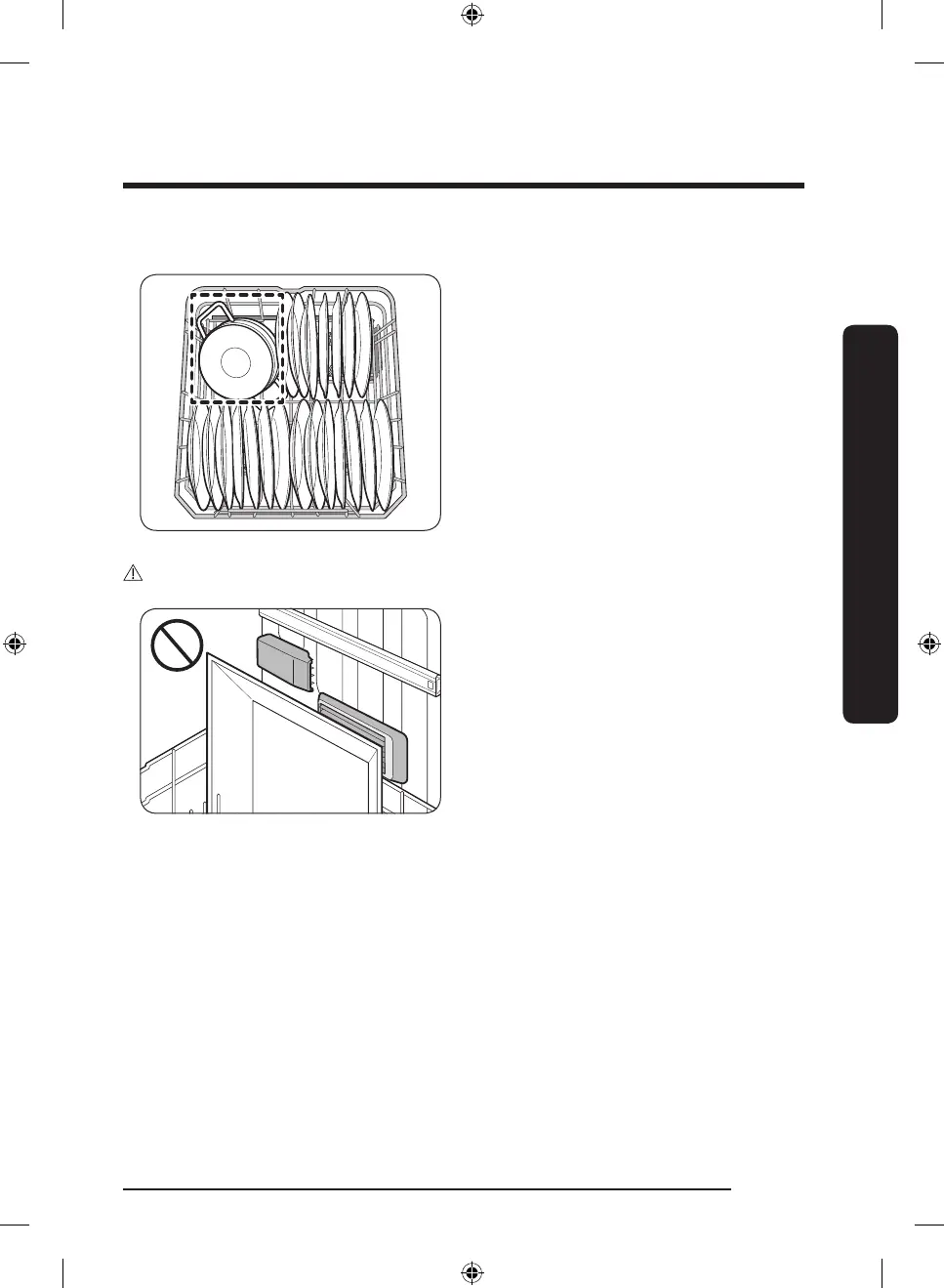
Loading the Storm Wash Area
For more effective cleaning, load large
items into the Storm Wash area on the left
side of the lower rack (Dotted zone).
When you select Storm Wash, the
dishwasher supplies additional power to
reinforce the water jet in the Storm Wash
area.
Make sure pot handles and other items
do not interfere with the rotation of the
nozzles.
CAUTION
• Take caution not to clog the hot air
outlet of SmartDry in the right corner of
the lower basket. Clogged outlet will not
facilitate heat circulation.
• Keep plastic dishes away from the
hot air outlet of SmartDry as they are
vulnerable to heat.
DW7000B_DW80B7070_AA_DD68-00243A-01_EN_FULL.indd 19 2023-02-24 3:45:44



 To Next Page