English34
Operations
Operations
Simple steps to start your dishwasher
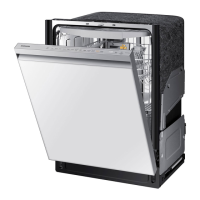
1. Open the door, and then load the dishwasher. Make sure dishes are empty.
2. If applicable, put the dishes in the lower rack. If adding the Storm Wash option, put the
dishes in the left side of the lower rack.
3. Add detergent to the detergent dispenser. For better results, add rinse aid to the rinse
aid compartment.
NOTE
You should use rinse aid for better drying performance. You can further improve drying
performance by also selecting the Sanitize option.
4. Press POWER, and then select a cycle with necessary options (Lower Rack,
Storm Wash, Hi-Temp Wash, Sanitize).
If you change the cycle after selecting an option, the original cycle is reset.
5. Press START, and then close the door within 3 seconds. The dishwasher starts the cycle
after draining for a few seconds.
NOTE
• To change the cycle after it has started, press and hold START for 3 seconds to cancel
the cycle. Then, select a new cycle.
• To resume after you have opened the door to stop the dishwasher while operating,
simply press START rst, and then close the door.
DW7000B_DW80B7070_AA_DD68-00243A-01_EN_FULL.indd 34 2023-02-24 3:45:50



 To Next Page