7
Using the battery pack
Charging the mobile device
1
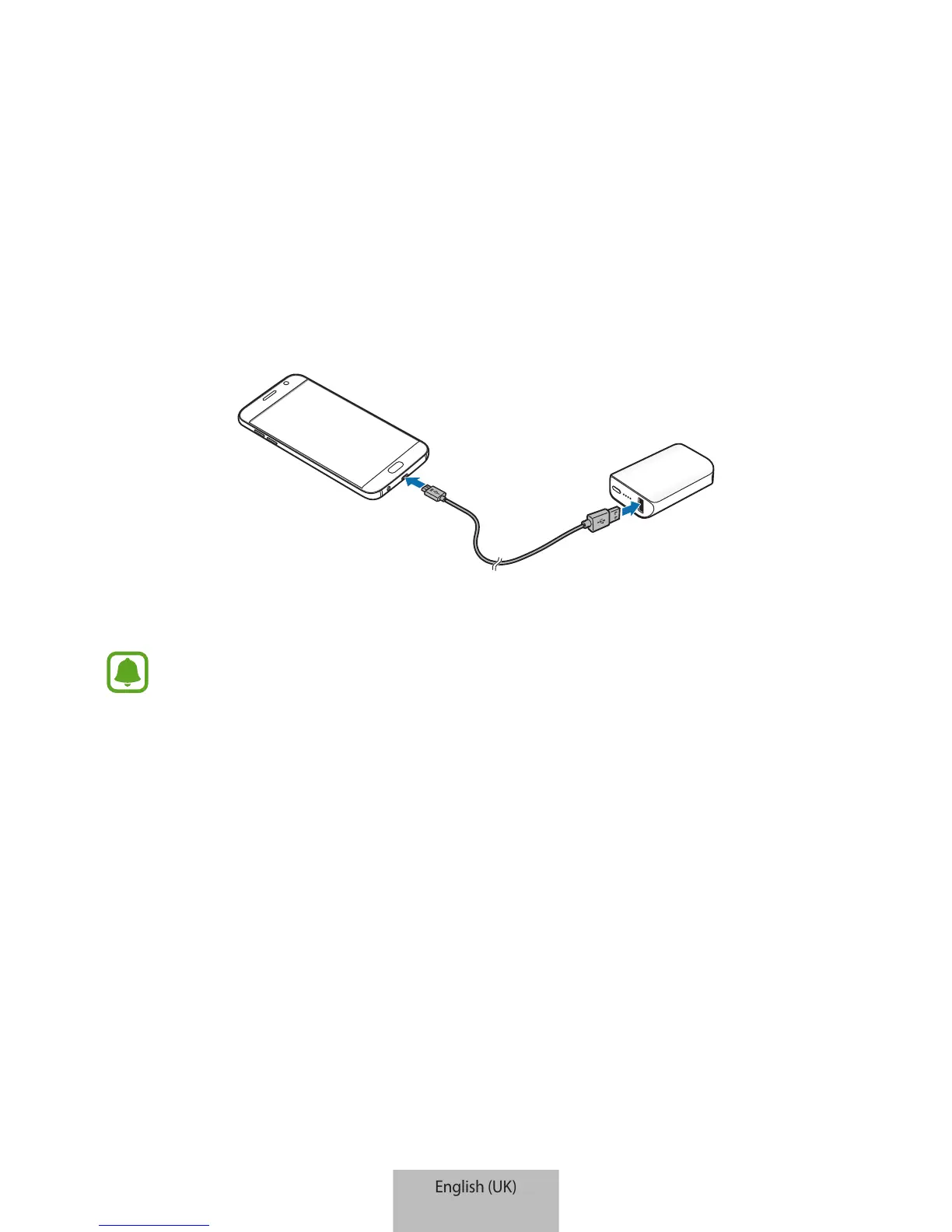
Connect one end of the USB cable to the battery pack’s USB charger port. Then, plug the
other end of the USB cable into the mobile device’s multipurpose jack.
2
After the mobile device is fully charged, disconnect the USB cable from both devices.
•
If the mobile device is not charging after being connected to the battery pack,
press the Reset button.
•
The battery pack is an auxiliary external battery. It may not fully charge some
mobile devices.
•
If the battery pack is exposed to extremely hot or cold temperatures or an error
occurs, the indicator light will flash red. Disconnect the mobile device from the
battery pack, and then reconnect them.


 To Next Page