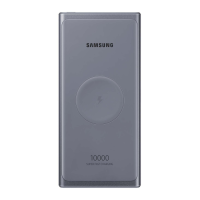
This document is a Quick Start Guide for the Samsung Power Bank, model EB-U1200. It provides essential information for safe and proper use of the device, covering its layout, charging procedures, and safety guidelines.
The Power Bank is designed to charge mobile devices, offering both cable and wireless charging capabilities. It serves as a portable power source, allowing users to charge their devices on the go without needing a wall outlet.
Device Layout and Components
The Power Bank features several key components:
- USB charger port (a): This port is used to connect a USB cable for charging mobile devices.
- Charger port (Type-C) (b): This port is used to charge the Power Bank itself.
- Indicator light (c): This light provides visual feedback on the Power Bank's status, particularly its remaining battery power and charging activity.
- Wireless charging surface (d): This is the area where compatible mobile devices are placed for wireless charging.
- Charging coil (e): Located beneath the wireless charging surface, this coil facilitates inductive wireless power transfer.
- Battery level button (f): Pressing this button activates the indicator lights to show the current battery level of the Power Bank.
Usage Features
Charging the Power Bank:
Before initial use, the Power Bank must be fully charged. To do this, connect the Power Bank's Type-C charger port to a Samsung-approved charger. A charger is sold separately, and depending on its type, a Micro USB connector might be needed. The indicator light will flash red, green, and yellow during charging and then turn off once fully charged. It's important to keep the charger close to an easily accessible electric socket. The actual capacity (Wh) may vary based on output current, voltage, device circuit configuration, and operating environment.
Checking Remaining Battery Power:
Users can check the Power Bank's remaining battery power by pressing the Battery level button. The indicator lights will illuminate to show the charge status:
- 70-100%: Four indicator lights on.
- 40-70%: Three indicator lights on.
- 20-40%: Two indicator lights on.
- 5-20%: One indicator light on.
- 0-5%: One indicator light blinking.
Cable Charging Mobile Devices:
To charge a mobile device via cable:
- Connect one end of a USB cable to the Power Bank's USB charger port.
- Plug the other end of the USB cable into the mobile device's multipurpose jack. Depending on the mobile device's jack, a Micro USB connector might be required.
- Once the mobile device is fully charged, disconnect the USB cable from both devices.
Wireless Charging Mobile Devices:
The Power Bank also supports wireless charging for compatible mobile devices:
- Place a supported mobile device on the wireless charging surface.
- Charging will commence when the Power Bank's charging coil makes contact with the mobile device's wireless charging coil.
- The charging icon displayed on the mobile device's screen will indicate the charging status.
- Once the mobile device is fully charged, remove it from the Power Bank.
Important Wireless Charging Considerations:
- Avoid placing conductive materials (e.g., metal objects, magnets, credit cards, transportation cards, key cards) between the mobile device and the Power Bank during wireless charging. This can prevent proper charging, cause overheating, or damage the device or cards.
- Wireless charging covers are sold separately.
- Charging time may vary depending on charging conditions.
- The Power Bank supports fast charging. To utilize this feature, connect it to a mobile device that also supports fast charging.
Maintenance Features and Safety Information
General Safety Guidelines:
- Always read the safety information before using the device. For full details, refer to the Samsung website.
- Use only manufacturer-approved batteries, chargers, accessories, and supplies.
- Do not touch the device with wet hands.
- Avoid dropping the device or subjecting it to impacts.
- The device is designed for use in ambient temperatures between 0 °C and 35 °C. Storage temperatures should be between -20 °C and 50 °C. Using or storing the device outside these recommended ranges can damage it or reduce battery lifespan.
- Prevent the multipurpose jack and the small end of the charger from coming into contact with conductive materials like liquids, dust, metal powders, or pencil leads.
- Do not allow children or animals to chew or suck the device.
- Do not disassemble, modify, or repair the device yourself.
- Magnetic stripe cards (credit cards, phone cards, passbooks, boarding passes) may be damaged by magnetic fields produced by the Power Bank.
Correct Disposal:
- The product and its electronic accessories (charger, headset, USB cable) should not be disposed of with other household waste. This product is RoHS compliant.
- Batteries, manuals, and packaging should also not be disposed of with other household waste.
- For information on Samsung's environmental commitments and regulatory obligations (REACH, WEEE, Batteries), visit the Samsung website.
Declaration of Conformity:
Samsung Electronics declares that this device complies with the essential requirements and relevant provisions of Directive 2014/53/EU. The Declaration of Conformity can be viewed on the Samsung website.
FCC Warning:
- This device complies with Part 15 of the FCC Rules, ensuring it does not cause harmful interference and accepts any received interference.
- Any unauthorized changes or modifications to the equipment could void the user's authority to operate it.
- The equipment has been tested and complies with Class B digital device limits, designed to provide reasonable protection against harmful interference in residential installations. If interference occurs, users are advised to reorient the receiving antenna, increase separation between equipment and receiver, connect the equipment to a different circuit, or consult a dealer/technician.
- This equipment complies with FCC radiation exposure limits for an uncontrolled environment. It should be installed and operated with a minimum distance of 20cm between the radiator and the user's body.
IC Warning:
- This device contains license-exempt transmitter(s)/receiver(s) that comply with Innovation, Science and Economic Development Canada's license-exempt RSS(s). Operation is subject to two conditions: no interference and acceptance of any interference, including undesired operation.
- This equipment complies with IC radiation exposure limits for an uncontrolled environment. It should be installed and operated with a minimum distance of 20cm between the radiator and the user's body.

 Need help?
 General
 Weight and Dimensions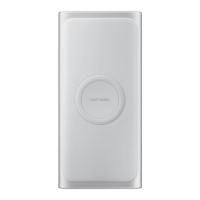

 To Next Page