4
Using the keyboard
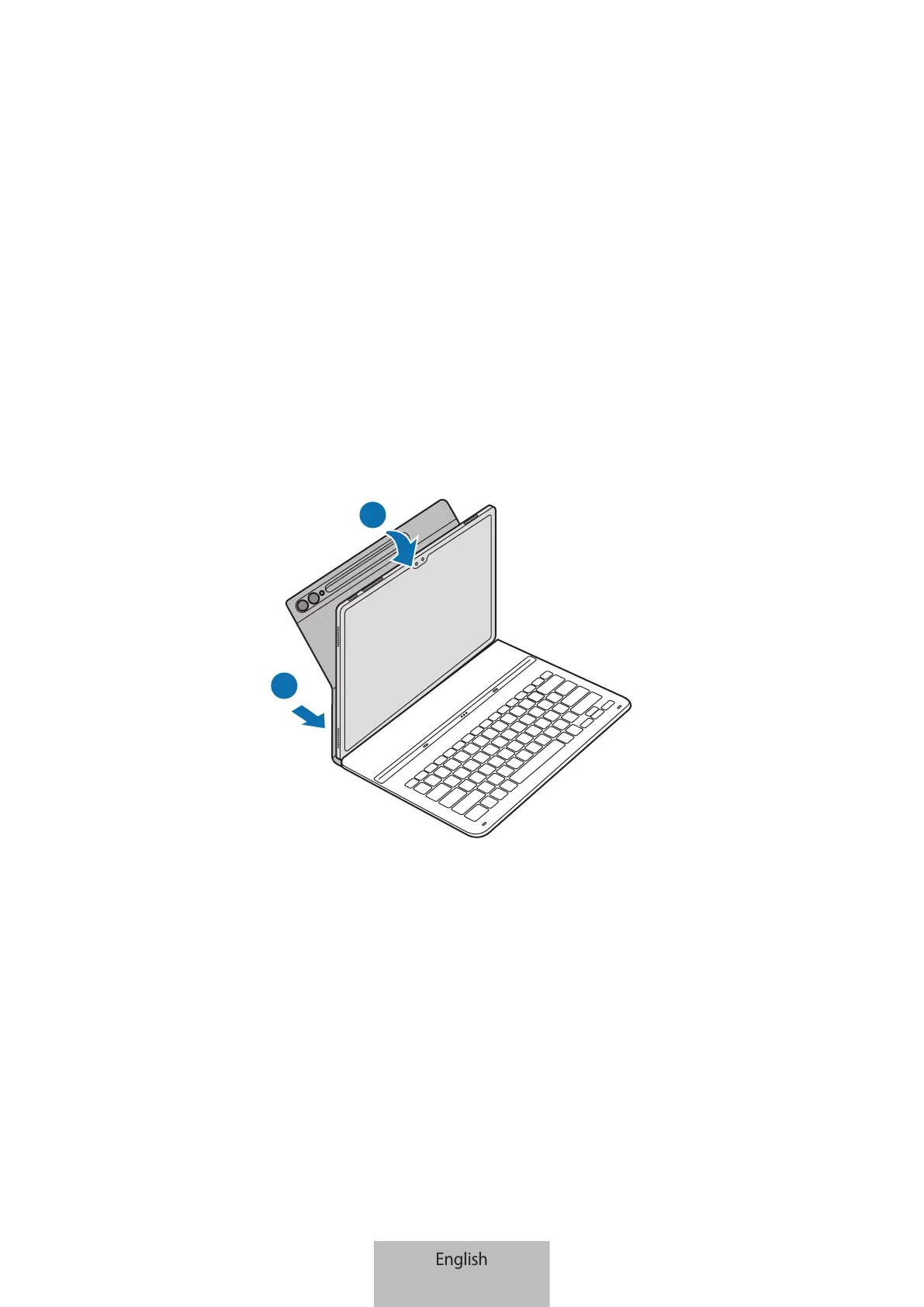
Attaching the keyboard
▶
EF-DX710, EF-DX810, EF-DX910:
1 Align each corner of the lower part of the cover with the tablet and then attach the
cover.
2 After the cover is attached, check that the camera fits the camera hole. If it is crooked,
detach it and then attach it again.
1
2






 To Next Page