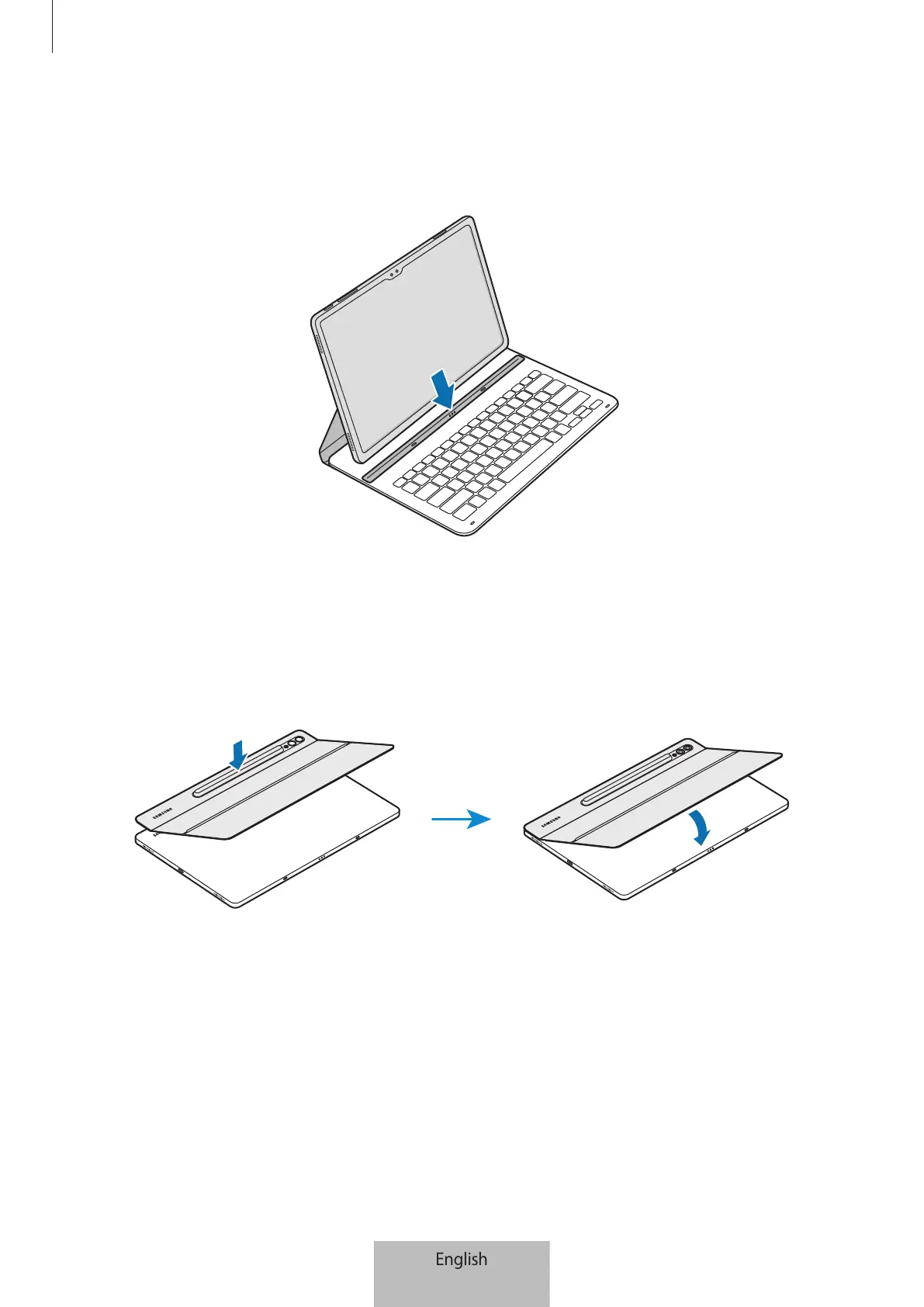
Using the keyboard
5
3 Line up the connectors of the tablet and the keyboard, and then attach the tablet to
the keyboard.
You will immediately be able to use the keyboard.
▶
EF-DX715, EF-DX815, EF-DX915:
1 Check the location of the camera and the camera hole, and then align each corner of
the upper part of the cover with the tablet.
2 Attach the upper part of the cover first, and then press the rest part down.






 To Next Page