Mode Explanation Remark
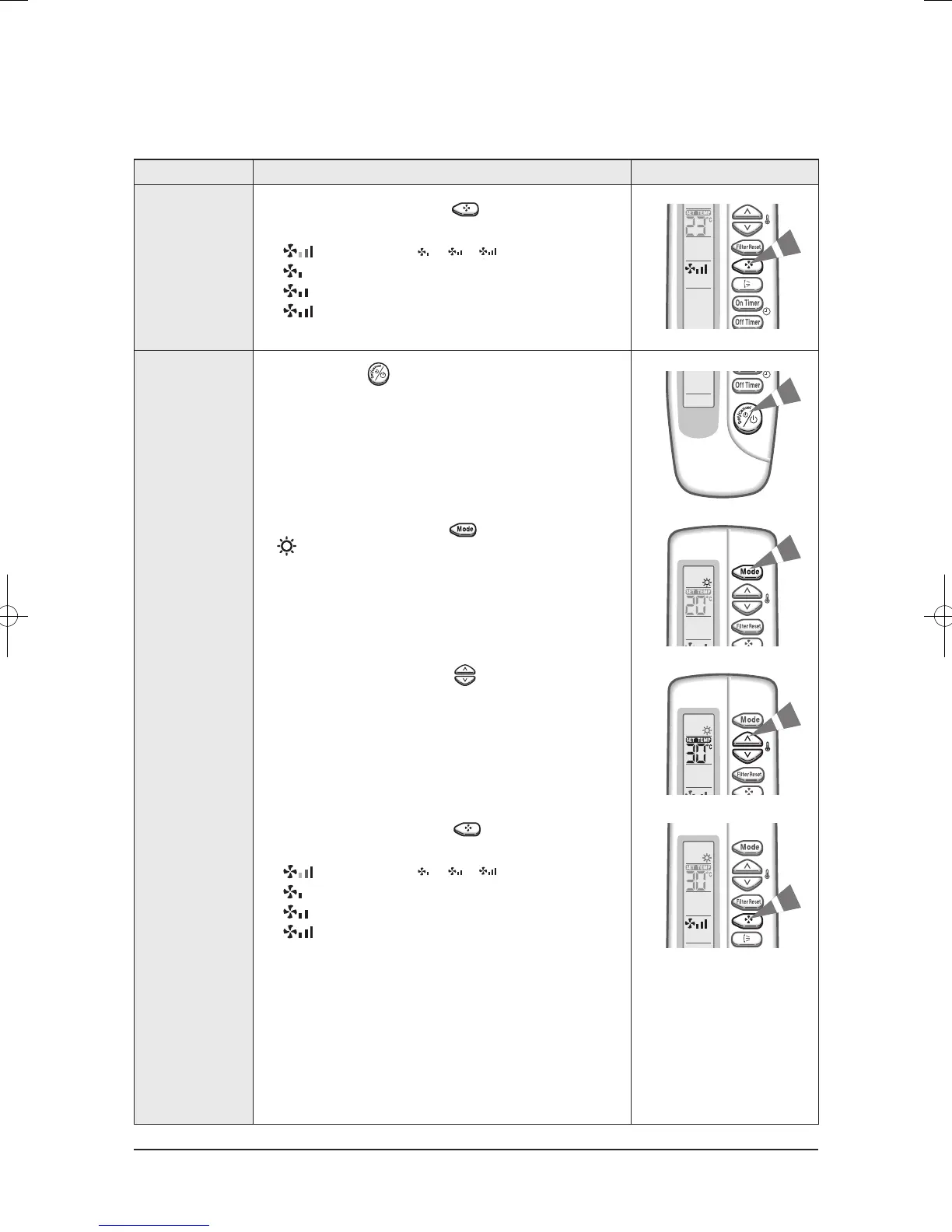
4. Select the fan speed by pressing the button one or
more times until the intended value is displayed :
Heating Your Room
(Except cooling only models)
1. If necessary, press (On/Off) button.
2. To select the HEAT mode, press the button until
is displayed at the top of the wireless remote controller.
3. To adjust the temperature, press the buttons
one or more times until the required temperature is displayed.
Possible temperatures are between 16˚C and 30˚C inclusive.
4. Select the fan speed by pressing the button one or
more times until the intended value is displayed :
Basic Function(cont.)
Automatic(rotated : ➔ ➔ )
Low
Medium
High
Automatic(rotated : ➔ ➔ )
Low
Medium
High
Operating Instructions
Samsung Electronics 11-4




 To Next Page