Mode Explanation Remark
Removing Excess
Humidity
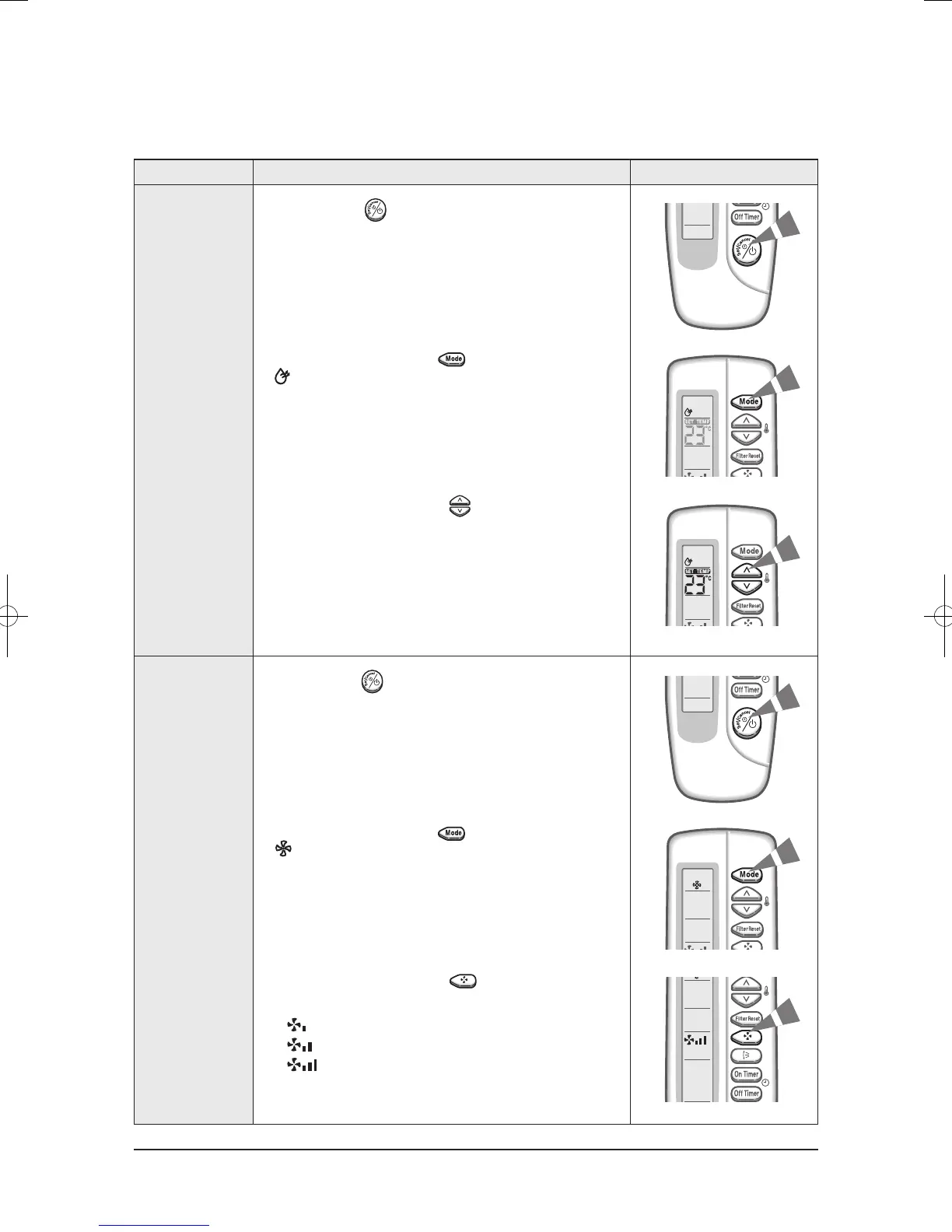
1. If necessary, press (On/Off) button.
2. To select the DRY mode, press the button until
is displayed at the top of the wireless remote controller.
3. To adjust the temperature, press the buttons one or
more times until the required temperature is displayed.
Possible temperatures are between 18˚C and 30˚C inclusive.
Airing Room
1. If necessary, press (On/Off) button.
2. To select the FAN mode, press the button until
is displayed at the top of the wireless remote controller.
3. Select the fan speed by pressing the button one or
more times until the intended value is displayed:
Low
Medium
High
Operating Instructions
Basic Function(cont.)
11-5




 To Next Page