Getting started
6
After fully charging, disconnect the keyboard from the charger.
•
To save energy, unplug the charger when not in use. The charger does not have a
power switch, so you must unplug the charger from the electric socket when not in
use to avoid wasting power. The charger should remain close to the electric socket
and easily accessible while charging.
•
The socket-outlet shall be installed near the equipment and shall be easily
accessible.
Checking the battery charging status
Press and hold the
Ctrl
key for approximately three seconds. The notification light will flash
three times in different colours depending on the charging status.
Status Colour
Less than 30%
•
Red
30–60%
•
Yellow
More than 60%
•
Green
Turning the keyboard on and off
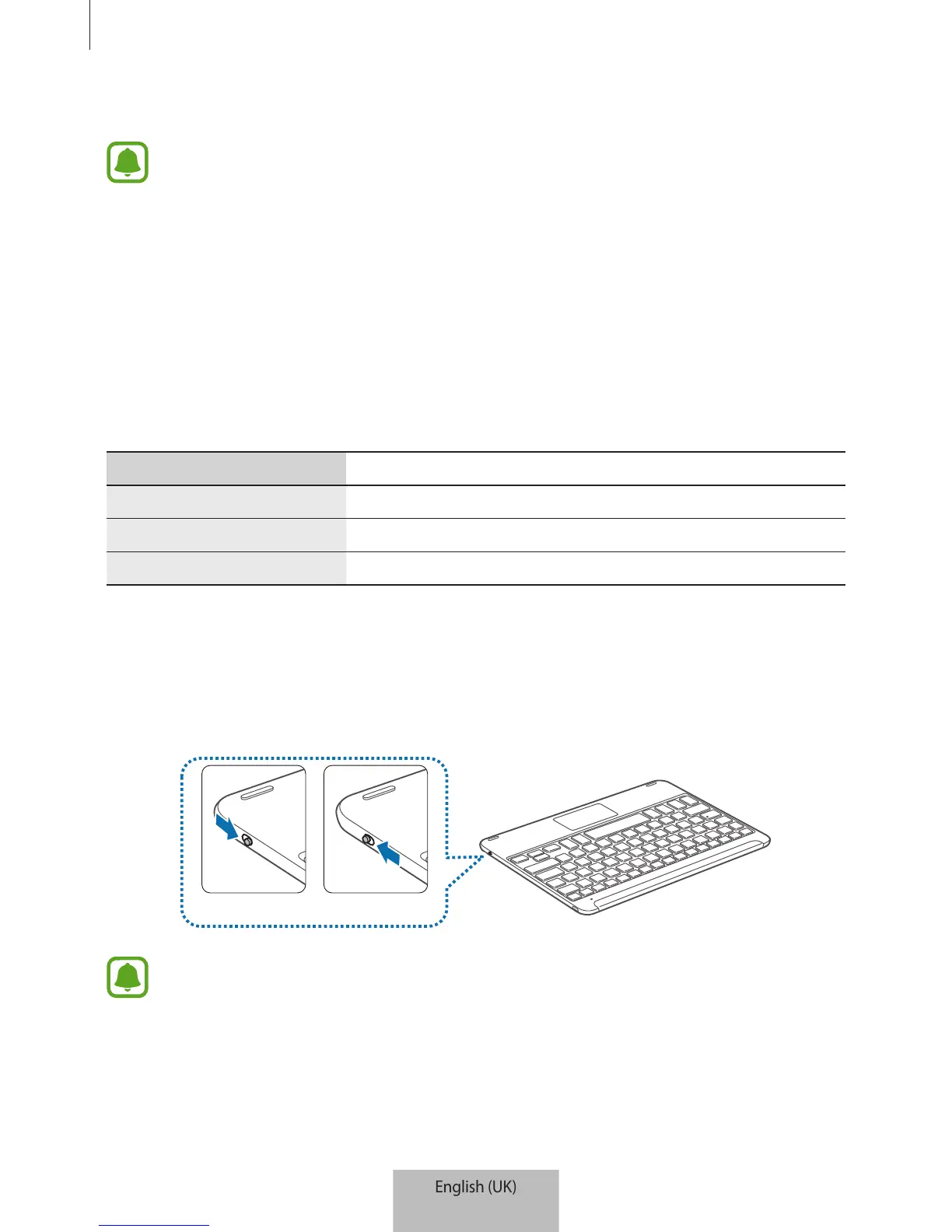
Slide the Power switch to turn on or off the keyboard.
On Off
Follow all posted warnings and directions from authorised personnel in areas where
the use of wireless devices is restricted, such as aeroplanes and hospitals.


 To Next Page