
 Need help?
Do you have a question about the Samsung ER-260 SERIES and is the answer not in the manual?
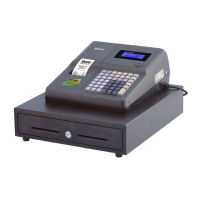
Identifies the product as an electronic cash register, specifically the ER-260 Series.
The Samsung ER-260 series service manual provides comprehensive information for the maintenance, repair, and understanding of the SAM4S ER-260 Electronic Cash Register. This document is designed to assist technicians and users in ensuring the optimal performance and longevity of the device.
The SAM4S ER-260 is an electronic cash register primarily designed for retail and hospitality environments to manage sales transactions, track inventory, and provide detailed reporting. Its core function is to accurately record sales, calculate totals, process payments, and issue receipts to customers. The device integrates various components to facilitate these operations, including a keyboard for input, a display for showing transaction details, a printer for receipts, and a cash drawer for secure storage of currency.
The cash register supports multiple payment methods, including cash, credit, and other forms of tender, allowing businesses to accommodate diverse customer preferences. It can be programmed with various product items (PLUs) and departments, enabling quick and accurate entry of sales data. This programmability extends to tax rates, discounts, and special offers, ensuring compliance with local regulations and supporting promotional activities.
Beyond basic transaction processing, the ER-260 often includes features for managing sales data, such as daily, weekly, or monthly sales reports. These reports are crucial for business owners to monitor performance, identify trends, and make informed decisions regarding inventory and staffing. The device can also track sales by operator, providing accountability and performance insights for employees.
The SAM4S ER-260 is designed for ease of use, featuring a user-friendly interface that allows operators to quickly learn and execute transactions. The keyboard layout is typically intuitive, with dedicated keys for common functions like item entry, subtotal, total, and payment types. Programmable keys can be customized to frequently sold items or specific functions, streamlining the checkout process and reducing transaction times.
The display, often a multi-line LCD, provides clear visibility of transaction details, including item names, prices, quantities, and the running total. This allows both the operator and the customer to verify the accuracy of the transaction in real-time. The built-in thermal printer ensures fast and quiet printing of receipts, which typically include transaction details, store information, and sometimes promotional messages.
For security, the cash register usually incorporates features such as operator sign-on/sign-off, which tracks who is using the machine and when. Access levels can be configured to restrict certain functions to authorized personnel, preventing unauthorized changes to programming or access to sensitive reports. The cash drawer is typically integrated and can be programmed to open automatically upon completion of a cash transaction, or manually with a key, ensuring secure storage of cash.
The ER-260 often supports various modes of operation, such as registration mode for sales, X-report mode for non-resettable daily reports, and Z-report mode for resettable daily totals. These modes are essential for daily business operations and end-of-day reconciliation. Programming mode allows for the configuration of system settings, item prices, and other operational parameters.
The service manual emphasizes several aspects of maintenance to ensure the ER-260's continuous and reliable operation. Regular cleaning is crucial, particularly for the keyboard and printer area, to prevent dust and debris from accumulating and affecting functionality. The manual provides guidance on safe cleaning practices, including recommended cleaning agents and techniques.
Troubleshooting is a significant component of the maintenance section, offering step-by-step instructions for diagnosing and resolving common issues. This includes problems related to power, printing, display, keyboard input, and cash drawer operation. The manual helps technicians identify the root cause of a problem, whether it's a simple user error, a software glitch, or a hardware malfunction.
For more complex issues, the manual includes detailed exploded views and parts lists, which are invaluable for identifying specific components that may need replacement. This allows technicians to order the correct parts and perform repairs efficiently. PCB (Printed Circuit Board) layouts and parts lists further aid in component-level troubleshooting and repair, providing a clear understanding of the electronic circuitry.
Block diagrams and wiring diagrams are provided to illustrate the interconnections between different modules and components within the cash register. These diagrams are essential for understanding the flow of signals and power, making it easier to trace faults in the electrical system. Schematic diagrams offer an even more detailed view of the electronic circuits, enabling advanced diagnostics and repair by experienced technicians.
The manual also covers disassembly and assembly procedures, providing clear instructions on how to safely open the device, access internal components, and reassemble it correctly. This is critical for performing repairs, replacing parts, or conducting thorough internal cleaning. Precaution statements are included to ensure the safety of personnel and to prevent damage to the device during maintenance and repair operations. These precautions often include warnings about static electricity, proper handling of electronic components, and power disconnection procedures.
Overall, the SAM4S ER-260 service manual is a comprehensive resource designed to support the entire lifecycle of the cash register, from initial installation and daily operation to routine maintenance and complex repairs, ensuring its continued functionality and value to businesses.
 General
| Type | Electronic Cash Register |
|---|---|
| Display | LCD |
| Printing Method | Thermal |
| Paper Width | 58mm |
| Power Supply | AC adapter |

 To Next Page