Playback/Editing
69
Transferring files to your Windows computer
Transferring files using Intelli-studio
You can easily transfer files on your camera to your computer by
using Intelli-studio.
1
Turn off the camera.
2
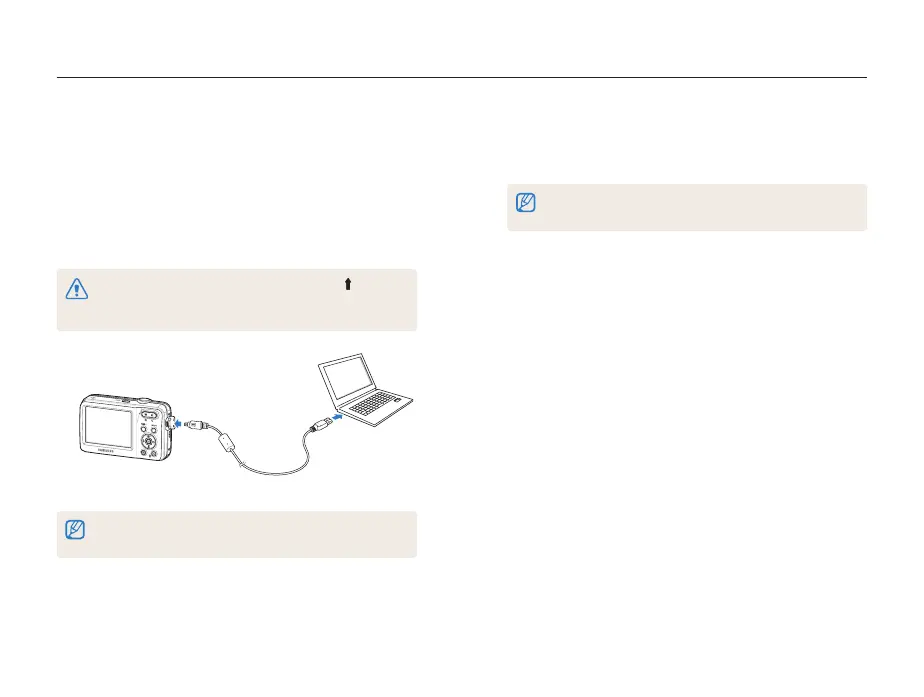
Connect the camera to your computer with the USB
cable.
You must plug the end of the cable with the arrow mark ( ) into
your camera. If the cable is reversed, it may damage your files.
The manufacturer is not responsible for any loss of data.
The battery will be charged while the camera is connected to a
computer with the USB cable.
3
Run Intelli-studio on your computer.
4
Turn on the camera.
• The computer recognizes the camera automatically.
If the camera fails to connect, a pop-up window will appear.
Select Computer.
5
Select a folder on your computer to save new files to.
• If your camera has no new files, the pop-up window for saving
new files will not appear.
6
Select Yes.
• New files are transferred to the computer.



 To Next Page