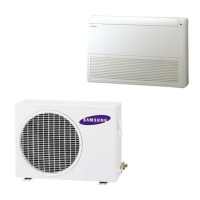
This document is an owner's manual for a Samsung System Air Conditioner, designed for both cooling and heating. It covers indoor units FH18ETA1 and FH24ETA1, and outdoor units FH18ETX1 and FH24ETX1.
Function Description
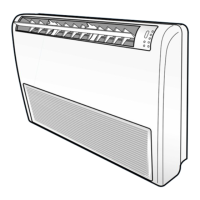
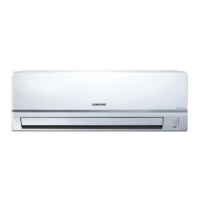
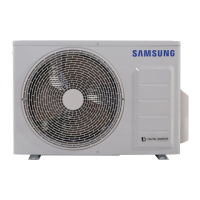
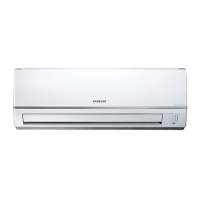
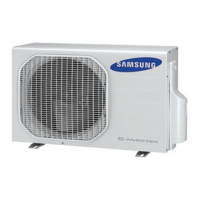
The Samsung System Air Conditioner provides both cooling and heating functionalities. The indoor unit is equipped with air flow blades (up/down and right/left) to direct air, an air filter, and a front grille. The outdoor unit features an air outlet and connection valve. The system can be controlled via a wireless remote controller, a wired remote controller (optional accessory), or a centralized controller (optional accessory).
Operating Modes: The air conditioner supports various operating modes, including cooling and heating. The remote controllers allow selection of the operating mode, temperature setting, fan speed, and air flow direction.
Timer Function: Users can set On Timer and Off Timer for scheduled operation.
Defrost Mode: When operating in HEAT mode, if the outside temperature is low but humidity is high, frost may form on the outdoor unit. In such cases, the system automatically triggers a defrost mode for approximately 10 minutes, during which heating operation stops. This is a normal function and requires no user intervention.
Automatic Restart: In the event of a power failure, the air conditioner will automatically restart with its previous settings once power is restored.
Important Technical Specifications
Power Supply:
- Models FH18ETA1 and FH24ETA1: 1Ø, 220-240V~, 50Hz.
Operating Temperature and Humidity Ranges:
- Heating:
- Outdoor Temperature: -5°C to 24°C (approx.)
- Indoor Temperature: 27°C or less
- The standardized temperature for heating is 7°C. Heating capacity may be reduced if outdoor temperature drops to 0°C or below.
- Cooling:
- Outdoor Temperature: -5°C to 54°C (approx.)
- Indoor Temperature: 21°C to 32°C (approx.)
- Indoor Humidity: 80% or less
- If cooling operation is used at over 32°C (indoor temperature), it may not cool at its full capacity.
- Drying:
- Outdoor Temperature: -5°C to 54°C (approx.)
- Indoor Temperature: 21°C to 32°C (approx.)
Protection Features:
- High Temperature: The automatic protection feature may be triggered, stopping the air conditioner, if operating temperatures exceed recommended ranges.
- Low Temperature: Operating at low temperatures can lead to water leakage or other malfunctions due to the heat exchanger freezing.
- High Humidity: Prolonged use in high humidity can cause water to condense and drip from the indoor unit.
Usage Features
Indoor Unit Components:
- Air flow blades (up/down and right/left): These can be manually adjusted to direct the air flow. There are two sets of inner air flow blades; the outer blades can be adjusted vertically, and the inner blades horizontally.
- Air filter: Filters dust and other particles from the air.
- Front grille: Provides access to the air filter for maintenance.
- Indicators: Remote control sensor, Defrosting indicator, Filter sign indicator, Fan indicator, Auto indicator, Timer indicator, Operation indicator.
- On/Off button: For manual power control.
Wireless Remote Controller:
- Buttons: Mode selection, Temperature adjustment, Filter Reset, Fan speed adjustment, Swing, On Timer, Off Timer, On/Off & Timer Set/Cancel.
- Display: Shows operating mode, set temperature, fan speed, air flow direction, On Timer setting, Off Timer setting, and battery discharge indicator.
- Filter Reset: After cleaning the air filter, press the "Filter Reset" button to reset the filter sign indicator.
Wired Remote Controller (Optional):
- Buttons: Mode selection, Test, Timer, Set/Cancel, Swing, Filter Reset.
- Indicators: Communication error, On Timer setting, Off Timer setting, Test, Temperature adjustment, On/Off, Filter Sign.
- Note: The "Test" button is for installation specialists only. After cleaning the air filter, press the "Filter Reset" button to clear the FILTER SIGN indicator.
Centralized Controller (Optional):
- Front View: Operating lamp, All On button, All Off button, On/Off indicators (for units 01-15), On/Off buttons (for units 01-15), Index. The operating lamp comes on even when only one air conditioner connected to the centralized controller is operating.
- Side View: Operating Mode Switch (Cool/Auto/Heat). This switch allows selection of the appropriate operating mode.
Function Controller (Optional):
- Buttons: Room Select, Mode, Test, Filter Reset, Swing, Timer, Fan Speed adjustment, Indoor unit selection.
- Indicators: Communication error, Room number display, Test, Temperature adjustment, Indoor unit selection, Remote control sensor, Defrosting, Centralized controller, Temperature setting, Fan speed, Air flow direction, Filter Sign, On/Off & Timer Set/Cancel, On/Off.
- Note: The "Test" button is for installation specialists only. After cleaning the air filter, press the "Filter Reset" button to clear the FILTER SIGN indicator.
Adjusting Air Flow Direction:
- The outer air flow blades can be adjusted vertically.
- The inner air flow blades can be adjusted horizontally.
- Adjust each set of inner blades to the desired position by pushing or pulling them sideways.
Maintenance Features
Cleaning Your Air Conditioner:
- Open the front grille: Push on both sides and center.
- Remove air filters: Pull the air filters in an upward direction to remove them.
- Clean air filters: Remove dust from the air filters by vacuum cleaner, brush, or by washing them with a detergent and warm water (below 40°C). After washing, allow them to dry thoroughly in an area protected from sunlight.
- Insert air filters: Insert the air filters to the front grille.
- Close the front grille: Push both sides and center.
Important Cleaning Notes:
- If the air conditioner has not been used for a long period, set the unit to fan mode for three or four hours to dry the inside thoroughly.
- Clean the air filter at least every two weeks. Failure to do so may reduce performance and increase noise.
- After cleaning the air filter, press the "Filter Reset" button on the remote controller to reset the filter sign indicator.
Safety Precautions:
- WARNING: Risk of electric shock, injury, or death. Disconnect all remote electric power supplies before servicing, installing, or cleaning. Servicing should be done by the manufacturer or its service agent or a similar qualified person.
- During Operation:
- Users are cautioned not to attempt repair. Contact a dedicated service center or the outlet where the product was purchased.
- Never spill any liquid into the unit. If this happens, unplug or main switch off the unit and contact an authorized service center.
- Do not insert anything between the air outlet blades, as this can damage them and cause injury. Keep children away from the unit.
- Do not place any obstacles in front of the unit.
- Do not drink liquid from the indoor unit. If this happens, switch off the breaker and call a specialist.
- Ensure the unit is correctly ventilated at all times.
- Do not place clothing or other materials over it.
- The wireless remote control should not be used for a long distance (more than 7 meters from the air conditioner).
- When using a wireless remote control, the distance should not be more than 7 meters from the air conditioner.
- Disposing of the Unit:
- Before disposing of the unit, it is necessary to pull back the battery cells and get rid of them safely for recycling reasons.
- When you need to dispose of the unit, consult your dealer. If pipes are removed incorrectly, refrigerant may blow out and come into contact with your skin, causing injury. Releasing refrigerant into the atmosphere also damages the environment.
- Please recycle or dispose of the packaging material for this product in an environmentally responsible manner.
- Others:
- Never store or ship the air conditioner upside down or sideways to avoid damage to the compressor.
- The appliance is not intended for use by young children or infirm persons without supervision. Young children should be supervised to ensure they do not play with the appliance.
- Max current is measured according to IEC standard for safety and current is measured according to ISO standard for energy efficiency.
Troubleshooting:
The manual provides a section for solving common problems, including:
- Air conditioner not operating: Check if the breaker is switched on.
- Wireless remote controller not operating: Check if the remote is within range, if there are obstacles, if batteries are dead, or if there is strong light interference.
- Wired remote controller not operating: Check connections and allow time for communication.
- Air conditioner not cooling/heating: Check if the correct operating mode is selected, if temperature is too low/high, if the air filter is blocked, or if there is an obstacle in front of the outdoor unit.
- Heating temperature not reached: Check if the required temperature has been set correctly or if fan speed needs to be increased.

 Need help?
 General

 To Next Page