Apps and features
83
Applying filters and other effects
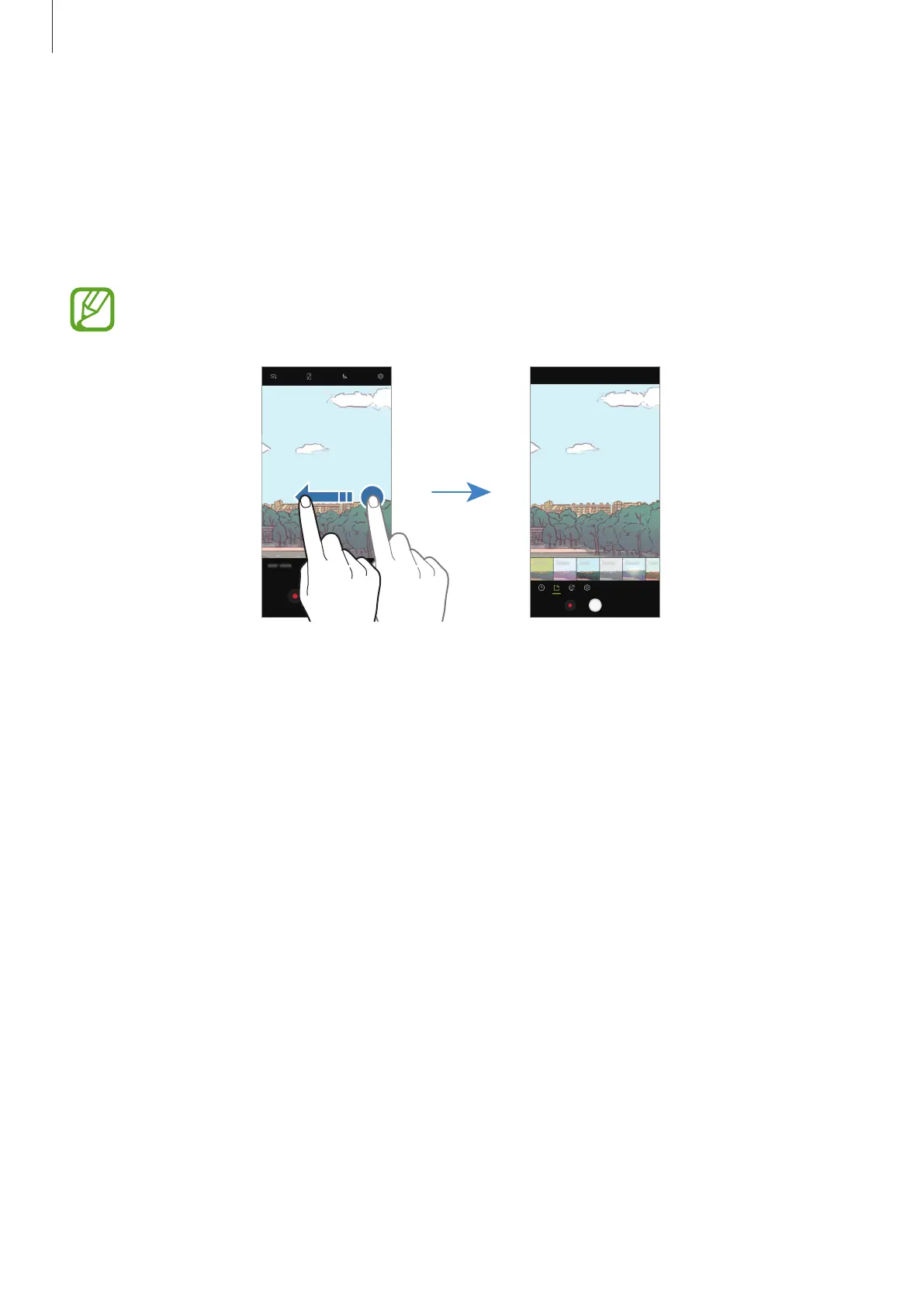
On the preview screen, swipe to the left to open the list of filters and other effects. You can
apply an effect to your photos or videos.
After selecting a filter or effect, tap the preview screen and take a photo or record a video.
To remove the applied filter or effect, open the filters and effects list and tap
Remove effect
.
This feature is only available in some shooting modes.
Rear camera preview Filters and other effects










 To Next Page