
 Need help?
Do you have a question about the Samsung Galaxy S22+ and is the answer not in the manual?
Guide on initial device setup including water resistance, charging, and wireless power sharing.
Setup and management of Face Recognition and Fingerprint scanner for device security.
Navigating the camera, shooting modes, AR Zone, and specific camera settings.
Managing Wi-Fi, Bluetooth, NFC, Airplane mode, and mobile networks.
Controlling sound modes, vibrations, volumes, ringtones, and notification sounds.
Adjusting dark mode, brightness, motion smoothness, font size, and screen zoom.
Setting up screen locks, managing security features, and Google Play Protect.
Optimizing performance, managing battery, storage, and memory.
Settings for vision, hearing, interaction, and dexterity assistance.
 General
| Display Size | 6.6 inches |
|---|---|
| Display Type | Dynamic AMOLED 2X |
| Resolution | 1080 x 2340 pixels |
| Refresh Rate | 120Hz |
| RAM | 8GB |
| Storage Options | 128GB, 256GB |
| Front Camera | 10 MP |
| Battery Capacity | 4500mAh |
| Charging | 45W wired, 15W wireless |
| Operating System | Android 12, One UI 4.1 |
| Water Resistance | IP68 |
| Dimensions | 157.4 x 75.8 x 7.6 mm |
| Weight | 195 g |
| Processor | Exynos 2200 / Qualcomm Snapdragon 8 Gen 1 |
| Rear Camera | 50MP (wide) + 12MP (ultrawide) + 10MP (telephoto) |
| Connectivity | 5G, Wi-Fi 6, Bluetooth 5.2, NFC |
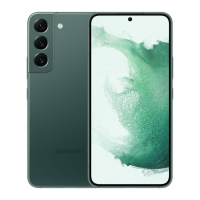
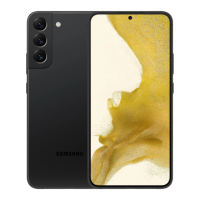
| Colors | Phantom Black, Green, Pink Gold |






 To Next Page