English
a
Copyright © 2020 Samsung Electronics America,Inc.
Bluetooth
®
is a registered trademark of Bluetooth
SIG, Inc. worldwide.
Other marks are the property of their respective
owners.
•
Be sure to visit
www.samsung.com
to view the
device information, full user manual, and the
detailed usage precautions before using the
product.
•
Your consumer rights are governed by the law of
the country in which you purchased the product.
Please contact your service provider for more
information.
To connect a SmartTag to a mobile device, press the
button (
) to activate the SmartTag and follow the
on-screen instructions to complete the connection.
If the pop-up window does not appear, use a mobile
device to scan the QR code on the box.
•
Do not use your SmartTag in a hot
environment of near a fire.
•
Do not swallow or disassemble any battery,
chemical burn hazard.
•
If the battery from your SmartTag is
swallowed it can cause severe internal
burns in just 2 hours and can lead to death.
•
Keep batteries away from infants and
children. If the battery compartment does
not close securely, stop using the product
and keep it away from infants and children.
If you think the batteries might have
been swallowed or inserted inside any
part of the body, seek immediate medical
attention.
•
Risk of fire or explosion if the battery is
replaced by an incorrect type.
FCC Part 15.19
This device complies with part 15 of the FCC Rules.
Operation is subject to the following two conditions:
(1) This device may not cause harmful interference,
and (2) this device must accept any interference
received, including interference that may cause
undesired operation.
FCC Part 15.21
Any changes or modifications (including the antennas)
to this device that are not expressly approved by the
manufacturer may void the user’s authority to operate
the equipment.
Samsung Mobile Products and
Recycling
Samsung cares for the environment and encourages its
customers to properly dispose of Devices and Samsung
accessories in accordance with local regulations. In
some areas, disposal of these items in household or
business trash may be prohibited. Dispose of other
unwanted electronics through an approved recycler. To
find the nearest recycling location, go to our website:
www.samsung.com/recycling
or call, 1-800-SAMSUNG.
Samsung Electronics America, Inc
85 Challenger Road,
Ridgefield Park, New Jersey, 07660
Phone: 1-800-SAMSUNG (726-7864)Phone:
1-800-SAMSUNG (726-7864)
FCC ID is affixed in the battery compartment.
Printed in Korea
A00889 Rev.1.0
USA Type 12/2020
QUICK
START
GUIDE
EI-T5300
Galaxy SmartTag

 Need help?
 General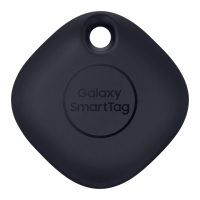

 To Next Page