Getting started
6
Replacing a battery
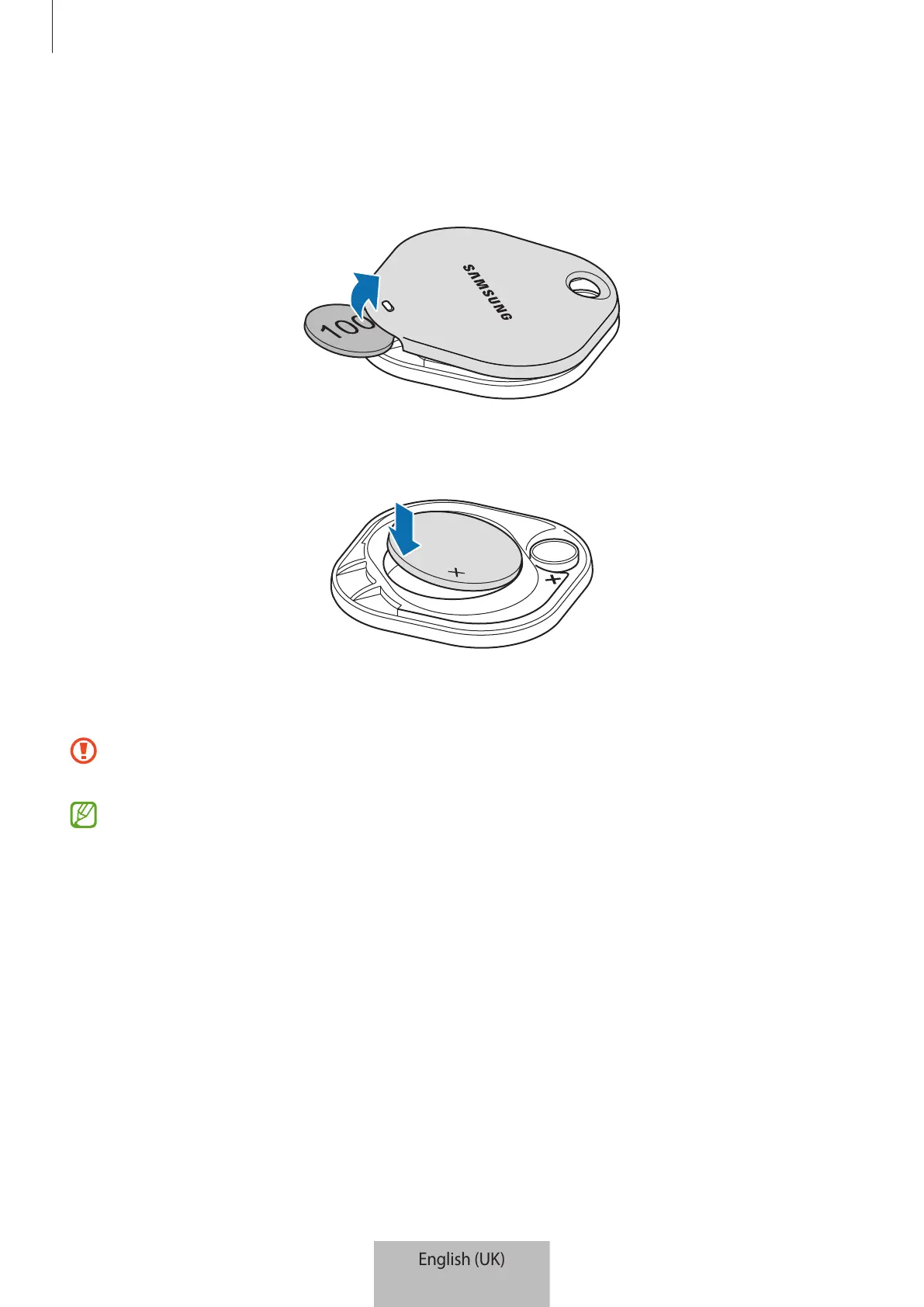
1 Open the battery cover groove using a coin.
2 Insert the battery with the positive terminal properly aligned with the + symbol inside the
SmartTag.
3 Place the battery cover over the SmartTag and press on the battery cover until it clicks into
place.
Be careful to not hurt your finger or fingernail when opening the battery cover groove
while replacing the battery.
•
When the battery is discharged, replace the battery.
•
Do not recharge the provided battery.









 To Next Page