
 Need help?
Do you have a question about the Samsung Galaxy Tab S9 FE 5G and is the answer not in the manual?
Instructions for activating your device with AT&T, including transferring your number.
Steps to power on the device and follow setup screens, including transferring content.
Guide on inserting the SIM and optional microSD card into the device tray.
Learn more via the Device Help app, scan QR code, visit website, or call customer care.
This document provides a Quick Start Guide for the Samsung Galaxy Tab S9 FE 5G, detailing its components, initial setup, and support information.
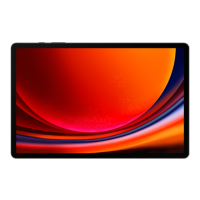
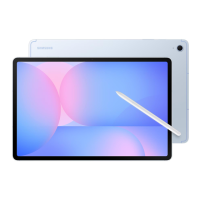
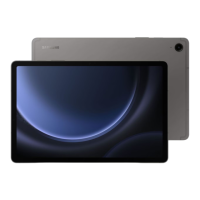
The Samsung Galaxy Tab S9 FE 5G is a tablet designed for connectivity and productivity, featuring 5G capabilities for fast mobile data access. It comes with an S Pen, enhancing its utility for note-taking, drawing, and precise interaction. The tablet is IP68 rated, indicating a degree of protection against dust and water ingress, making it more durable for various environments.
The package includes the Samsung Galaxy Tab S9 FE 5G device itself, an S Pen for enhanced interaction, a charging cable (USB Type-C 3A), a SIM card, and a removal tool. The inclusion of a SIM card suggests immediate cellular connectivity upon activation. The removal tool is essential for accessing the SIM/microSD card tray. The Quick Start Guide and Terms & Conditions are also provided to help users get started and understand the device's policies.
The tablet's physical layout includes several key components:
For users upgrading or replacing their device and transferring their number to AT&T, activation is done through www.att.com/getstarted. This process ensures that the device is properly registered with the network and that the user's existing number is transferred.
To begin using the tablet, users will need their Google ID and password, as well as a Wi-Fi password for initial setup and access to online services.
The device is powered on by pressing and holding the Side button. This initiates the boot-up sequence, leading to the setup screens.
The guide provides clear instructions for inserting the SIM and an optional microSD card (not included).
After powering on and inserting the cards, the device will display setup screens. These screens guide the user through initial configurations, such as language selection ("Welcome!" screen with "English" and "Start" options), network connection, and Google account setup. The process also facilitates transferring content from an old device to the new one, ensuring a seamless transition.
For further assistance, users have several options:
While not explicitly detailed as "maintenance features," several aspects contribute to the device's upkeep and longevity:
The document is printed in Korea and includes a model number (GH68-55517D), which is useful for identification and support. The copyright information indicates that the content is from 2023 Samsung Electronics America, Inc. and AT&T Intellectual Property.
 General
| Display Size | 10.9 inches |
|---|---|
| Resolution | 2304 x 1440 pixels |
| Display Type | LCD |
| Processor | Exynos 1380 |
| RAM | 6GB / 8GB |
| Storage | 128GB / 256GB |
| Rear Camera | 8 MP |
| Front Camera | 12 MP |
| Battery Capacity | 8000 mAh |
| Charging | 45W fast charging |
| 5G Support | Yes |
| Dimensions | 254.3 x 165.8 x 6.5 mm |
| Water and Dust Resistance | IP68 |
| Operating System | Android 13 |
| Connectivity | Wi-Fi 6, Bluetooth 5.3 |
| Weight | 523g |
| Colors | Gray, Lavender |
| Stylus Support | Yes (S Pen included) |










 To Next Page